Audio Guest Book: What It Is and How It Works
Audio guest book explained: how guests record messages, what it costs, and how to keep recordings private and accessible.
You're choosing the finishing touches for an event, and a vintage telephone looks more inviting than another book on a table. But before you book it, you need to know what guests do, what you'll receive afterward, and who gets to hear the messages. An audio guest book can preserve wonderful memories, provided you plan for the recordings as carefully as you plan for the celebration.
Table of Contents
- What an Audio Guest Book Is and How It Works
- Audio Guest Book Formats Compared Side by Side
- How Guests Leave a Recorded Message
- What Audio Guest Books Cost and What Changes the Price
- Audio Guest Book Ideas for Weddings, Birthdays and Corporate Events
- Preserving and Sharing Recordings Safely
- Consent, Privacy and Deletion Rules to Follow
- Making Participation Work for Every Guest
- Decide Whether an Audio Guest Book Fits Your Event
What an Audio Guest Book Is and How It Works
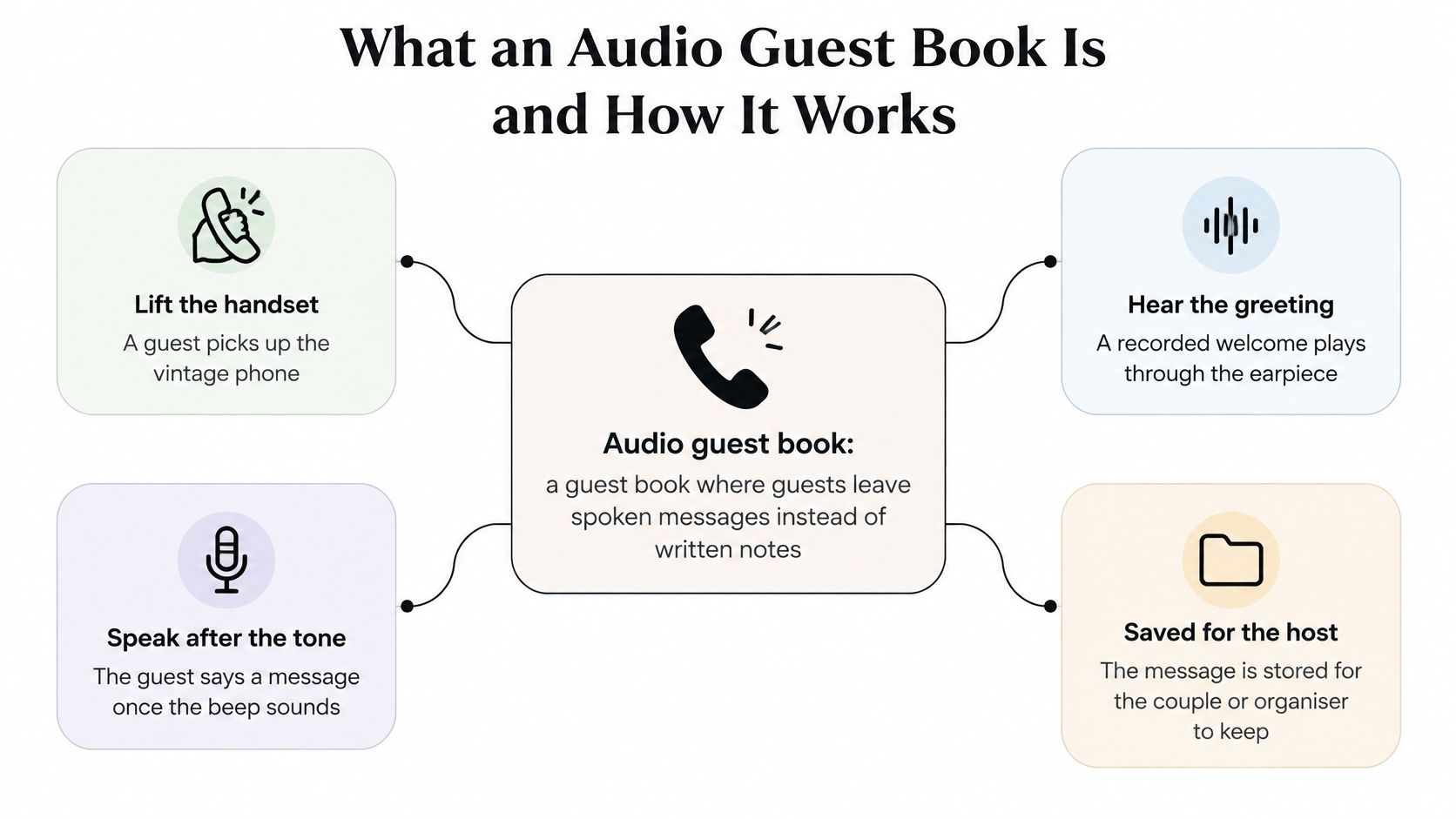
A guest lifts a vintage handset, hears your welcome, and waits for the tone. Then they leave a memory, a wish, or a slightly tearful thank-you.
An audio guest book is a guest book where people leave spoken messages kept as audio files instead of written signatures. The phone is the recording interface, not necessarily a working telephone connected to a landline.
The format developed from remote telephone recording into a visible object guests could use at an event. The Associated Press traces the story through LifeOnRecord, which has operated since 2006, and described audio guest books as an emerging wedding trend in 2024, reporting that The Telephone Guestbook served customers in the United States and England.
The basic interaction is straightforward:
The same format can suit birthdays, bar and bat mitzvahs, retirements, and memorial or end-of-life gatherings. Change the greeting and prompt to match the occasion rather than treating every event like a wedding reception.
The attraction is the voice itself. A familiar laugh or a particular way of saying your name can make a recording feel more personal than a signature, though guests should still have another way to contribute.
Audio Guest Book Formats Compared Side by Side
| Format | How Guests Record | What Hosts Receive | Best Fit |
|---|---|---|---|
| Vintage rotary phone rental | Lift handset, hear greeting, record after tone | Digital files, USB, cassette or vinyl, according to the package | Weddings and milestone parties |
| Remote telephone line | Call a dedicated number and leave a message | Audio files stored by the service | Guests spread across time zones |
| Browser recording link | Open a link on a phone and record a message | Audio files collected in a shared folder or dashboard | Large events with mixed ages, with assistance available |
| Hybrid phone and written card | Record on the phone or write on a card | Audio plus written notes | Guests who prefer not to speak |
Start with guest effort, not the appearance of the phone. A handset avoids asking guests to use their own devices, while a browser recording page needs microphone permission and a successful save or upload. Test that process on the phones guests are likely to bring.
A remote line lets someone contribute without attending. Give distant guests the prompt beforehand, including whether their message is a surprise and when you plan to collect the recordings.
Match the output to how you'll listen
Digital files are practical for searching, backing up, and making an approved selection. A cassette or vinyl keepsake offers a different listening experience, but shouldn't be your only usable copy.
Before choosing a package, establish whether you receive individual messages, an edited compilation, or both. Also check whether you can download recordings without continuing to use the provider's account.
If you're comparing audio with other keepsakes, these unique guest book ideas for weddings can help you choose a complementary written or visual option.
Practical rule: The best format is the one your guests can comfortably use, not the one that photographs best.
How Guests Leave a Recorded Message
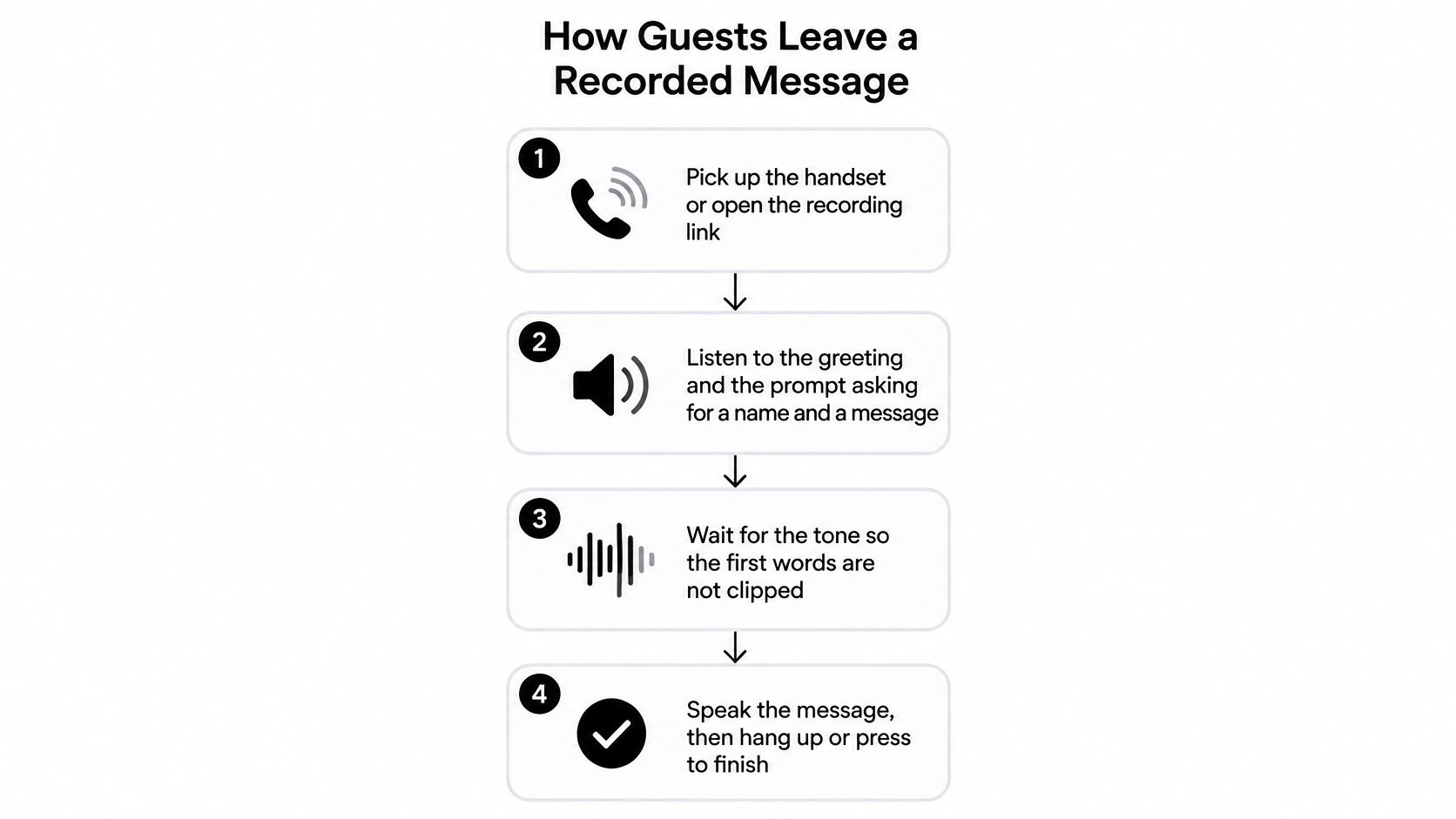
Give guests visible instructions even when a recorded greeting explains the process. Someone approaching halfway through another person's recording shouldn't have to guess what happens next.
Pick up the handset or open the recording page. On a browser-based system, allow microphone access when prompted. A common mistake is dismissing that permission request and assuming the microphone is already working.
Listen to the whole greeting. Ask guests to introduce themselves if they're comfortable, then share a memory or wish. Without a specific prompt, guests may hesitate or leave only a hurried congratulations.
Wait for the tone or recording indicator. This tells the guest when the message begins. Speaking too soon can leave the opening words missing, including the speaker's name.
Speak clearly at a normal volume. Suggest a brief message so others can take a turn, without making guests feel rushed. Whispering in a noisy room makes listening difficult, while shouting into the microphone can distort the sound.
Finish using the system's actual controls. A handset may save when replaced, while a browser page may require a finish button followed by submission. Don't tell guests to close the page until you've confirmed what completes the upload.
Check identification without making it compulsory. The host can later label a file with the name the guest supplied. Don't assume the system automatically converts a spoken introduction into a searchable filename.
These are the core actions to show beside the recording station:
Run a complete test before guests arrive, including playback. During the event's opening period, have the designated host check sample recordings with headphones, with appropriate permission, to catch music interference, missing introductions, or failed saves while there's still time to fix them.
What Audio Guest Books Cost and What Changes the Price
| Service Type | Typical Price | Source |
|---|---|---|
| Weekend rental | $150 to $350 | Paperlust, 2026 |
| Photo-booth add-on | $250 to $375 | Happy Hear Audio's photo-booth add-on pricing |
| Standalone service | $325 to $500 | Happy Hear Audio, 2026 |
These are reported package ranges, not like-for-like quotes. Happy Hear Audio lists different prices for a photo-booth add-on and a standalone service. Compare what each includes before judging which option costs less for the same setup.
The main price drivers are the phone model, delivery and collection, recording service, and keepsake format. A digital handover and a produced physical keepsake are different deliverables, so check which one the quoted price covers.
Compare the complete booking
Ask for a written breakdown of:
- Availability: When the phone arrives, when it must be returned, and whether setup is included.
- Transport: Delivery, collection, return packaging, and responsibility for shipping.
- Recording handover: Whether you receive individual files, editing, download access, or a physical keepsake.
- Equipment terms: Deposits, damage responsibility, power requirements, and support if recording stops.
A low headline price may leave out a service your venue or plans require. Compare the full cost, not just the rental figure.
For a hypothetical wedding, add the service quote, transport, optional keepsakes, and any separately charged setup to estimate the total. Divide that amount by expected attendance only if a per-guest figure helps you compare it with other activities. Treat the result as a budgeting aid, not a prediction of how many guests will record.
Don't budget as though every attendee will leave a separate message. Couples and families may record together, while some guests may choose a written alternative.
Audio Guest Book Ideas for Weddings, Birthdays and Corporate Events
Wedding demand provides a useful benchmark, not a prediction for every event: coverage in The New York Times recounts Andy White's statement that approximately 95% of The Telephone Guestbook's business came from weddings.
A vintage phone can become part of the reception setting:
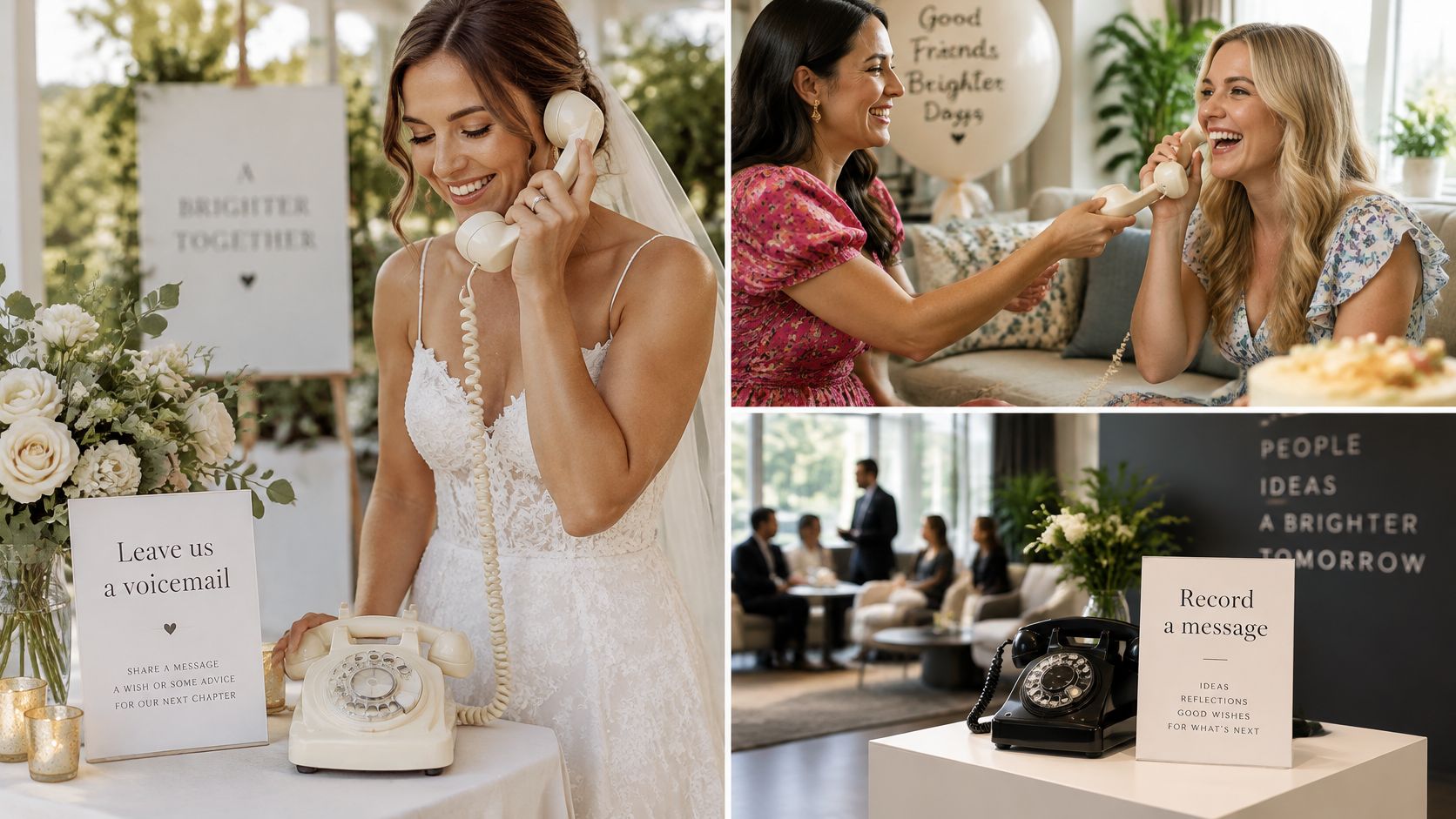
Give each occasion a useful prompt
For a wedding, place the phone near a quieter reception area and invite a memory of the couple. If you also plan to order a bespoke wedding song from Song Tailor, keep the purposes distinct: a commissioned song tells your chosen story, while guest recordings preserve individual contributions.
For a milestone birthday, invite relatives to describe a shared adventure. Give people who can't travel a remote recording route so the birthday person receives messages from beyond the room.
For a corporate retirement, ask colleagues for a specific moment when the retiree helped them. Place the station away from managers or a queue of listeners so participation doesn't feel like a public performance.
For a visual introduction to the format:
In each scenario, a focused prompt gives guests somewhere to begin. Avoid questions that invite embarrassing disclosures or pressure people to perform.
Preserving and Sharing Recordings Safely
A keepsake needs a handover plan. Before the event, establish what file types you'll receive, whether the recordings are original exports or edited copies, and how you'll retrieve them.
A physical record or USB drive can be a presentation format, but check that you also have files you can play and manage with your own equipment.
Build an archive you can maintain
- Label carefully: Use the event date and the guest's supplied name, or a neutral identifier when they prefer anonymity. Don't put sensitive message content in filenames.
- Separate working copies: Keep a backup somewhere independent of the main archive, such as an encrypted drive separate from your private cloud storage.
- Test playback: Open downloaded files before closing the provider account or returning equipment.
- Control distribution: Prefer named-user access over a freely forwarded folder link, and remove access when it's no longer needed.
- Track disposal: Record where copies exist, who received them, and when scheduled deletion has been completed.
A browser recording service may simplify collection into a dashboard, but collection isn't backup. Confirm that the files have exported and remain playable outside the service.
Use an archive log rather than relying on memory, particularly when a planner hands files to a couple or an employer hands them to a retiree. These event data security practices offer a useful basis for access and storage decisions.
Treat every exported folder as another copy you'll need to manage, not as the end of your responsibility.
Consent, Privacy and Deletion Rules to Follow
A sentimental message isn't permission to keep or publish it indefinitely. Treat an identifiable voice recording as personal data, with a stated purpose, audience, and retention plan.
Queensland Health's recording guidance advises telling participants before recording why it's happening, where material will be shared, and how long it will be retained. It also cautions against sharing recordings with non-attendees without consent; this is a useful planning standard, not a substitute for checking the law applicable to your event.
Put the explanation before the recording
Use wording like this, filling in the actual date and contact details:
Suggested sign
This phone records a message for the couple's private keepsake. Only the couple will have access. We'll keep recordings until the deletion date shown below. Recording is optional; you can leave a written message instead. Contact the named host to request removal. We'll ask separately before publishing your message.
Don't promise a private archive and then play the collection at another gathering. Permission to record and permission to publish are separate decisions.
State whether you'll create transcripts, who will make them, and whether an external transcription service receives the files. Provide a withdrawal route before publication, while explaining that you can't reliably recover copies someone has already downloaded.
The key checks belong beside your planning paperwork:
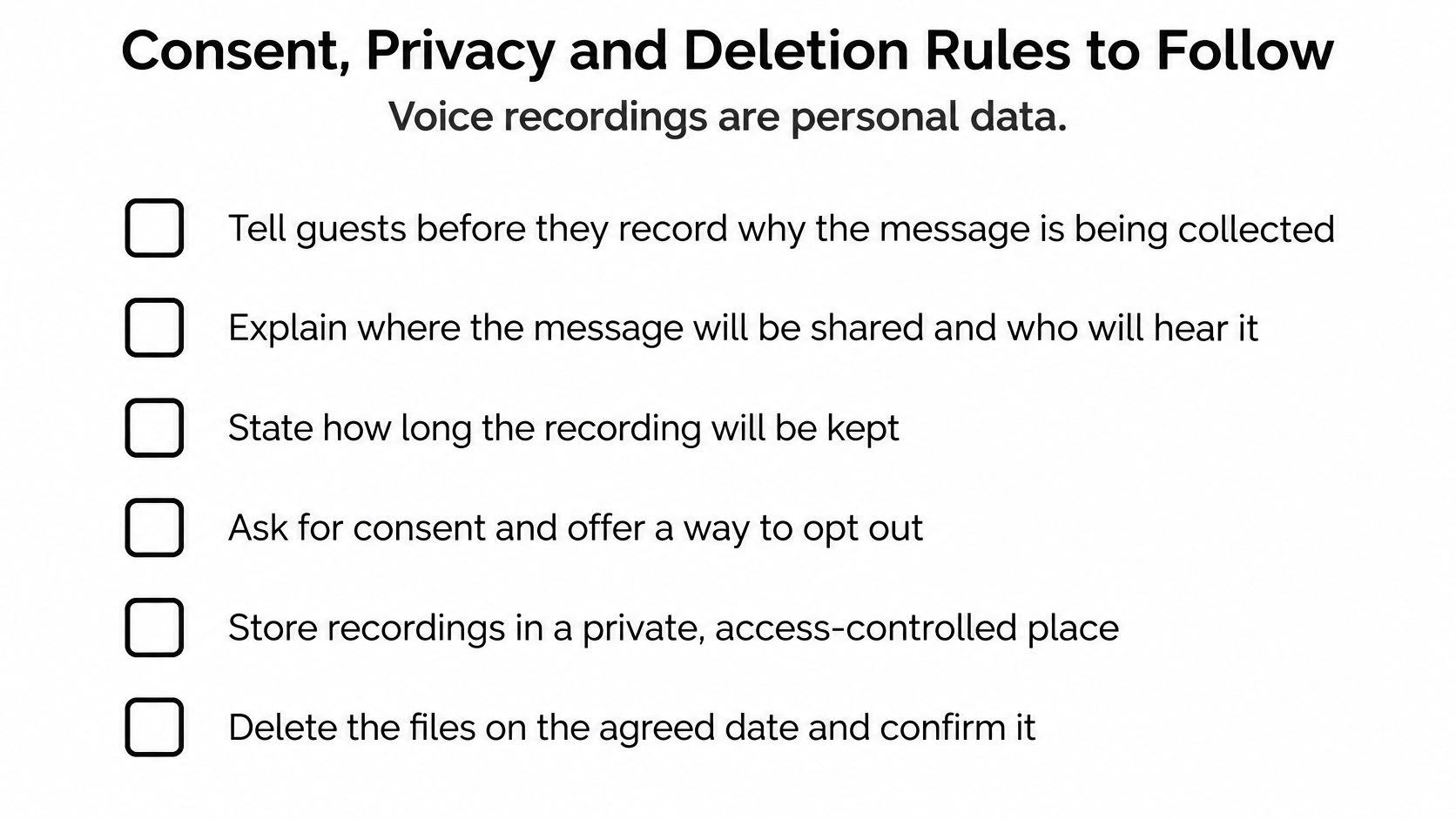
Complete the host's checks
- Ownership: Name the person responsible for consent, access requests, and deletion.
- Audience: List who may listen, including suppliers handling the files.
- Higher-risk content: Plan for children's contributions, sensitive disclosures, and accidentally captured background conversations.
- Withdrawal: Give guests a contact route that doesn't require announcing their decision publicly.
- Retention: Set an actual deletion date and include backups and supplier copies in the plan.
For uploads through our event pages, organizers are responsible for obtaining consent from attendees whose personal data they upload. Names and email addresses can be optional; collecting them unnecessarily isn't a substitute for obtaining meaningful permission.
Making Participation Work for Every Guest
Voice should be an option, not an admission requirement. A voice-only station can exclude guests who are deaf or hard of hearing, have speech or motor impairments, are neurodivergent, speak another language, or don't want their voice recorded.
The FNA Events guide to audio and video guest books recommends approaches including translated or icon-based instructions and a written alternative. The aim is equivalent participation, not a secondary option hidden behind the main display.
Make the alternative equally welcoming
Put cards, pens, or a typed submission route beside the phone. Use the same invitation for every format, such as sharing a favorite memory, so written contributions don't feel less valuable.
Arrange the station so a seated guest can reach it without assistance. Provide a stable surface for the receiver, keep cables out of circulation routes, and offer help without assuming someone wants another person handling their message.
- Readable instructions: Use large print, strong contrast, and simple icons alongside text.
- Language choice: Translate the prompt where needed and welcome messages in guests' preferred languages.
- Sound conditions: Choose a quiet position without isolating guests from the celebration.
- Accessible playback: Prepare accurate transcripts when recipients need them, within the permissions guests gave.
For a celebration spread across several activities, Taos Goji's wedding weekend planning timeline can help you reserve time for setup and checks rather than squeezing them into arrivals.
Audio can carry warmth that handwriting doesn't, but written and typed contributions have their own value. Build those choices into your event engagement strategy instead of measuring success only by the number of recordings.
Test the invitation: if a guest can't participate in the way your sign describes, provide another equally clear route.
Decide Whether an Audio Guest Book Fits Your Event
An audio guest book suits a wedding, birthday, retirement, or corporate celebration when guests want to contribute and someone will manage the resulting files. It's a poor fit if speaking feels compulsory, the room offers no suitable recording space, or nobody owns the follow-up work.
Choose based on the whole experience, not the handset alone. A simpler written keepsake is better than an attractive recording station that produces files you can't responsibly maintain.
Make the decision this week
- Review your guests: Consider preferences, access needs, and people contributing remotely.
- Choose the format: Match the recording route to the venue and guest group.
- Confirm the full budget: Include handover, transport, and optional keepsakes.
- Assign responsibility: Put a named person in charge of consent and removal requests.
- Prepare alternatives: Make written or typed participation visible from the start.
- Schedule the handover: Decide who receives the archive and completes its eventual disposal.
Be equally deliberate with visual memories. On our platform, publishing an album makes the gallery visible to everyone who has the link, so a shared link shouldn't be treated as named-person access.
Complete the consent and access checks before the event, while you still have time to change the setup.
Collect the visual side of the celebration alongside your audio guest book with EventUploader. Create a branded upload page and share its printable QR code so guests can contribute photos and videos from their browsers without an app or account, then choose which memories to publish as a shared gallery.