QR Code for Photo Sharing: How It Works and Why It Works
Learn what a QR code for photo sharing is, how it works at events, and how to set one up with privacy, branding, and trust in mind.
The reception is still buzzing when someone lifts a phone and asks, “Where should I send these?” A guest has a perfect photo of the first dance, another has captured the speech from the back of the room, and a third has a short video nobody else saw. Without a simple collection point, those memories stay scattered across private cameras, group chats, and forgotten message threads.
A QR code for photo sharing gives everyone one place to contribute. Guests scan a printed code, open a mobile upload page, select their photos, and add them to a shared gallery. The useful part isn't the black-and-white square itself. It's the short path from a physical event to a digital collection that hosts can manage.
Table of Contents
- What a QR Code for Photo Sharing Actually Does
- How the Scan to Upload Flow Actually Works
- Where QR Code Photo Sharing Works Best
- Setting Up a Branded Upload Page and Shareable Link
- The Two Risks Nobody Talks About
- Making the Code Itself Work in the Real World
- A Short Checklist for a Trustworthy QR Photo Share
What a QR Code for Photo Sharing Actually Does
At a wedding reception, a small card on each table can change how the evening is remembered. A guest points a phone at the code, taps the link that appears, and uploads a candid photo from the dance floor. A few moments later, the couple can see it in the event gallery, alongside images from friends and family they weren't standing near.
That printed card is a bridge, not a storage box. The code doesn't contain the wedding photos, birthday videos, or conference images. It stores a destination, usually a short web address, that takes the guest to an upload page. The page handles the actual file transfer and sends the result to the shared gallery.
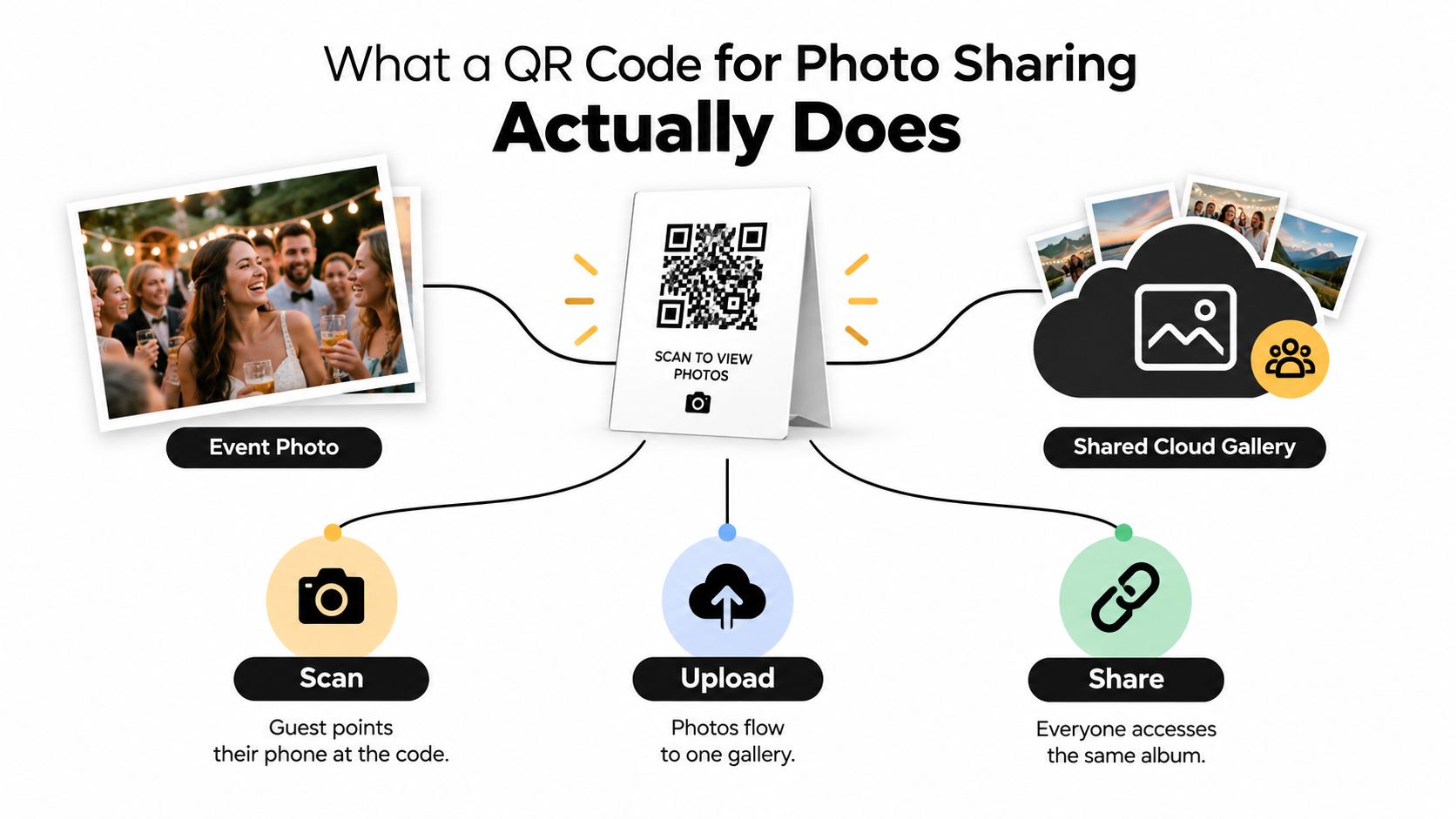
The core idea: a QR code turns “send me that photo later” into “scan here and add it to the event album now.”
QR codes were created by DENSO in Japan in 1994 to solve a manufacturing problem. Conventional barcodes couldn't represent enough information efficiently for production tracking, so the new two-dimensional code was designed to store up to 7,000 numeric characters and support Kanji and other text formats, as documented by DENSO WAVE's QR Code history. Its open, standardized foundation later helped the format move beyond factories into packaging, transport, payments, marketing, and mobile web access.
The same principle works well for events because guests already carry the tool they need: a phone with a camera and browser. They don't need to exchange numbers, search for a service, or find the right group conversation.
| Friction point | QR code answer |
|---|---|
| Guests keep photos on separate phones | One upload page gathers them in one gallery |
| People forget where to send files | A visible code gives them a clear destination |
| Hosts want candid moments from different viewpoints | Every guest can contribute from the room |
| Group chats compress or bury media | A dedicated gallery keeps event files together |
| Organizers need one simple instruction | “Scan, upload, and view” is easy to display |
The format suits weddings, birthdays, reunions, conferences, school events, and festivals. The event changes, but the job stays the same: connect people holding photos with the place where the host wants those photos collected.
How the Scan to Upload Flow Actually Works
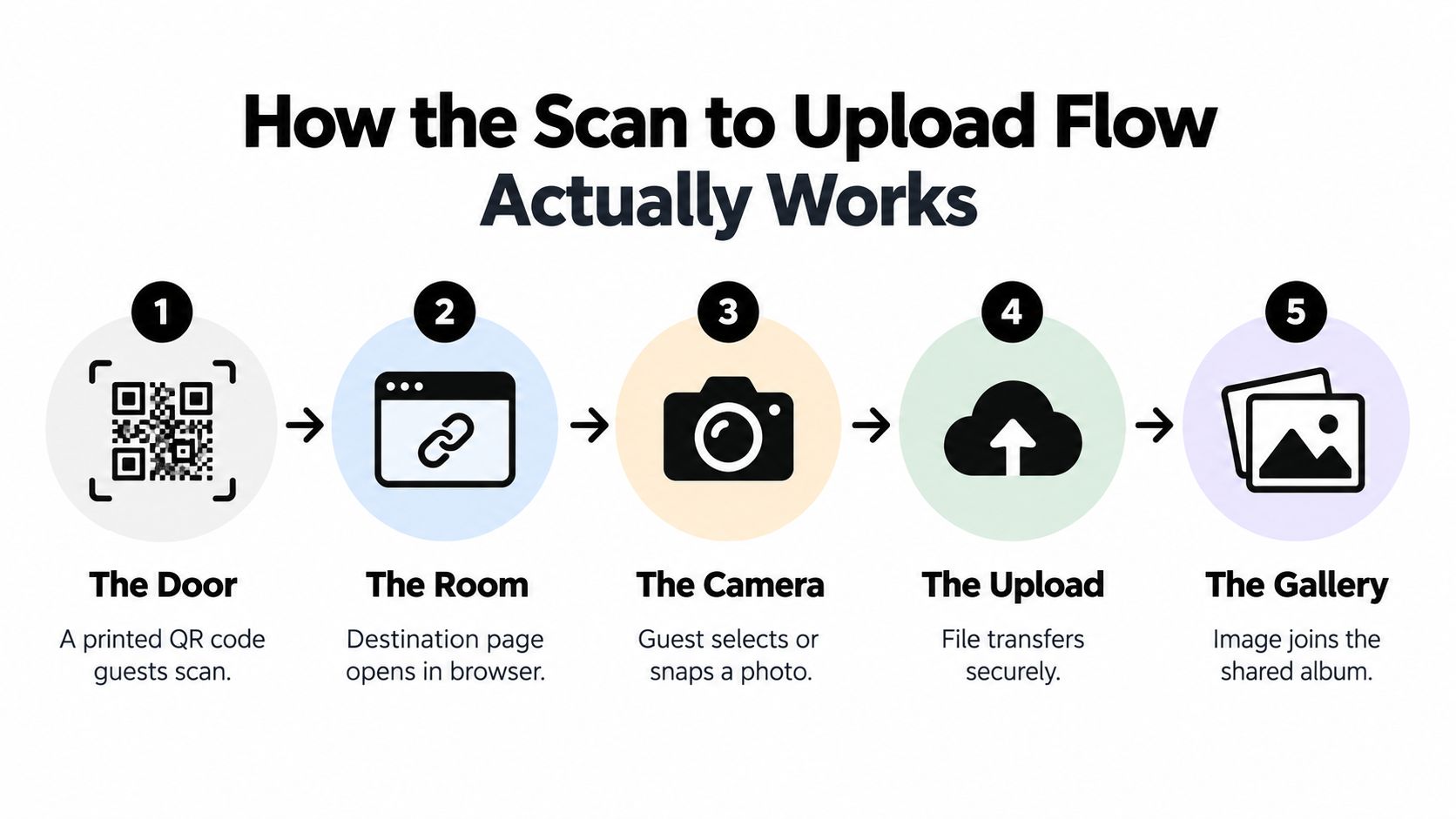
Think of the QR code as a doorway. The printed symbol is the door, the URL behind it leads to the room, the upload page acts like a welcome desk, and the gallery is the host's view of what guests have brought inside.
The five stages behind one scan
The door. A generator turns a short HTTPS upload URL into a QR symbol. You print it on a table card, invitation, poster, badge, or sign.
The room. A guest opens the phone camera or built-in QR scanner and points it at the code. The phone recognizes the destination and offers a browser link.
The camera. The guest reaches the upload page, chooses an existing image or takes a new one, and confirms the selection. A browser-based experience matters because it removes the need for a dedicated app.
The upload. The selected file travels to the service. The destination page can manage authentication, upload sessions, file-size rules, and routing to the correct event.
The gallery. After transfer, the image appears in the shared collection, where the host can review, download, organize, or share it according to the event's settings.
The code stays compact because it should carry a destination, not the media itself. Under the QR Code specification, the largest Version 40 symbol holds up to 2,953 8-bit bytes at error-correction Level L, while its grid expands to 177 × 177 modules, according to the official QR Code standards documentation. Embedding image data would create an impractical, dense symbol. A short HTTPS URL is easier to print and scan.
A redirectable URL gives the host another useful layer of control. You can point the same printed code to an active upload page during the event, then change the destination or close submissions later without reprinting every table card. Keep the address short and avoid unnecessary parameters, since longer payloads make the symbol denser.
The upload page and the QR code solve different problems. The code starts the journey. The page must make the rest reliable, with clear file selection, progress feedback, retry handling, and a sensible gallery experience. If you're also preparing visual assets for an event, a practical uploading cover images guide can help you think about how the destination page will look before guests arrive.
Where QR Code Photo Sharing Works Best
A wedding uses the code at dinner tables and near the guest book. A festival may place it at entrances, food areas, or rest points. A company can put it on conference badges or a screen between sessions. The setting changes the placement, but the host is always giving guests one route into the same shared collection.
The approach fits current habits because people already take and share images through connected devices. A 2024 market estimate reported more than 6.8 billion smartphone owners worldwide and more than 1.4 billion photos uploaded daily across online platforms, illustrating the size of the audience already equipped to capture and share event moments through the cited photo-sharing market estimate. A QR code doesn't create that behavior. It gives it a clear destination.
Match the placement to the guest's moment
| Event type | Best QR placement | Branding focus |
|---|---|---|
| Wedding or reception | Table cards, welcome sign, stationery | Couple's names, event colors, and a warm invitation |
| Birthday or reunion | Food table, memory board, entry sign | A friendly message that encourages candid photos |
| Religious milestone | Program insert or discreet welcome display | Respectful design and clear privacy wording |
| Baby shower | Gift table, favor card, or activity station | Soft visual identity and a simple upload instruction |
| School event | Entrance poster, program, or classroom display | School colors, event name, and family-friendly guidance |
| Conference or offsite | Badge, stage screen, breakout room sign | Brand consistency and a short call to contribute |
| Demo day | Registration desk, booth signage, presentation screen | Company identity and a clear event destination |
| Festival | Gate signage, wristband insert, venue screens | High contrast, visibility, and fast recognition |
A private family celebration benefits from a code guests can see without interrupting the event. For example, a quinceañera or wedding venue can use a gallery reference such as this quinceañera and wedding gallery as inspiration for the kind of visual memory experience guests may want after the celebration.
Professional events need more deliberate distribution. Put the code where people naturally pause, not only in a footer nobody reads. A conference can show it on the opening slide and registration materials. An offsite can include it in the welcome pack. A festival can repeat it at several high-traffic locations, provided each sign shows the destination domain and explains what happens after scanning.
The strongest setup also matches the event's emotional purpose. At a birthday, ask guests to add a favorite moment. At a conference, invite behind-the-scenes images. At a wedding, tell guests that their view of the day matters, including the photos the official photographer couldn't capture.
Setting Up a Branded Upload Page and Shareable Link
Treat the setup as three connected pieces: the destination page, the shareable link and QR code, and the physical or digital artifact that carries the invitation. Each piece should answer a different guest question. What is this event? Where will my photo go? What should I do next?
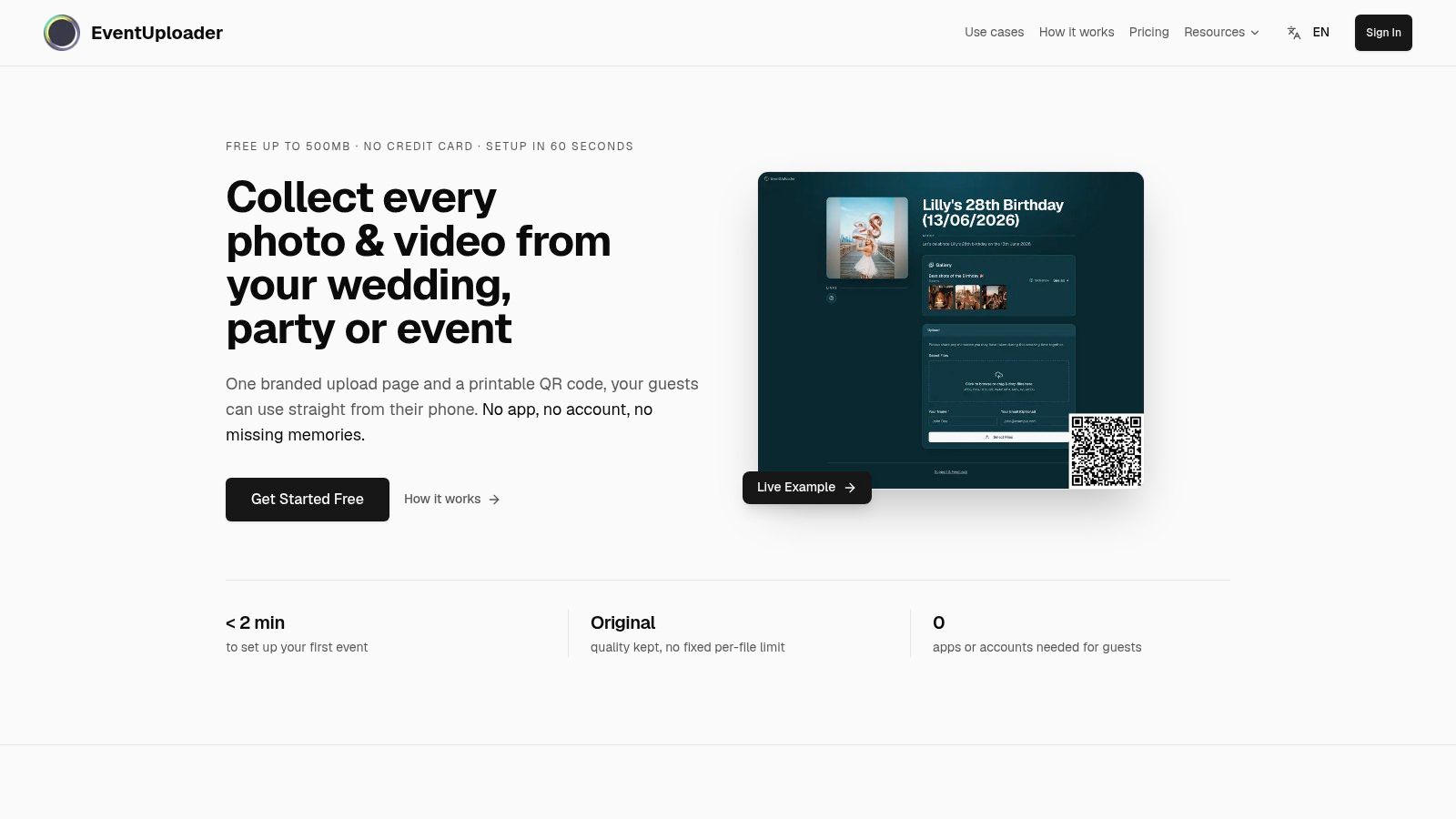
Start with the destination. Add the event name, host identity, colors, logo, welcome message, and a short explanation of how uploads work. A branded page feels intentional, but branding also has a practical purpose. Guests are more likely to trust a page when they can see whose event it belongs to and why the page is asking for a photo.
Build one destination before creating the sign
Choose a service that supports a mobile upload page and a shared gallery. Configure the event details first, then generate the QR code from the final short URL. One stable destination is easier to print across table cards, invitations, posters, email messages, and social posts than a collection of guest-specific links.
Write the instruction as an action:
- Scan the code: Tell guests exactly how to begin.
- Choose your photos: Explain that they can select images from the phone or capture one directly.
- Add to the gallery: Show the result they should expect after uploading.
- Check the event name: Display the destination domain beside the code so guests can verify it.
You can find a practical explanation of the complete guest photo upload link workflow when planning how the page and printed materials should work together.
Then prepare the artifacts. A wedding may use small cards at each table and a larger welcome sign. A corporate event may use badges, slides, and venue screens. Keep the code visually prominent, preserve white space around it, and avoid placing it over a busy photograph or decorative pattern.
The same principle applies to written feedback and memories beyond images. If your event team also gathers attendee comments, a resource on managing testimonials in one place can help separate structured feedback from the informal photo gallery.
Before printing in volume, scan the actual design from the distance guests will use. Test the card in bright light, dim light, and at an angle. The final experience depends on the physical artifact, not just the QR image you saw on a laptop.
The Two Risks Nobody Talks About
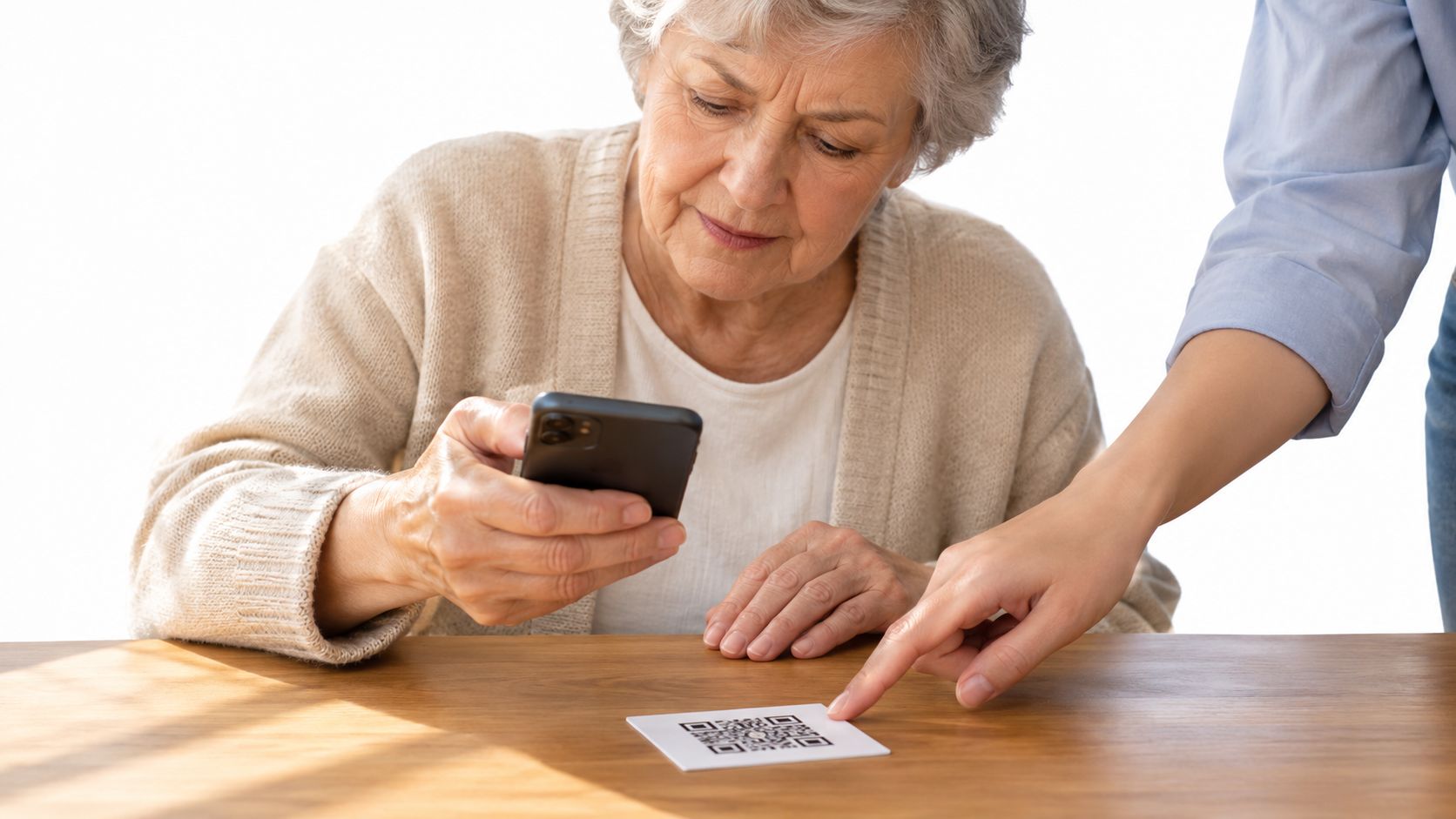
A QR code can make uploading fast for confident smartphone users while making participation harder for people who need more help. Older guests may hold the most meaningful family memories, yet the scan itself may not feel obvious.
A 2023 survey found that almost two-thirds of adults aged 60 and over were uncomfortable using QR codes in everyday settings, compared with roughly seven in ten under-60 adults who were at least somewhat comfortable. A separate study identified not recognizing that the post-scan URL was tappable as the most common usability problem for older adults, as reported in the cited research on older users and QR interactions.
Inclusion needs a second route
Don't make the QR code the only doorway. Print the short web address beside it, use large high-contrast instructions, and ask a host, usher, or family member to help guests who hesitate. A person without a smartphone should still have a way to contribute, such as sending photos to the organizer or using a staffed upload station.
Children and guests with sensory, motor, or vision limitations may also need a different interaction. A large sign at eye level, plain language, and a person available to assist can turn an intimidating task into a shared moment rather than a test of technical confidence.
Consent belongs in the same planning conversation. Tell guests whether uploads are private, who can view them, and whether the host may publish selected images. If you need formal permission for event media, prepare photo consent forms before the gathering instead of asking guests to interpret unclear wording on a phone.
Trust begins before the scan
The second risk is destination uncertainty. A QR code hides its URL until the phone reads it, so guests need visible context before they interact with it. Print the domain next to the symbol, identify the event owner, and explain what the upload page requests.
A 2025 report cited research that 73% of Americans scan QR codes without verification, while more than 26 million had reportedly been directed to malicious sites, according to CNBC's coverage of QR-code security risks. The event version of the problem is straightforward: guests want to know who controls the gallery, who can delete an image, how long uploads remain available, and whether a shared link can later be closed.
A trustworthy setup answers those questions in plain language. Show the event name, use HTTPS, explain retention, provide a way to report or remove an image, and plan how to pause submissions after the celebration. Convenience earns attention, but transparent control earns permission.
Making the Code Itself Work in the Real World
A beautiful sign fails if guests must hold their phones inches away or try repeatedly before the camera recognizes the pattern. Physical design determines whether the digital workflow gets a chance to begin.
QR codes use Reed–Solomon error correction to recover from some damage. DENSO WAVE documents four levels: L restores approximately 7% of codewords, M 15%, Q 25%, and H 30%. Stronger correction improves damage tolerance but also increases data overhead and symbol size, as explained in the QR Code error-correction guidance.
For most weddings, parties, and conferences, Level M is a sensible default. Choose Q or H when the sign may face dirt, scratches, folds, glare, or a prominent branding overlay. Higher correction isn't a substitute for a clear print, so keep the code sharp and leave a quiet zone around all sides.
Use strong contrast between the foreground and background. Don't place the symbol across a photo, add decorative elements inside its modules, or compress the file until edges blur. Print a physical test at the intended size, then scan it from the distance where a guest will stand.
A practical pre-event check looks like this:
- Test multiple phones: Ask people with different devices to scan the printed artifact.
- Check the viewing angle: Try table height, wall height, and a slightly tilted card.
- Confirm the destination: Make sure the event name and upload instructions are visible after scanning.
- Test the upload: Select a photo, watch the progress state, and confirm the result reaches the right gallery.
- Test failure handling: Turn off the connection briefly and check whether the page gives a clear retry path.
You can generate a code with a dedicated QR code generator for event sharing, then test that exact output rather than a separate sample. On the upload side, accept modern image formats, preserve originals after transfer, show progress and retry states, and close or pause submissions when the event ends.
A Short Checklist for a Trustworthy QR Photo Share
A good QR code for photo sharing isn't judged only by how quickly one confident guest uploads a picture. Judge it by whether grandparents can participate, whether guests understand the destination, and whether the host remains in control after the event.
Use this checklist before printing:
- Design for inclusion: Provide a short typed link, visible instructions, host assistance, and a no-smartphone route.
- Show the destination: Print the event name and domain beside the QR code so guests can make an informed decision.
- Choose practical correction: Use Level M for a normal event, then test the physical sign on phones and at the viewing distance.
- Explain ownership: State who controls the gallery, who can view uploads, and how long the files remain available.
- Plan the ending: Decide when uploads pause, how guests can report an image, and how the shared link can be revoked.
- Protect the memory: Confirm that the service preserves original files and gives the host a reliable way to download them.
QR familiarity is spreading, but familiar doesn't mean verified. The more normal unverified scanning becomes, the more important it is to pair convenience with clear identity, consent, accessibility, and control.
EventUploader gives hosts a branded upload page and printable QR code so guests can send event photos and videos from their phones without installing an app or creating an account. Set up your event, test the link with the people who need the most help, and visit EventUploader to give every guest a clear, trustworthy way to contribute.