4th of July Invitations Free: Find, Customize and Send
Get 4th of July Invitations Free: find templates, customize them in a free tool, print or send digitally, and add a guest photo upload link.
You've got the yard, the grill is sorted, and half the street has already asked what time to show up. What you don't have is an invitation that tells everyone where to park, what to bring, and where the photos go afterward. Searching for 4th of July invitations free turns up hundreds of pretty designs, but most stop at the stars and stripes. You need one that also handles RSVPs, fireworks notes, and a single place for guest photos, without paying for features you'll use once.
Table of Contents
- Where to Find Free 4th of July Invitation Templates
- Print or Digital and How to Track RSVPs
- Safety Wording for Fireworks, Sparklers and Pets
- How to Customize a Free Template Step by Step
- Set Up the Photo Link and Send the Invitation
Where to Find Free 4th of July Invitation Templates
Start by comparing what each source gives you, not just how the thumbnail looks.
| Source | Free option | Format | Best for |
|---|---|---|---|
| Punchbowl 4th of July category | Free online invitations | Digital, sent by link | Quick digital send-outs |
| Greenvelope party invitation ideas | Design ideas to copy into a free tool | Digital design, recreate in your editor | Hosts who want a clean RSVP line |
| Paperless Post 4th of July category | Shareable GIF and sticker flyers | Digital, shared by text or social media | Group chats and social circles |
| Free printable template sites | Printable designs (check the licence) | Print at home | Backyard hosts with paper guests |
Punchbowl works when speed matters. You pick a design, fill in the details, and send a link. Paperless Post suits a younger crowd that's already living in group chats, where a flyer with movement gets noticed faster than a static card. Printable sites suit hosts handing invitations to neighbors or posting one on a community board, but you must check the licence before you print in bulk or edit the artwork.
The Three-Point Check Before You Choose
Run every candidate through the same test before you commit.
- Free editing: Can you change the date, time, and host name without hitting a paywall at export?
- Usable export: Does it download as a print-ready PDF for paper copies or a phone-sized PNG for texting?
- Readable RSVP line: Does the RSVP instruction stay legible on a small screen without pinch-zooming?
Scale is why that last point matters. The National Retail Federation Independence Day data reported that 87% of consumers planned to celebrate the Fourth of July in 2026 and 62% planned to host or attend a barbecue, cookout, picnic, or other food-related event. Your guest list is likely bigger than a dinner party, and food coordination matters. If burgers are the plan, Jolitee's all-American hamburger recipe is a handy reference to link from a potluck note or keep for your own shopping list.
Practical rule: If a template won't let you export until you upgrade, drop it now. Rebuilding your wording in a second tool costs more time than switching early.
I would pick two templates that pass the check, one digital and one printable if your guest mix is split. Then stop browsing. Most hosts lose an hour comparing near-identical flag borders when guests only remember the address and start time. Choose for readability and export format, and move on to customizing one of them.
Print or Digital and How to Track RSVPs
Printed cards feel personal, but they only reach the hands holding them. Digital links travel fast, yet some older guests won't open them confidently. For most family parties, a hybrid invitation solves both problems.
| Factor | Printed only | Digital only | Hybrid (print plus link) |
|---|---|---|---|
| Guest reach | Only people who receive the card | Anyone with the text or email link | Paper for older guests, link for everyone else |
| RSVP tracking | Manual, by phone or card | Link-based RSVP | Link-based RSVP with a QR code on the print |
| Ease for older guests | Easy to read | May need help opening a link | Printed card with a short typed URL |
| Photo sharing after the party | Needs a separate link | Same link can collect photos | QR code on the card doubles as the photo link |
The Two-Stage RSVP Workflow
First, place the essentials above the fold where guests see them without scrolling. That means date, start and end time, location, host name, RSVP deadline, plus any dress or food notes. Second, add one prominent RSVP action. Don't offer a button, a phone number, and an email address as equals, because split replies are hard to count.
A benchmark in Greenvelope's event data covering 70,624 real events reported a median RSVP response rate of 85.3%. That measures replies, not confirmed attendance, and it doesn't prove design alone caused the result. Treat it as context, not a promise for your cookout.
- Phone first: Build and preview at phone width, since most guests open invitations while they're out.
- One call to action: Keep a single RSVP button or line, repeated once if the page is long.
- Test both systems: Click through the full RSVP path on iOS and Android before sending.
- Remind nonresponders: Send one short reminder a few days before the deadline, not a chain of nudges.
If you're adding a scannable option to the printed version, this guide to creating a free RSVP QR code walks through the setup. My recommendation is simple: choose format by guest mix, and for mixed ages pick hybrid. Paper reassures grandparents, and a single link or QR code on the card gives you one clear place to count replies. If you plan to gather everyone's photos afterward, a photo QR printed on the same card works too. Guests open it in the browser they already have and upload straight from their phone, with no app, account, or password in the way.
Safety Wording for Fireworks, Sparklers and Pets
A festive design isn't enough. A better invitation reduces uncertainty before guests arrive, especially around fireworks, children, and pets.
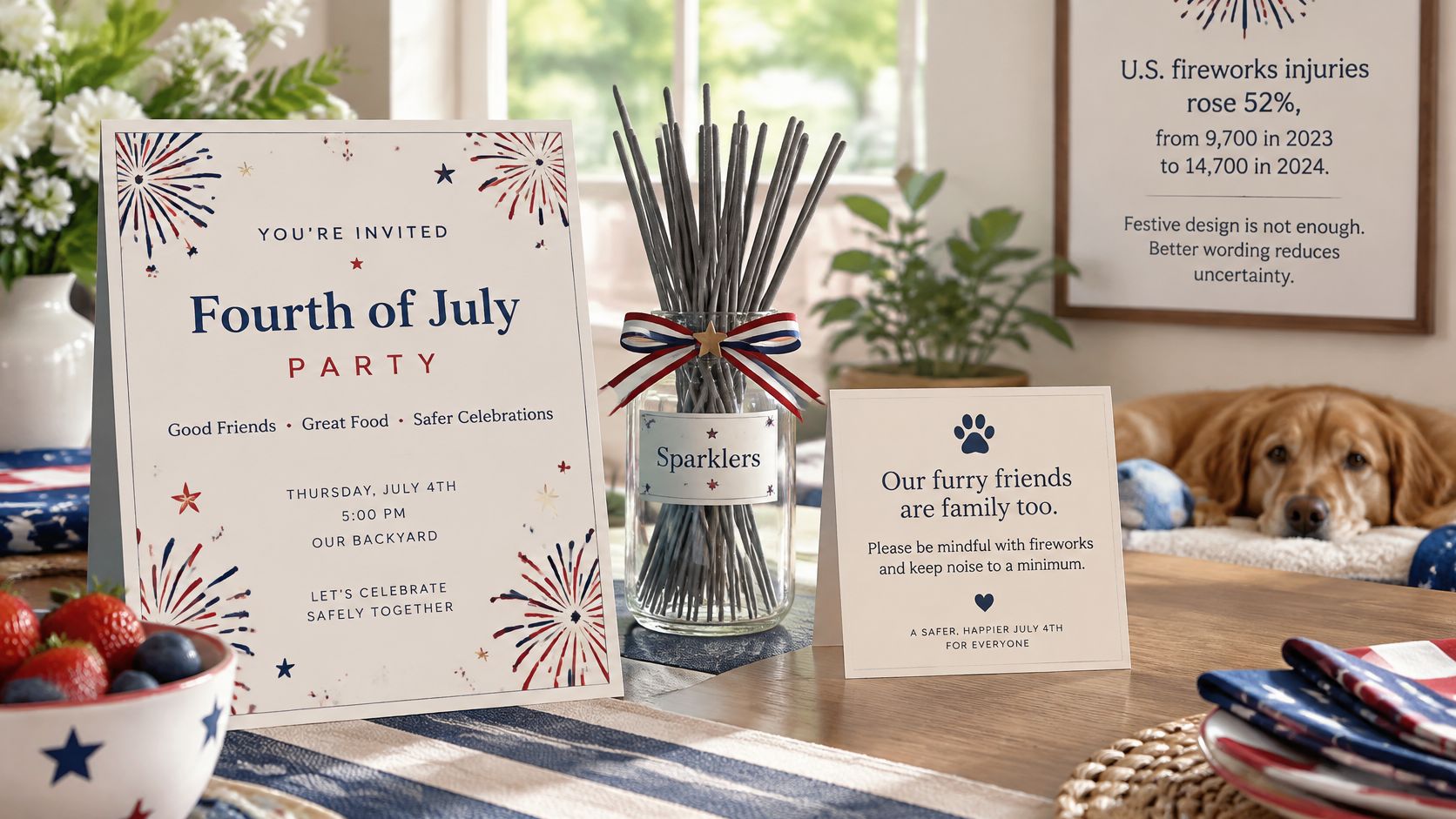
Reporting in NBC DFW's fireworks safety coverage noted that U.S. fireworks injuries rose 52%, from 9,700 in 2023 to 14,700 in 2024, while deaths increased from 8 to 11. Burns represented 38% of emergency-department visits, and hands and fingers were the most commonly injured body areas at 35%. Sparklers aren't automatically child-safe either, since the CPSC estimated 1,300 emergency-room-treated sparkler injuries in 2025, and sparklers burn at approximately 2,000°F.
Wording You Can Copy
State four things plainly. Say whether fireworks or sparklers will be used at your home, whether your event ends before a local display, where guests should park away from any launch area, and where pets should stay during loud parts of the evening.
Fireworks start around 9:30 pm at the park across the road. We won't light any in the yard. If you've got young children or pets, the quiet zone is the back patio, and dogs are welcome indoors after 9 pm.
Adjust the times and places, but keep the structure. Guests with noise-sensitive children, older relatives, or anxious dogs can plan early departures instead of asking you mid-party. That also helps you arrange seating, water, and supervision before the first sparkler comes out.
Add three optional RSVP questions if your form allows them.
- Children under 10: Will you bring children under 10?
- Quiet space: Do you need a quieter viewing spot away from the street?
- Step-free access: Do you need step-free access to the viewing area?
Decide these lines before you print. Place one short safety line under the RSVP button, where guests can't miss it, and keep the fuller detail just below. Once it's written into the template, every export carries the same clear message.
How to Customize a Free Template Step by Step
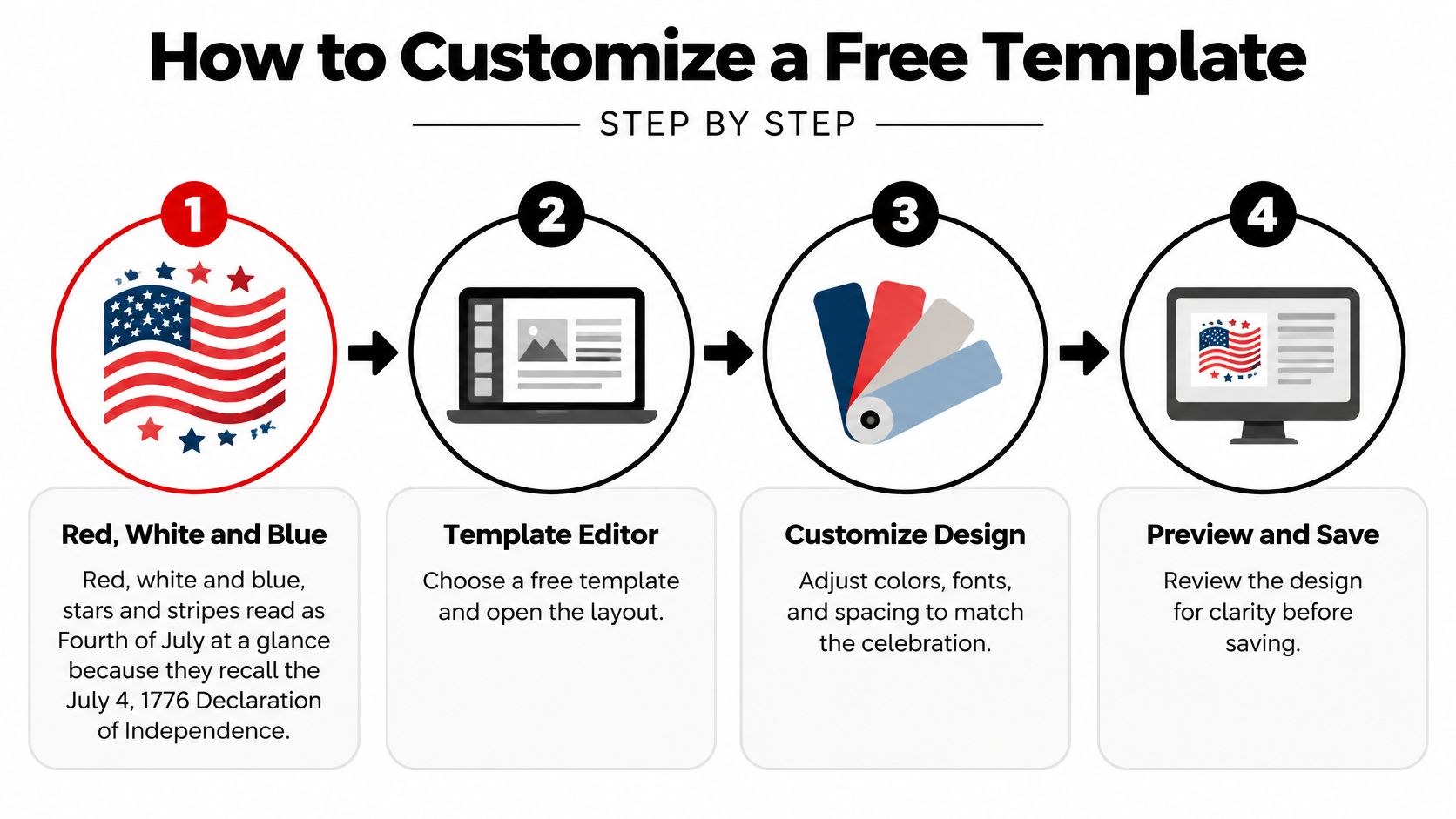
Red, white and blue, stars and stripes read as Fourth of July at a glance because they recall the holiday's roots. The U.S. Census Bureau Fourth of July facts document that on July 4, 1776, the Second Continental Congress adopted the Declaration of Independence. Over time, Independence Day became associated with fireworks, parades, concerts, barbecues, and family gatherings, which is why those images still work on invitations today.
This overview shows the edit sequence before you start changing text.
The Six-Step Edit
- Name the event plainly. Replace a generic Join Us with Maple Street Fourth or Backyard Cookout plus your street or park name. Guests searching their texts later find a real name faster.
- Add the logistics. Put in host name, date, start and end time, and full location. Include practical notes like side gate entry or parking on the north side, because that's what guests screenshot.
- Limit the palette. Keep three colors and place body text on a white or light panel, not over a busy flag graphic. Contrast matters more outdoors, where guests read in bright sun.
- Write one welcome line. Say what to bring or wear, such as a chair, a side dish, or swim gear. Then add your safety line under the RSVP button so it travels with every version.
- Export two files. Save a print-size PDF for the fridge or table and a PNG sized for phones for texting. Free tools sometimes blur one format, so check both.
- Test on two phones. Open both files on your phone and a relative's phone. The date, address, and RSVP line should read without zooming.
If you're borrowing layout ideas from formal events, examples of QR codes on wedding invitations show clean placement that doesn't crowd the design. The same spacing logic works for a cookout card.
This short video is useful if you want to watch a template edit before locking your fonts and spacing.
Lock the design once every line reads cleanly on a phone. Don't keep swapping fonts after that, because late changes often push the RSVP line below the fold. A plain, readable invitation that's sent on time beats a polished one that goes out two days late.
Set Up the Photo Link and Send the Invitation
Most free template guides treat the invitation as the finish line. Hosts know better. After the barbecue, parade, or fireworks, every household holds different photos, and group chats compress them into a scattered mess. Put a photo link on the invitation itself, as the last item guests see, and the same card that collects replies becomes the entry point to a private event archive.
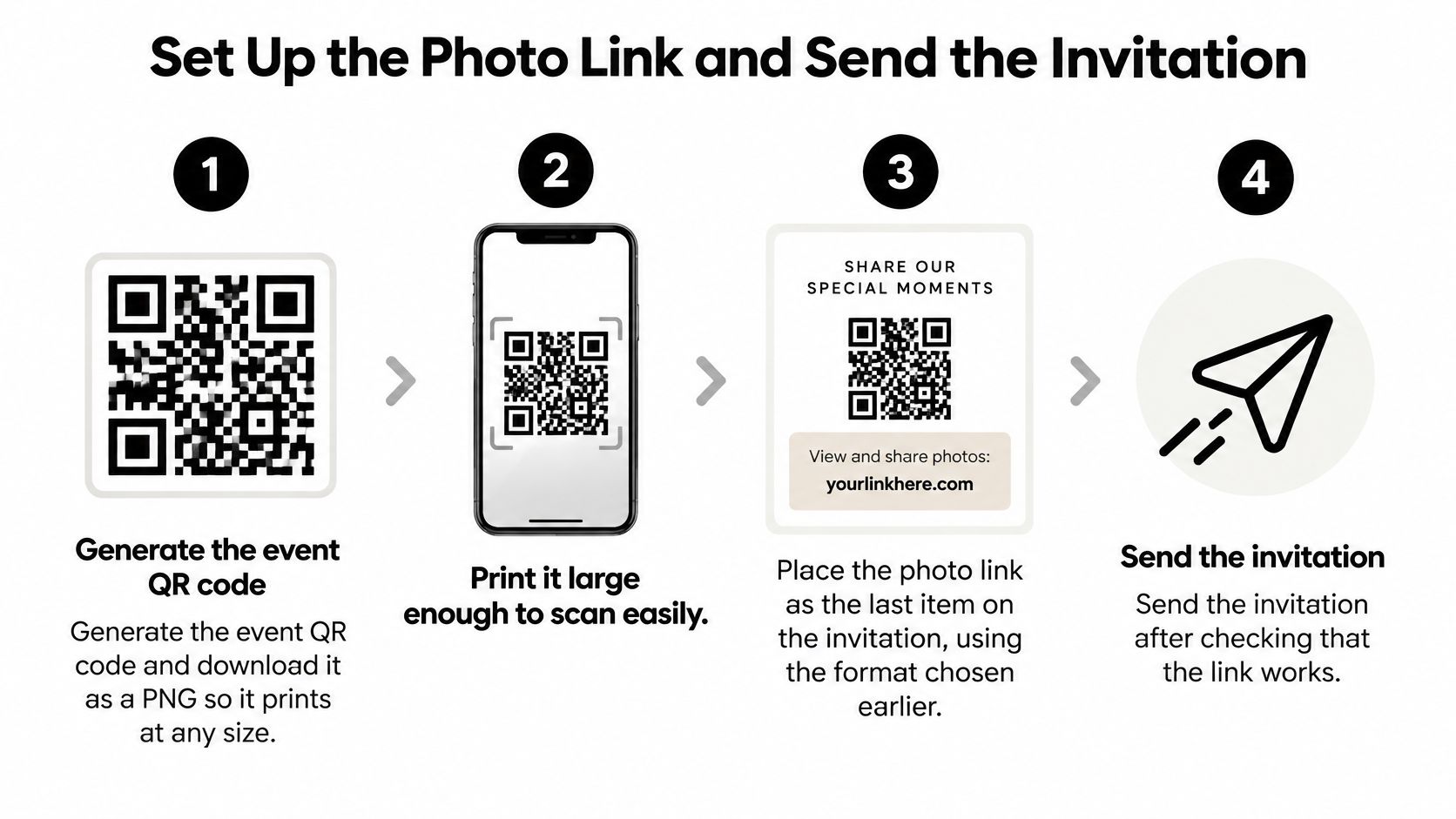
The checklist below keeps the setup in order.
Build a Low-Friction QR Setup
Treat the QR code as a working tool, not decoration. QR Code Chimp's QR code marketing research reported a randomized invitation experiment with an 8.31% response rate for materials containing a QR code versus 7.00% for URL-only materials, an absolute lift of 1.31 percentage points. That's about an 18.7% relative improvement, but it's context-specific, not universal. The sensible takeaway is to offer both scan and typed options.
- Generate and download the code. Create your event QR code and download it as a PNG so it prints at any size. Print it large enough to scan from arm's length, and don't shrink it to fit a corner.
- Label it clearly. Place it beside readable text such as RSVP and share photos, and keep a short typed URL underneath. A bare code with no label gets ignored, and older cameras sometimes fail to scan.
- Check the landing page. It should need no app, account, or password. Guests scan or tap, choose photos or videos from their phone, upload, and leave. iPhone HEIC photos go up exactly as they are, with no conversion step for guests. With us, guest name and email are optional by default, and you can make them required if you need attribution.
- Test the physical print. Scan the final printed card at actual size with your phone and a second phone. Screen previews hide low contrast, especially when a code sits on a flag background. Move it to a plain panel if scanning is slow.
- Set the upload window. Open uploads at the party start time and close them a few days later. State who can view submissions on the invitation, for example host only during the party, then a shared gallery afterward.
- Send with follow-up in mind. The photo link handles uploads, but replies come through whatever method you printed on the card, whether that's a text number, an email address, or a reply-by date. Keep your own list of who answered and who didn't, and set one reminder date for nonresponders so nobody gets chased the morning of the party.
A code that fails on your kitchen table will fail faster in a dark yard. Test the printed artifact, not the design file.
After Guests RSVP, Keep One Path
Contemporary invitations are already link-based and mobile-first. The Paperless Post 4th of July invitations category describes flyers that can be shared through text and social media, which matches how guests open them. Use that same habit for memories. One link on the invitation means grandparents and guests who don't use social platforms aren't learning a new system after the party.
For setup details, this walkthrough of a guest photo upload link explains the flow from scan to gallery. You can also use our free sign generator, which turns your event QR code into a ready-to-print A4 sign for the drinks table or gate. That catches guests who lost the invitation but still took great fireworks shots.
Send a short follow-up the next morning while photos are fresh. Thank guests, repeat the same link, and give the closing date. Don't introduce a second album, a hashtag, and a group chat as alternatives, because split archives are exactly what you're trying to avoid. When uploads close, download the full set in original quality and share your favorites back through the same link guests already used. That's when 4th of July invitations free stops being just a template search and becomes a complete plan, from first reply to a finished gallery everyone can revisit.
Create your free 4th of July event page, print the QR code on your customized invitation, and let guests upload original-quality photos and videos with no app or account to manage. Set your upload window, watch every household's pictures arrive in one private dashboard, then share the finished gallery on the same link. Start today with EventUploader and send an invitation that keeps working long after the fireworks end.