Branded QR Codes for Events: Design, Trust, and Use
Learn how a branded QR code can power event photo uploads, menus, and info pages. Covers design, scanning reliability, security, and accessibility best
You set the table cards, the welcome sign, and the upload page. The room looks polished, the photographer's getting ready, and then a guest leans in with their phone, tilts it once, twice, and still can't get the code to scan. That's the true test of a branded QR code, because at an event it has to do two jobs at once, look like your celebration and work like a reliable doorway.
A good code doesn't just match the palette. It survives bad lighting, shaky hands, crowded tables, older phones, and guests who only want a quick, obvious path to upload a photo or check a menu. Once you treat the code as both a design element and a trust artifact, the choices get much clearer.
Table of Contents
- The Moment a Branded Code Actually Matters
- What a Branded QR Code Is
- Where Branded QR Codes Earn Their Keep at Events
- Designing for the Camera That Will Scan It
- Trust, Phishing, and the Brand Problem No One Talks About
- Accessibility, and What Happens When Scanning Fails
- Wiring a Branded QR Code into an EventUploader Upload Page
The Moment a Branded Code Actually Matters
The first failure usually isn't dramatic. A guest at a wedding table taps their screen, the camera catches the code, and nothing happens fast enough to feel confident. Someone else at a conference sees the same thing, gives up, and asks the staff member nearby for a paper version or a verbal explanation.
That moment is why the code matters. A branded QR code is not just decoration, it's the handoff between a physical event and a digital action, and the handoff has to feel instant.
The guest doesn't care about your design file
Guests don't admire the geometry first, they ask whether the code works. If it's for photo uploads, the code needs to tell them, in a few seconds, that they're in the right place and that the next step is safe. If it's for a menu or program, it has to be obvious before the phone camera even finishes focusing.
A host usually starts with the wrong question, like “How do I make it look on-brand?” The better question is, “What will a tired guest, standing at arm's length, understand right away?”
Practical rule: if the code needs a long explanation next to it, the design is already doing too much work.
The upside is that branding and reliability don't have to fight each other. A restrained frame, a familiar event color, and a clear instruction line can make the code feel intentional without making it fragile. That balance is what keeps the scan journey from breaking at the exact point where guests are most impatient.
What a Branded QR Code Is
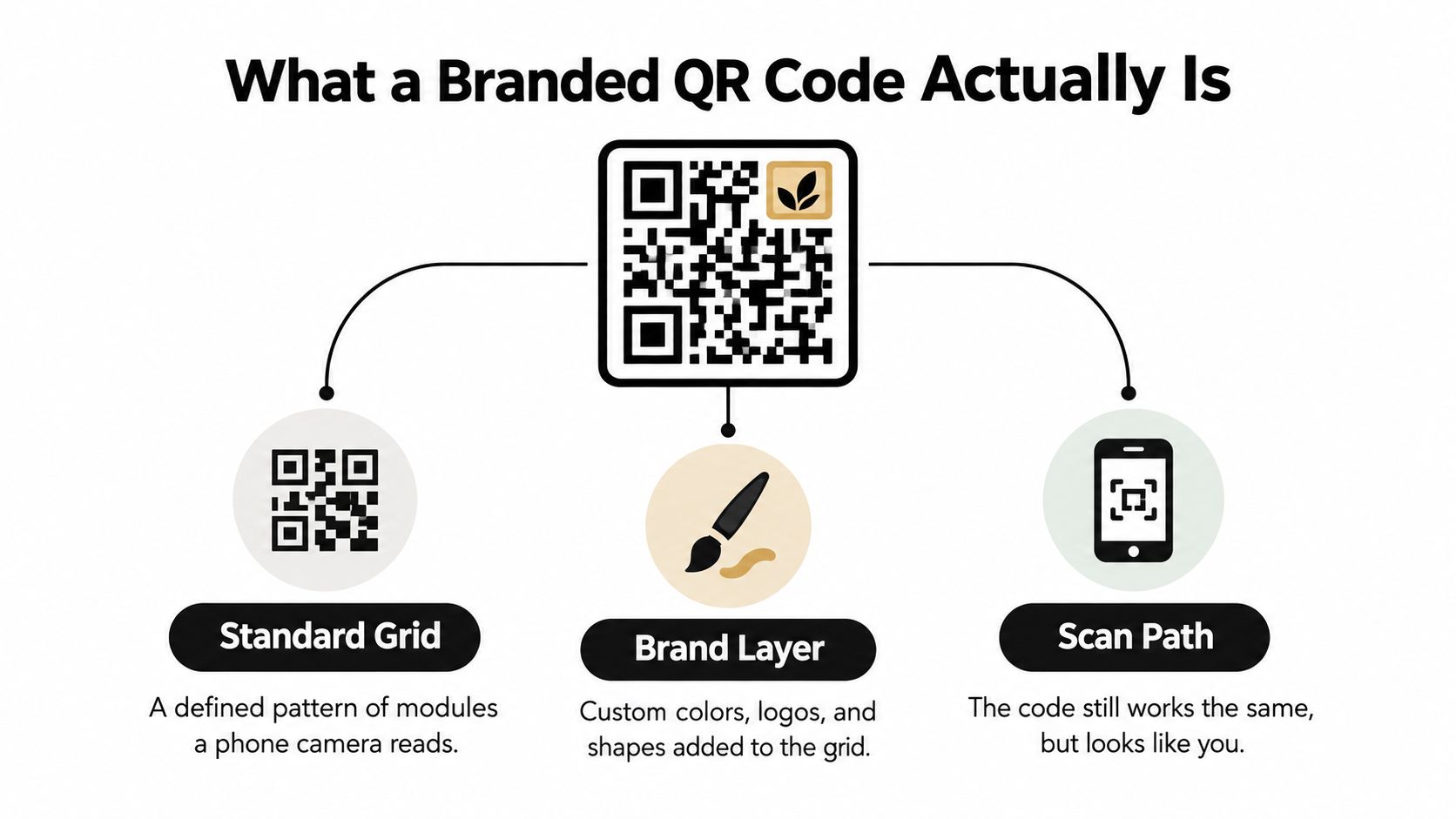
A branded QR code remains a standards-defined QR symbol. ISO/IEC 18004 covers its encoding methods, dimensions, error-correction rules, decoding process, production requirements, and application parameters ISO/IEC 18004 overview. The brand layer changes the appearance, not the underlying data structure.
A license plate offers a useful comparison. Its frame can match the vehicle, but the plate must remain visible and readable. In a QR code, the data sits in the grid of modules. It does not sit in the logo, border, or background color.
The parts a camera needs
The decoder relies on features that must remain visually clear. The four positioning markers in the corners help the camera locate and orient the symbol. The quiet zone, a blank margin around the code, separates it from nearby text, patterns, and objects. Crowding either area can make scanning harder.
Brand customization belongs around that structure. A modest central logo, a controlled color palette, or a frame that matches an invitation can support recognition. The design still needs enough contrast for a phone camera, especially when an older guest scans from a short distance, in dim lighting, or with a less capable camera.
Error correction gives the code some tolerance when part of its pattern is obscured or damaged. It does not make every decorative treatment safe. A logo that covers too much of the grid, weak contrast, or a busy background can exceed that tolerance. Print the finished code at its intended size and test it with several phones before event materials are produced.
A generator can keep the code structure intact while you adjust its visual layer. The QR code generator for event pages is one practical starting point, particularly when the destination page and printed design need to be checked together. Hosts can also consult Purple Engage's marketing guides for venues for ideas about signage, guest flow, and visual identity.
The simplest model is this: the QR grid carries the data, while the brand layer carries the mood. If the mood interferes with the grid, a failed scan becomes an operational problem, not merely a design flaw.
Where Branded QR Codes Earn Their Keep at Events
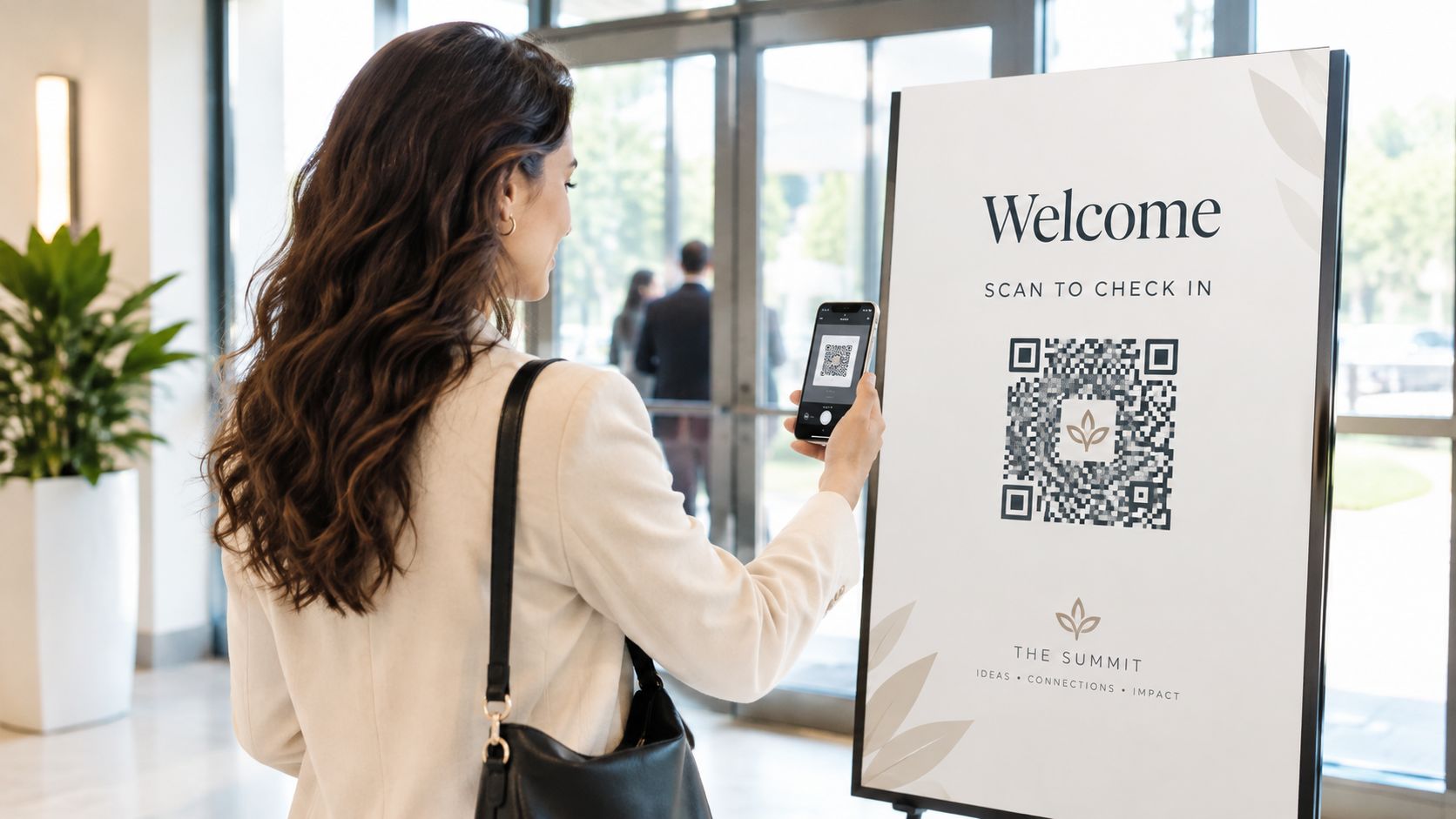
At events, a branded QR code usually has one of four jobs. It may send guests to an upload page, replace a paper information sheet, open a digital menu or program, or point to a post-event gallery. The code looks similar in all four cases, but the message a guest needs from it changes a lot.
Upload page
For a wedding table card or conference signage, the code often leads to a photo upload page. In that case, the guest needs to know fast that they can contribute right away, without an app or an account hurdle. The code should feel like an invitation to participate, not like a technical task.
Information sheet
Sometimes the code replaces a printed program, a speaker schedule, or a venue note sheet. That's a different promise. Here the code has to communicate “this is the source of truth,” which means the surrounding text, layout, and domain matter more than decorative flourishes.
Menu or program
For a birthday dessert menu or a reception menu, the code needs to be visible and unambiguous from a seated position. Guests scan with one hand while holding a drink or plate with the other, so the code has to be easy to catch quickly and large enough to avoid fiddly camera positioning.
Post-event gallery
A later email with a gallery link is a gentler use case. The code isn't asking for action in the middle of the event, it's offering a return path to memories. In that setting, the design can lean a little more heavily into the event identity because guests already know why they're there.
If you're comparing visual approaches for a branded event touchpoint, FLYP LTD's page on brand your next event with FLYP is a helpful reminder that the code sits inside a larger guest experience, not outside it.
Designing for the Camera That Will Scan It
A code that scans instantly on a laptop may fail on a wedding sign or conference banner. The camera is reading an angled, printed pattern from a real position in the room. As distance increases, each module occupies fewer pixels. Glare, motion blur, perspective, and weak contrast leave the decoder with less reliable information. Treat the design as a camera problem, not a screen-preview problem.
Size follows distance, not taste
A useful rule of thumb is to make the black QR pattern at least one-tenth as wide as the scanning distance, with the complete printed code at least 2 cm wide. See a guide to QR code size and scanning distance for the underlying sizing guidance. The point is not that 2 cm suits every table card. Choose the dimensions from the farthest realistic guest position, then test from there.
A tabletop card and a stage banner have different jobs. Someone seated nearby may scan the card at close range. A banner must work for people walking past, perhaps in a dim room, with the code viewed from an angle. A test at arm's length checks only the easiest version of the task.
Run the test with the phones guests are likely to carry. Try the intended lighting, viewing angle, and print finish. A glossy surface can reflect a spotlight directly into the camera, while a small code can lose detail before a guest has time to reposition the phone.
Error correction gives you room, but not free space
QR codes use Reed-Solomon error correction with four selectable levels, L, M, Q, and H. They can recover approximately 7%, 15%, 25%, and 30% of symbol codewords respectively. Higher correction can help with fingerprints, folds, glare, or a centered logo, but it also reduces payload capacity and usually produces a denser symbol.
| Level | Recovery | Best for | Trade-off |
|---|---|---|---|
| L | about 7% | very clean prints and short URLs | least tolerance for damage |
| M | about 15% | most common event use cases | moderate tolerance, moderate density |
| Q | about 25% | codes with some branding or wear | fewer usable modules |
| H | about 30% | heavier brand overlays or rougher conditions | lowest payload capacity among the four |
A short HTTPS URL supports a cleaner design because fewer characters require fewer modules. That leaves more room for a clear quiet zone and recognizable finder markers.
Design rule: adjust the color, add a modest logo, or frame the code. Keep the markers clear, preserve the quiet zone, and test every branded version before production.
Printing deserves the same care as other event signage. The guidance in how to print QR codes correctly treats the print file as a production asset rather than a social graphic. Export at the required quality, inspect the physical result, and scan the final piece after trimming or mounting. A successful test on the design file does not guarantee a successful scan on the finished sign.
Trust, Phishing, and the Brand Problem No One Talks About
At a wedding reception, a guest scans a polished code on a welcome sign and sees a familiar logo. The page looks trustworthy, yet the sticker may have replaced the original code or redirected visitors to a different destination. Branding can increase confidence, so it also increases the cost of a quiet substitution.
The risk is measurable. APWG reported 635,672 unique malicious QR codes in Q2 2025, and Mimecast detected 716,306 in Q3, an increase of 13% in one quarter, according to the APWG trends report Q2 2025. CNBC also reported, citing NordVPN, that 73% of Americans scan QR codes without verification and that more than 26 million had already been directed to malicious sites.
What the guest can verify
A printed destination gives the guest something concrete to check. Place the short URL or domain beneath the code, then make sure it matches the page opened by the camera. Use a recognizable event domain, keep the upload page on HTTPS, and explain on the page what information the guest will be asked to provide.
The code is part of the event's security process, not just its visual identity. Before doors open, staff should compare every sign with the approved artwork and test the destination. Check table cards, posters, entrance boards, and any replacement stickers. A moved sign or last-minute reprint can create confusion even without malicious intent.
If the destination must change after printing, route the code through a campaign-specific link that can be paused or revoked. That control lets the host disable a compromised or misused code without replacing every physical sign.
If the artwork looks trustworthy but the destination is unclear, the design has failed its security job.
A safer branded code combines visible destination text, a domain guests can recognize, and a physical inspection before the room fills. The result is not merely a better-looking sticker. It is a trust signal that guests can test.
Accessibility, and What Happens When Scanning Fails
Not every guest is holding the same device, standing in the same light, or scanning with the same confidence. At weddings especially, older guests may be dealing with smaller fonts, shaky hands, or devices that don't focus well. At conferences, low-vision attendees or guests in a dim hall can run into the same wall for different reasons.
WCAG-oriented guidance recommends at least 3:1 contrast for the meaningful parts of a non-text graphic and a text alternative such as a short URL accessibility guidance. That turns into practical event choices fast: dark modules on a light background, a clean quiet zone, and a readable printed fallback beside the code.
Build the fallback into the sign
A large-print short link should sit beside every code. So should a plain-language prompt like “Scan to upload photos” or “Scan for the menu,” because guests need to know why they're pointing their camera at it. Multiple signs at eye level help when a table card is blocked, and a non-QR route in a mobile browser protects people whose camera app won't cooperate.
A host should also plan for temporary failure, not just bad luck. If the page is down, the sign should still show the destination text. If uploads stay open after the event, late guests can still contribute without hunting for a fresh code. If the room has weak Wi-Fi or the guest's connection is poor, a staffed fallback or support contact keeps the experience from collapsing.
For event hosts using a branded upload flow, EventUploader is one option that combines a branded page, a printable QR code, and a browser-based upload path, which makes fallback planning simpler when scanning doesn't work on the first try.
Test the hardest version, not the nicest one
Before printing, scan the code with both iOS and Android cameras, on the actual material, at the farthest realistic guest position, under the actual venue lighting. A code that works on a designer's screen but fails in a dim reception space isn't a finished asset. It's a draft.
Wiring a Branded QR Code into an EventUploader Upload Page
A branded upload page is easiest to manage when the page and the QR code come from the same setup. Use the event colors, add a logo if it stays subtle, write a short welcome message, and keep the destination page clear about what guests are uploading. The guide to QR code uploads online is useful because it frames the code as part of a browser-based flow, not a detached graphic.
A same-day checklist for hosts
Start with one destination link and build the printed code from that link only. Then test the final artwork on the actual cardstock, poster, or menu stock you plan to use, because paper finish changes how glare behaves. After that, scan it with two modern iPhones and two modern Android devices, from the farthest realistic guest position, under the actual venue lighting.
Keep the destination text visible beside the code even if the artwork looks clean without it. That gives older guests, cautious guests, and guests with cracked cameras another path into the same experience. It also helps if a sign is moved, covered, or replaced at the event.
The after-event move
When the celebration ends, the same link can point to a shareable gallery so guests don't need a second code to revisit the event. That matters because the handoff should feel continuous, from upload to viewing, instead of forcing people to re-learn the system after the fact.
A simple workflow beats a clever one here. Set the branded page once, print the QR code once, test it in the room, and keep the link flexible enough to survive the event if signage changes.
If you want a branded upload flow that keeps the code, the page, and the guest experience tied together, visit EventUploader and set up a branded page with a printable QR code, browser-based uploads, and a shareable gallery on the same link. It's a practical way to manage event photos without asking guests to install anything or guess where the code leads.