How to Plan a Retirement Party: A Step-by-Step Guide
Learn how to plan a retirement party step by step: timeline, budget, guest list, run of show, accessibility and collecting memories from every guest.
You've been asked to organize a retirement party, and the suggestions are already arriving: book a restaurant, collect money for a gift, find old photos, invite someone from the retiree's first team. Meanwhile, you may not know whether the guest of honor wants speeches, a quiet lunch, or any fuss at all.
Knowing how to plan a retirement party starts with resolving that uncertainty. Confirm what transition you're celebrating and how the retiree wants it recognized, then give every task a deadline and an owner. Treat the finished collection of guest memories as part of the job, not something you'll sort out if there's time afterward.
Table of Contents
- Set the Date and Build the Timeline
- Choose the Venue, Theme and Surprise
- Budget Split and Cost Drivers
- Build the Guest List and Send Invitations
- Make the Party Accessible and Voluntary
- Plan the Program, Tributes and Food
- Capture and Share Memories Without Chasing Guests
Set the Date and Build the Timeline
Start with a private conversation, then work backward from the agreed party date. Ask whether the occasion marks the final working day, pension eligibility, phased retirement, or a career change. Those aren't interchangeable, and the invitation shouldn't imply that someone has stopped working when they haven't.
Use the following as a sample planning schedule, adjusting booking deadlines to the venue and caterer's actual requirements.
Retirement party planning timeline
| When | Task | Owner |
|---|---|---|
| 10 weeks before | Book venue and caterer | Host and co-host |
| 8 weeks before | Send save-the-dates and build the contact list | Host |
| 6 weeks before | Send formal invitations with an RSVP deadline | Host |
| 4 weeks before | Open the memory upload page and share the QR code | Memory coordinator |
| 2 weeks before | Send final headcount to caterer and confirm accessibility needs | Host |
| 1 week before | Confirm run of show, speakers and audiovisual setup | Day-of coordinator |
| Day of | Greet guests, start tributes and monitor uploads | Day-of coordinator |
| Within 48 hours after | Send thank-you messages and a short survey, then close uploads | Host |
The sequence matters more than sticking rigidly to every interval. If the caterer needs a guaranteed headcount earlier, move the RSVP deadline forward rather than hoping late replies will work themselves out.
Keep the major decisions visible alongside the detailed task sheet.
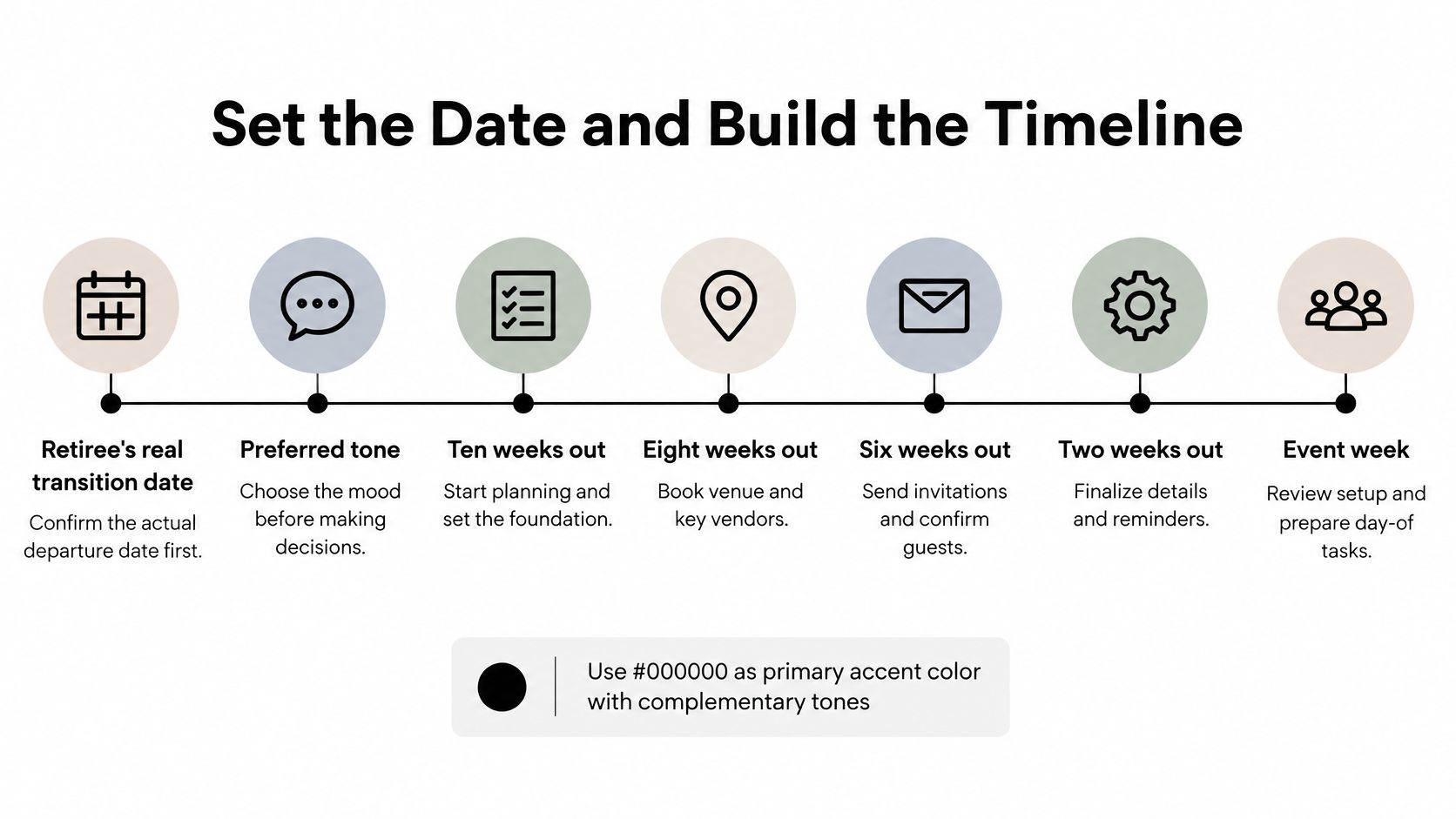
Let the transition and tone set the boundaries
Don't default to an age-based theme. The OECD's current retirement ages report puts normal retirement ages in 2024 anywhere from 49 for women in Türkiye to 67 in Denmark, Iceland, Norway and, for men, Israel, showing why a generic age-65 celebration can miss the occasion.
Ask the retiree to choose between low-key appreciation, a lively celebration, a professional farewell, or a family-centered gathering. Confirm subjects they'd rather keep private, including health, finances, and future employment plans.
Planning rule: Get approval for the kind of celebration before asking anyone to spend money.
Timing should serve the people the retiree wants present. A workplace lunch suits colleagues; an evening or weekend may make family attendance easier. If those groups can't realistically overlap, a modest office farewell and separate personal gathering may work better than an inconvenient compromise.
To start this week, confirm the transition date and tone, draft the priority contact list, and shortlist the venue and caterer. Name the memory coordinator now, too. Our first-event setup takes under 2 minutes, so preparing the collection page needn't become another postponed task.
Choose the Venue, Theme and Surprise
Choose the venue type before the decorations. A restaurant back room provides food service and cleanup, but may impose a minimum spend or restrict audiovisual equipment. An office lounge avoids a hire fee, yet someone still has to arrange furniture, manage deliveries, and restore the room afterward.
Compare the full workload, not just the rental charge. A free room isn't the cheaper choice if it requires extensive equipment hire and paid setup help.
Make the decisions in this order
- Select the space. Match its permitted capacity to the invitation ceiling, then confirm the layout against accepted RSVPs. Check whether tables, service areas, and the tribute display leave usable circulation space.
- Choose a restrained theme. A relaxed lunch might need only flowers and a memory table. A professional farewell can use a career-timeline display, while a celebratory evening might borrow colors or details from a favorite hobby.
- Agree on surprises. A welcome surprise guest is different from an unexpected roast. Ask whether hidden videos, gifts, or arrivals would feel enjoyable, and never make an unannounced speech compulsory.
- Check program suitability. Confirm a microphone can be used, the screen is visible, and guests can move between the entrance, seating, and a quiet area.
Retirement doesn't necessarily feel uncomplicated to the person experiencing it. A Work, Aging and Retirement study links retirement self-uncertainty with lower retirement satisfaction and psychological wellbeing. That's a reason to ask about tone, not to diagnose how the retiree feels.
A surprise should add pleasure to an agreed celebration, not take control away from the guest of honor.
Record the venue, theme, surprise boundaries, and excluded topics in a shared planning document. The co-host, speakers, and memory coordinator should all work from that version, rather than separate message threads.
Budget Split and Cost Drivers
In 2025, 65% of meeting planners expected food and beverage to be their biggest event-budget expense, while 28% expected venue costs to be the biggest, according to PCMA's meetings market survey. Those figures describe which expense planners expected to rank highest, not how much of a retirement-party budget to allocate.
Set the total spending ceiling first. Then establish the guest-count ceiling and obtain an itemized catering quote before committing money to decorations.
Typical budget split for a retirement party (planning estimates)
The ranges below are illustrative planning allowances, not survey results. Choose allocations that fit the actual quotes and total budget; the upper ends aren't intended to be added together.
| Category | Typical share | What drives the cost |
|---|---|---|
| Food and drinks | Set from the caterer's quote and guest count | Per-head catering rate and whether drinks are included |
| Venue | 15–25% | Hire fee versus free spaces such as office break rooms |
| Decor and theme | 5–10% | Printed signage, flowers and rented items |
| Gift and card | 5–10% | Group contribution size and whether it is optional |
| Entertainment and audiovisual | 5–10% | Sound equipment, slideshow and music licensing |
| Printing and invitations | 2–5% | Number of printed cards versus digital invitations |
| Contingency | 10–15% | Late headcount changes and seating adjustments |
Food service is the line to inspect closely. Ask whether the quote includes delivery, setup, serving equipment, staffing, cleanup, and applicable charges. A menu price alone doesn't tell you what the host will pay.
Keep the contingency uncommitted until final confirmations. Don't use it to justify nicer centerpieces before you know whether additional chairs or dietary meals are needed.
For a shared budget, MODERN LYFE's guidance on how to track hospitality spending with measurable KPIs can help structure the spending review. Keep the working sheet simple: approved amount, committed cost, actual cost, and person authorized to approve changes.
When money is tight, shorten the bar menu or coordinate a potluck-style dessert table where the venue permits outside food. Preserve comfortable seating, clear sound, and meaningful tributes before paying for elaborate decor.
Build the Guest List and Send Invitations
Ask the retiree for names in three practical groups: current work contacts, people from earlier career chapters, and family or personal friends. Within the work groups, prompt for former teammates, managers, clients, mentors, and direct reports rather than relying on the current office directory.
A guest-list worksheet helps keep those circles visible.
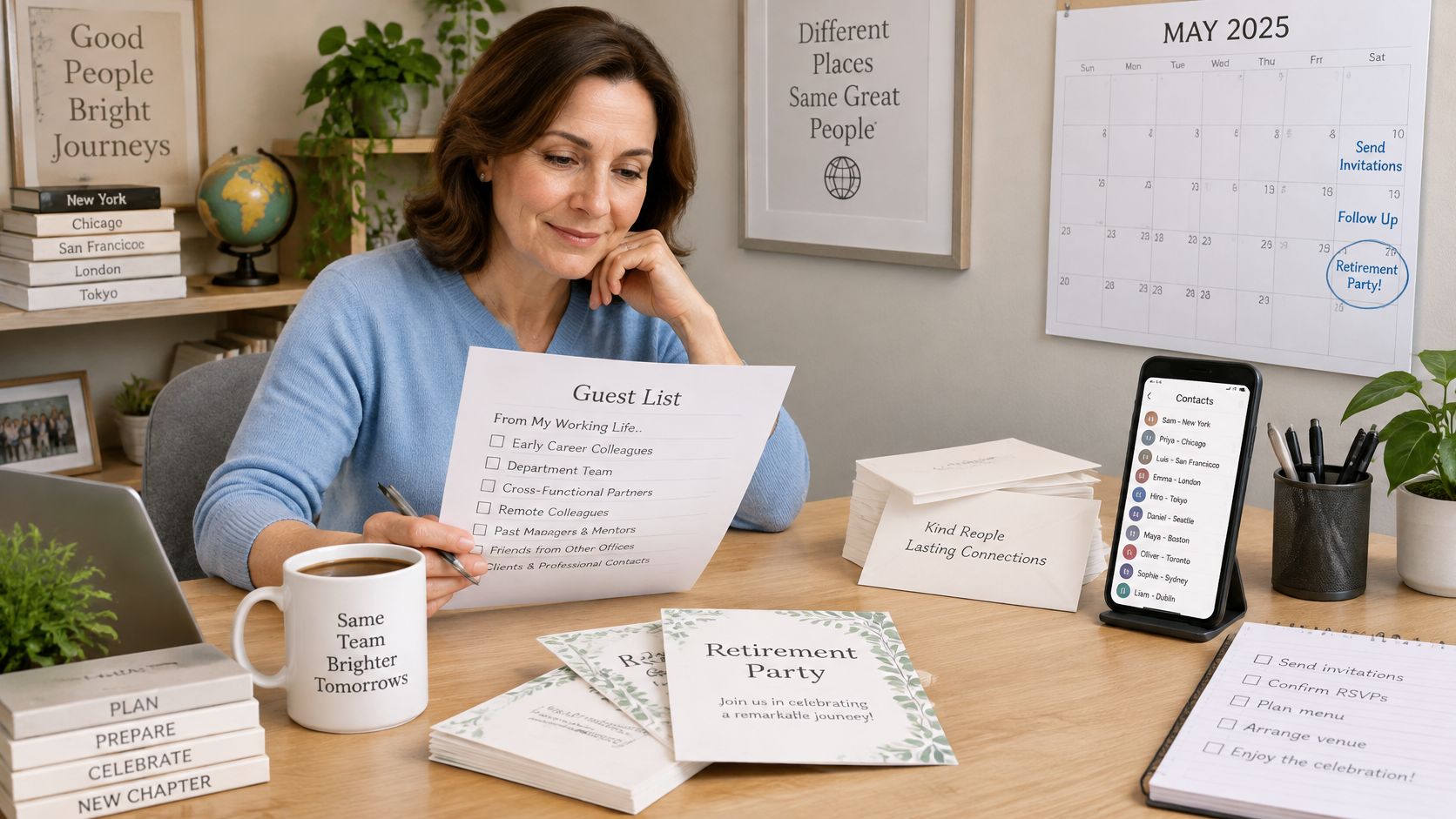
In the United States, wage and salary workers had median tenure of 3.9 years with their current employer in January 2024, according to the Bureau of Labor Statistics. Don't assume the people who best represent a career still work in the same building.
Assign a contact checker to each circle. Have them verify preferred email addresses or phone numbers, flag duplicate entries, and ask before distributing someone's private contact information.
Give guests a complete invitation
Use early save-the-dates for people who need travel arrangements, followed by a formal invitation with a firm response deadline. Our guide to creating an RSVP link can help keep replies in a manageable collection rather than scattered across conversations.
Include these details:
- Occasion and tone. Identify the transition being celebrated and whether the gathering is casual, professional, or festive.
- Practical arrangements. Give the date, start and finish times, location, transport notes, and any guest-paid costs.
- Reply requirements. State the RSVP deadline and include dietary and accessibility questions.
- Memory contribution. Explain what to submit, where to submit it, the deadline, and whether it may appear during the program.
- Contact person. Name someone guests can reach without involving the retiree in every logistical question.
For our upload workflow, enter an event name, short description, and welcome message; the name becomes a unique upload link. We let organizers require a guest name and email or leave them optional, which is the default. Make that choice clear so guests know what to expect.
A video can also provide a starting point for the organizing conversation.
For someone who declines, offer a recorded tribute or written memory instead. Give absent contributors the same submission instructions as attendees, so their messages don't disappear into the host's inbox.
Make the Party Accessible and Voluntary
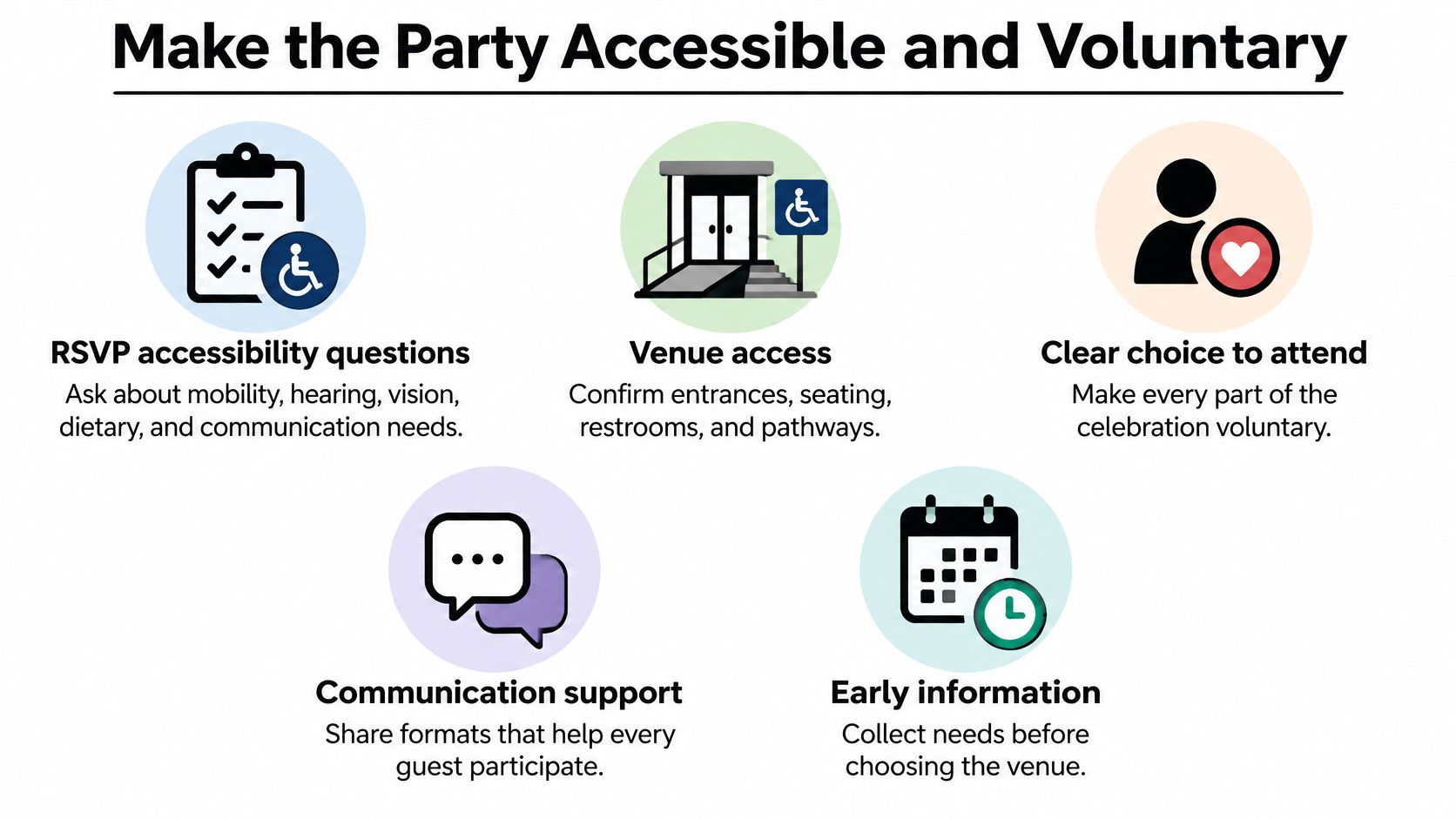
Accessibility starts with collecting requirements, not moving chairs on event day. Ask the retiree and priority guests about essential access needs before booking, then include mobility, hearing, vision, dietary, and communication questions in the RSVP. That combination lets you screen venues early and refine arrangements as replies arrive.
The Georgia Tech Accessible Event Planning guide notes that adults with disabilities represent approximately 15% of the world's population. Treat access as a normal planning responsibility, not an exception requiring someone to make a special case.
Use a physical walkthrough, not a venue's general assurance that the space is accessible.
- Arrival and movement. Verify step-free routes, accessible toilets, parking or drop-off arrangements, and unobstructed pathways.
- Seating and visibility. Provide clear sightlines, readable lighting, high-contrast signs, and seating choices that don't isolate guests.
- Sound and communication. Test the microphone, reduce background music during remarks, and prepare captions or transcripts for tribute videos.
- Comfort and food. Identify a quiet area and confirm how the caterer will label and serve requested meals.
Keep these checks with the booking notes.
Remove pressure to participate
The invitation should explicitly say that attendance and gift contributions are optional. A personal message is a complete contribution, not a lesser alternative for someone who can't afford a gift.
Don't publish contribution amounts or chase coworkers who haven't paid. If a group gift needs a minimum budget, choose something the confirmed contributions already cover.
Offer non-alcoholic drinks with the same care as alcoholic ones, and provide conversation or a memory-table activity that doesn't revolve around drinking. For remote guests, request a recorded contribution with permission rather than assuming they can join a live call. Participation should fit the guest, not require them to overcome avoidable obstacles.
Plan the Program, Tributes and Food
Appoint a day-of coordinator who isn't the main host. The host should be able to welcome people and support the retiree while someone else cues speakers, handles the microphone, and deals with a late food delivery.
Cvent's event-success guidance identifies attendance, engagement, and satisfaction as useful measures. Apply those separately: record who arrived, whether guests contributed to the celebration, and what they thought afterward rather than treating a full room as the only sign of success.
Sample run of show for a two-hour retirement party
This is an illustrative schedule, not a required event length. The gaps allow for movement, food service, applause, and conversation.
| Time | Segment | Owner |
|---|---|---|
| Arrival (first 30 minutes) | Name tags, drinks and open memory table | Co-host |
| +0:30 | Welcome and toast under two minutes | Host |
| +0:40 | Career timeline display and three or four tributes of about two minutes each | Day-of coordinator |
| +1:00 | Guest video messages played on screen | Memory coordinator |
| +1:15 | Retiree's own remarks | Retiree |
| +1:25 | Gift and group presentation | Host |
| +2:00 | Closing thanks and farewell | Host |
Keep the retiree's speaking slot optional. Between the presentation and closing, leave room for mingling and give a brief upload reminder rather than adding more formal content.
Protect attention and service time
Give each speaker a clear brief: a specific story, what it reveals about the retiree's contribution, and a warm closing wish. Agree on a time limit and a discreet cue to finish; an unrestricted open microphone makes the schedule difficult to recover.
Host's judgement: Cut repetitive speeches before cutting the time people have to talk to the retiree.
Build the menu from confirmed dietary responses and choose food the caterer can serve without interrupting tributes. For staffed drinks service, BeeHive Mobile Bar's private party bar planning checklist is useful when assigning service responsibilities and checking the setup.
Test video playback locally and keep a backup copy available. Use the retiree's preferences to choose music, with our retirement party songs guide as a starting point rather than a compulsory playlist.
If phone activity distracts from remarks, we can pause uploads during a speech and resume them afterward; guests see a friendly notice while collection is paused. Put those cues on the coordinator's copy of the schedule.
Capture and Share Memories Without Chasing Guests
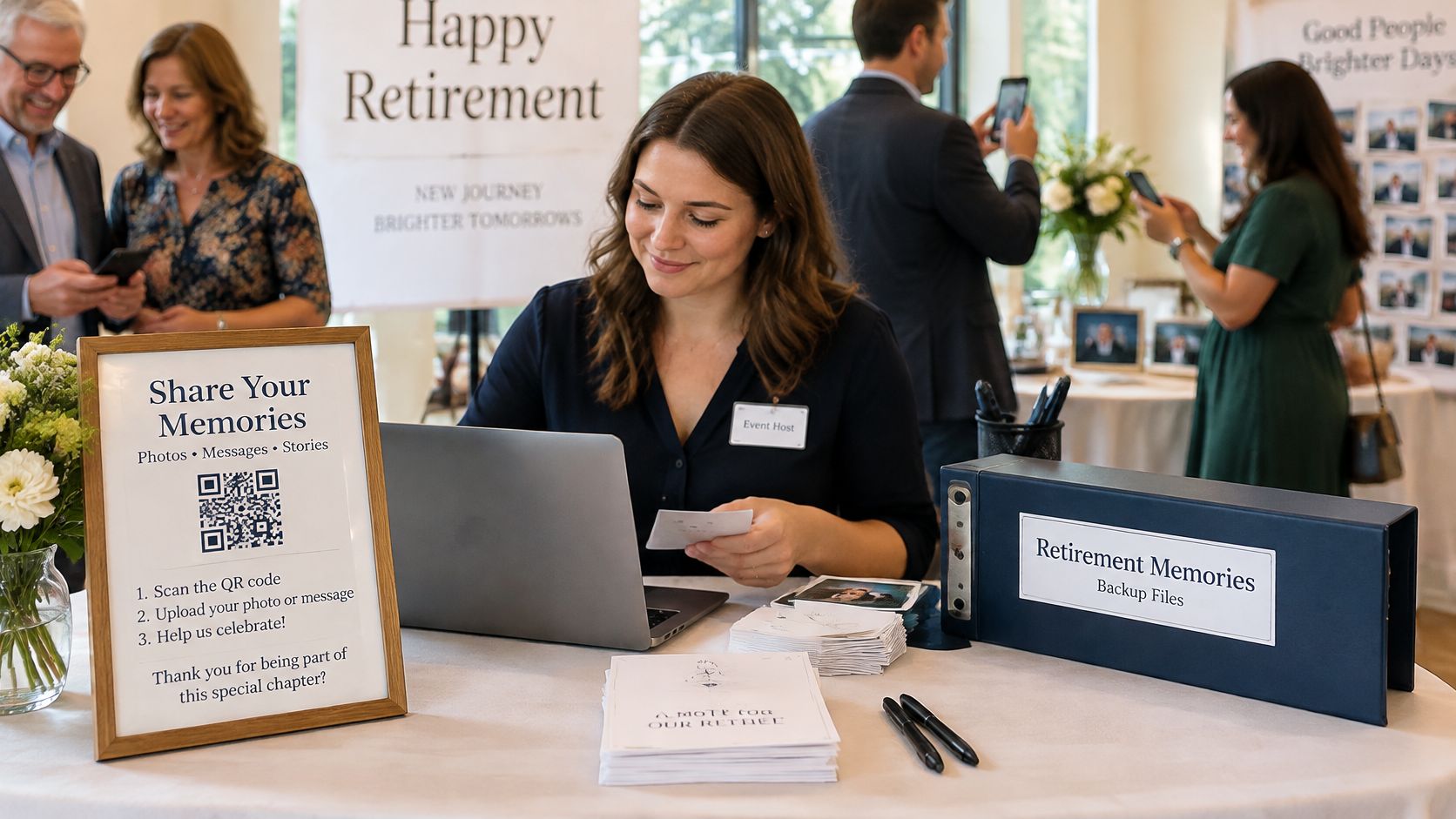
A guest reaches the memory table, pulls out a phone, and finds a photograph from an old team celebration. That contribution becomes useful only if the guest knows where to send it and someone is responsible for turning it into a finished collection.
Place upload instructions beside the display, with a clearly labeled QR code and a readable short-link option. Ask for a brief description of who's pictured and why the moment matters, and offer help rather than assuming everyone is comfortable navigating a phone.
The memory coordinator needs a working station, not just a decorative table.
Define what finished means
Give the coordinator a concrete handover checklist:
- Collection control. Use a submission deadline, a named moderator, and a backup of tribute files.
- Permission review. Obtain consent before publicly displaying identifiable material, and flag workplace-sensitive or personal content.
- Curation. Remove duplicates, retain original files, and group selected items by career chapter or contributor.
- Handover. Agree who receives the archive, where it will be stored, and when collection and access will close.
Our guide to collecting photos from guests can help organize the collection workflow. Guests can upload photos and videos without installing an app or creating an account; provide cards for written memories and scan them into the archive so paper contributions aren't excluded.
We let organizers publish selected albums on the same page guests used to upload, or keep them as drafts visible only to the organizer. Don't confuse a shareable public gallery with a permission-controlled archive. Keep sensitive material unpublished and agree on an appropriate private handover.
For sending selected files without bulky attachments, LinkShip explains how to deliver image files through shareable links. Confirm the recipient's access before declaring the handover complete.
Test the process with someone who rarely uses upload tools. If they can contribute without coaching, and the coordinator can locate and preserve the result, the workflow is ready.
EventUploader gives retirement-party guests a shared upload page and printable QR code for contributing photos and videos without an app or account. Visit EventUploader to prepare your collection page, assign a memory coordinator, and give the retiree a thoughtfully organized record of the people who celebrated with them.