Wedding Photo Gallery Guide: Collect & Share Every Memory
Discover how a wedding photo gallery works, the best hosting options, privacy tips, and simple tools to capture every guest photo effortlessly.

You open the group chat a week after the wedding and scroll through a handful of blurry previews, cropped screenshots, and messages saying, “I'll send the rest soon.” The photographer's gallery looks beautiful, but it doesn't include your cousin's reaction during the speeches, the dance-floor chaos, or the quiet moments guests captured from their seats.
That's the gap a wedding photo gallery should close. Your professional images deserve a polished home, while guest photos need a simple collection point that protects quality, respects privacy, and stays open long enough to catch the memories people upload later.
Table of Contents
- The Missing Photos After Your Wedding
- Public Sharing vs Private Digital Galleries
- Understanding Privacy and Access Permissions
- Optimizing Image Quality for Guests and Pros
- Curating the Guest Upload Workflow
- How EventUploader Simplifies Memory Collection
The Missing Photos After Your Wedding
The silence after a wedding can feel strangely abrupt. During the reception, phones are everywhere. Someone records the first dance from the back of the room, a friend photographs the children running between tables, and a relative captures the couple laughing before dinner. Then everyone goes home, and those images disappear into private camera rolls.
A few photos may surface in a group chat. Others remain buried in messaging threads, social posts, or cloud folders that nobody remembers how to access. The professional gallery gives you the images your photographer selected and edited, but it can't automatically recover every angle your guests saw.

Why group chats aren't an archive
Group chats are useful for conversation, not preservation. Images may be compressed, mixed with unrelated messages, or difficult to locate months later. Guests also hesitate to send large batches because uploading them individually feels like work.
A dedicated collection page changes the behavior. Guests receive one link or scan one QR code, then upload directly from their phones. You get a central archive rather than a patchwork of favors and reminders. A practical preparation list, including the moments guests may overlook, is available in this wedding day photo checklist.
Practical rule: Treat guest photos as part of your wedding record, not as an informal bonus that may or may not arrive.
The best gallery also separates two jobs that couples often confuse. One destination presents the photographer's finished work with intentional sequencing and consistent editing. Another intake area accepts the wonderfully uneven material from guests, including duplicates, accidental shots, and candid images you'd never have commissioned.
That distinction matters because the value of guest photography isn't polish. It's access. Your photographer can't be in the bridal suite, beside every dinner table, and on every corner of the dance floor at once. Your guests can capture the personal details that a curated professional collection naturally misses.
Set up the gallery before the wedding, display the upload instructions where guests will see them, and tell people exactly what will happen to their images. If the process feels clear and private, more guests will contribute, and fewer memories will depend on someone remembering to send a message later.
Public Sharing vs Private Digital Galleries
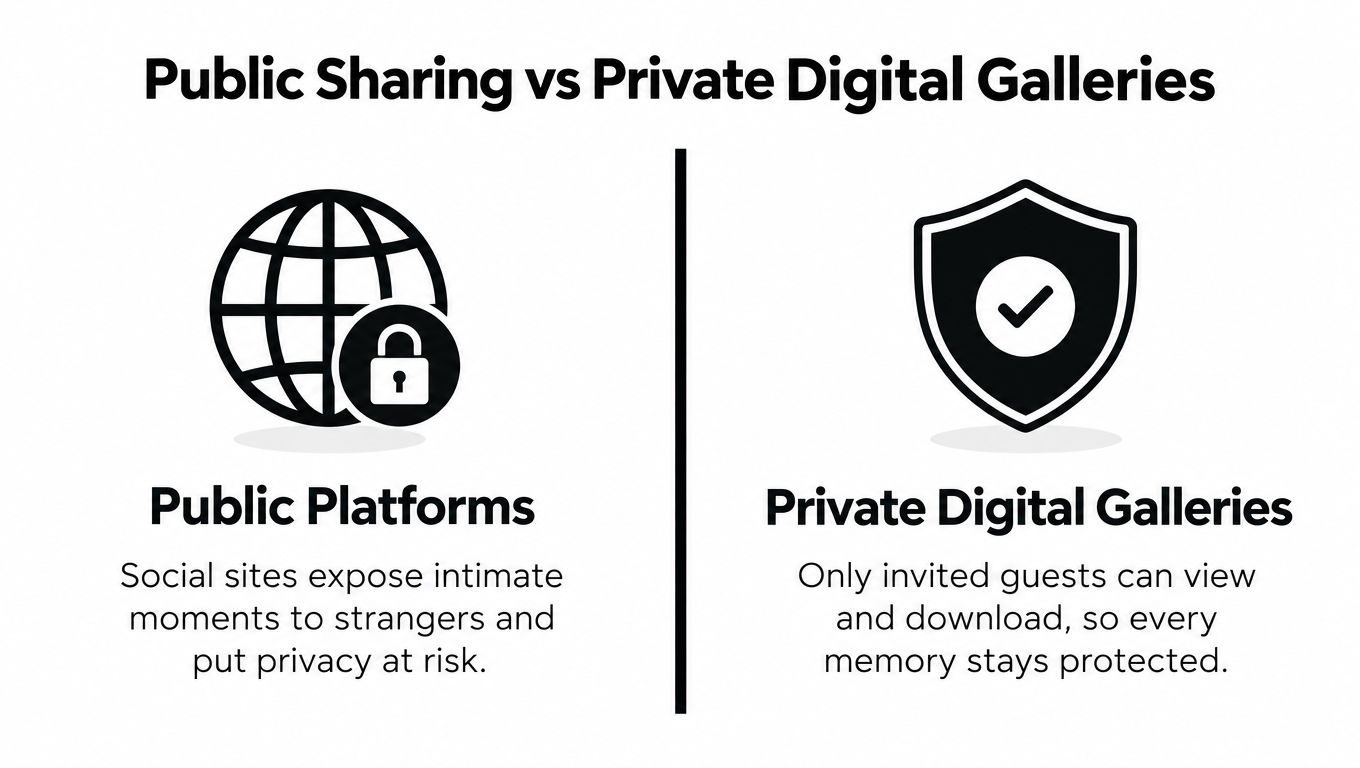
A public social platform is built for discovery. A private digital gallery is built for control. Those purposes are fundamentally different, especially when the images include children, emotional moments, family members who prefer not to appear online, or guests who never agreed to public distribution.
Social media and group chats offer convenience, but they scatter ownership and access. Posts can be reshared, downloaded, buried in feeds, or affected by changing account settings. Messaging apps are familiar, yet they often turn a valuable collection into a stream of compressed files and unrelated conversation.
Choose the destination based on the audience
A public post works when you want a small selection to be discoverable and shareable. It isn't the right default for the complete wedding archive. Your full collection should live somewhere you can decide who views it, who contributes, and which files can be downloaded.
| Public sharing | Private digital gallery |
|---|---|
| Designed for broad visibility | Designed for invited viewers |
| Images sit inside a social feed | Images stay in a dedicated collection |
| Access may depend on platform accounts and settings | Access can be controlled with gallery permissions |
| Compression and previews may affect quality | Original files and web versions can be managed separately |
| Guest uploads are difficult to moderate | Uploads can be reviewed before wider sharing |
A private gallery acts more like a digital living room. Relatives can open one link, friends can view the collection without searching through a feed, and the couple can decide which images belong in the shared album. A guide to private photo gallery practices can help you compare access options before choosing a platform.
Keep convenience without sacrificing boundaries
Privacy doesn't mean making the process difficult. Guests shouldn't need to create a complicated account, learn a new system, or move through several folders. The strongest setup gives them one straightforward route while keeping the couple in charge of the archive.
Use a private destination for the complete collection, then publish a smaller approved selection if you want to share publicly. Keep the photographer's final delivery in its own curated space, and use the guest area for contributions that still need review. This gives family and friends an easy way to participate without making every upload part of the official presentation.
Your wedding photos deserve more than accidental exposure on a public timeline. Make the private gallery the source of truth, and treat social media as an optional window into it.
Understanding Privacy and Access Permissions
A password alone doesn't create a sensible wedding gallery. You need a permission hierarchy that distinguishes between viewing, uploading, downloading, moderating, and managing the archive.
Start with the professional collection. Your photographer's edited work should remain separate from guest submissions, at least until you've reviewed everything. The professional gallery represents a finished creative service. Guest uploads represent a broad, unfiltered record. Combining them immediately can make the couple's delivery harder to browse and can expose images that were never intended for general viewing.
Build separate layers of access
Use these permissions as a practical starting point:
- Couple or administrator access: Full control over uploads, approval, downloads, sharing, and closing the collection.
- Photographer access: Delivery access to the edited gallery, with guest-upload permissions only if the photographer has agreed to help curate.
- Guest upload access: Permission to submit photos and videos without access to the private master archive.
- Guest viewing access: Access to approved images only, preferably without automatic permission to download originals.
- Public access: Reserved for images you have deliberately selected for wider sharing.
An upload link should lead to an intake destination, not expose the complete professional delivery. Review whether the system allows you to pause uploads, remove individual files, restrict downloads, and keep rejected material out of the public gallery.
Moderate before you publish
Guest images can include private conversations, unflattering moments, children whose parents haven't agreed to public display, or photographs taken in spaces where people expected discretion. That doesn't mean you should discourage uploads. It means you should review them before turning the collection into a shared album or displaying it at the venue.
A simple moderation process works well:
- Review new submissions for privacy concerns, duplicates, offensive material, and accidental captures.
- Separate archival files from the images you want friends and family to browse.
- Approve a shareable selection while retaining the wider private collection.
- Honor removal requests from guests who don't want a photograph kept or displayed.
A photo consent forms resource can help you set expectations with vendors, guests, and anyone appearing in event content.
The timing of sharing matters too. A 2026 survey indicates that 89% of wedding guests take photos on their phones, but only about 33% share them with the couple, and voluntary sharing drops sharply after 72 hours, according to research on wedding photography trends. Use that urgency to collect files promptly, but don't confuse prompt collection with immediate public display. Invite uploads early, moderate carefully, and preserve the couple's final say.
Optimizing Image Quality for Guests and Pros
Your gallery has two competing responsibilities. It must load comfortably on a guest's phone, and it must preserve files well enough to remain useful for future prints, albums, cropping, and family archives.
For professional delivery, finished JPEGs are usually more practical than RAW files. A well-optimized gallery often targets 3 to 8 MB per image, JPEG quality around 85% to 90%, and roughly 4000 to 6000 pixels on the long side, according to guidance on optimizing photos before a client gallery. Those settings balance visual detail with reasonable browsing performance across phones, tablets, and desktop screens.
Separate the master from the preview
Don't make one file serve every purpose. Store the original-quality upload in the master archive, then create a web-optimized derivative for fast browsing. Guests get a responsive viewing experience, while you retain the version that may be needed for printing or later editing.
This approach is particularly important for guest uploads. Messaging apps can reduce a 4000x3000 source photo to about 1600x1200 pixels and roughly 30% to 40% of the original file size, as documented in reporting on photo and video gallery quality. That loss may not be obvious on a small phone, but it becomes visible when you crop a face, print a detail, or enlarge a group photograph.
Keep the original-quality file whenever the platform allows it. A fast preview is useful, but it isn't an archive.
Ask these technical questions before you commit
A gallery provider should make its file behavior clear. Ask:
- Upload handling: Does the system preserve the file guests submit, or does it recompress everything immediately?
- Web delivery: Does it generate smaller viewing versions without replacing the master?
- Download controls: Can the couple download originals while guests see only previews?
- Storage headroom: Can the gallery hold a complete wedding collection without forcing aggressive compression?
- Export process: Can you retrieve the entire archive in an organized way rather than saving images one by one?
A full wedding shoot can generate 16 to 32 GB of images, so storage capacity matters when professional files and guest contributions share a broader archive. Don't select a platform solely because its thumbnails look sharp. Test the upload, preview, and download path with a representative file before the wedding.
The photographer's gallery should remain polished and consistent. Guest files don't need identical color treatment, but they do need protection from unnecessary degradation. Preserve first, optimize second, and publish only after you know which version visitors are viewing.
Curating the Guest Upload Workflow
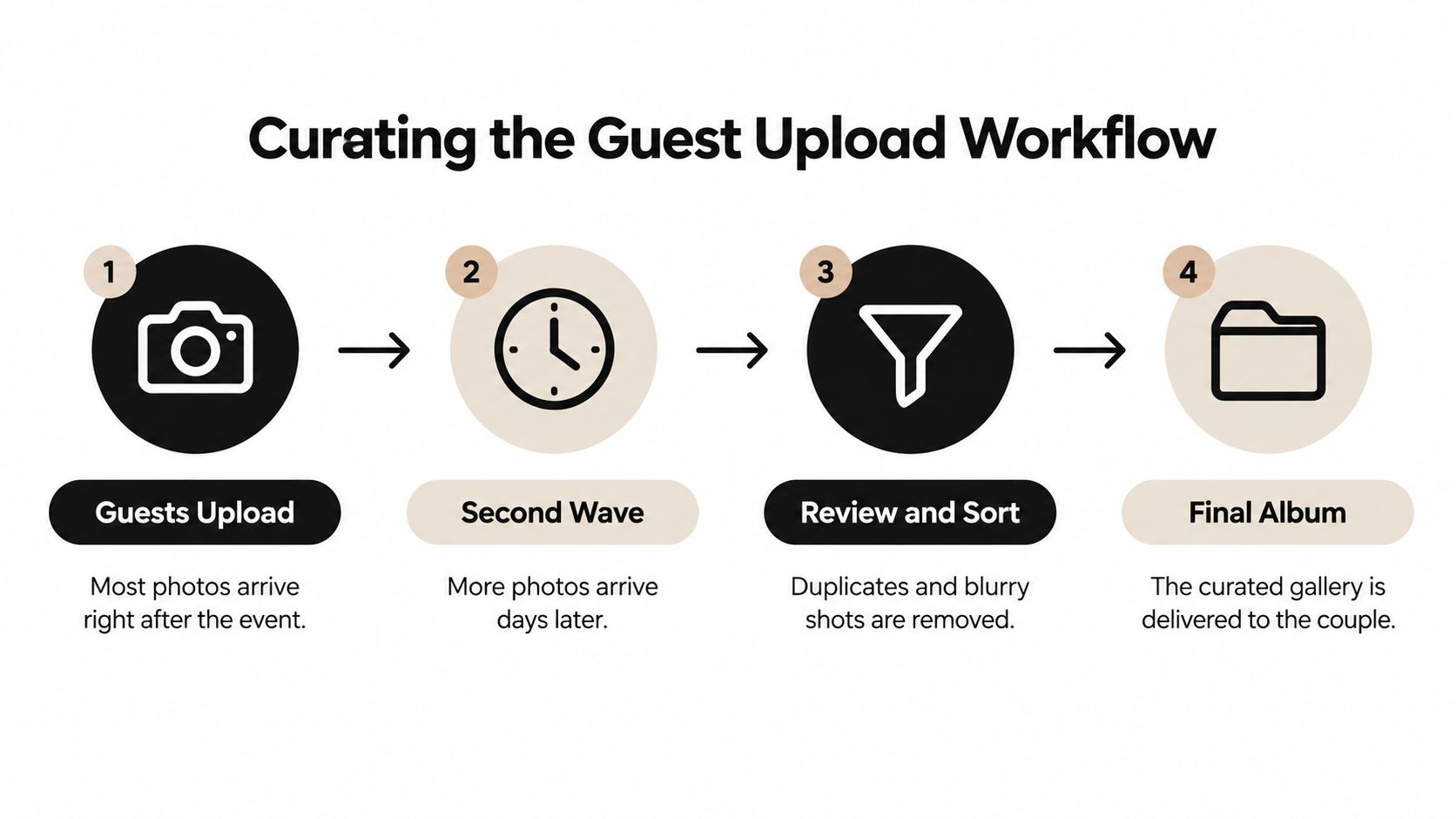
Most couples plan for the wedding-day upload rush and forget the quieter period afterward. Guests return home, sort through their camera rolls, find a photograph they love, and upload it only when the event has stopped competing with travel, work, and family commitments.
That delayed contribution is the second wave. It often includes the images nobody thought to share at the reception, such as a funny table conversation, a private family moment, or a better view of a ceremony detail. Closing the collection too soon turns a temporary delay into a permanent omission.
Use a workflow that survives the second wave
Keep the process simple:
- Before the wedding: Create the branded upload page, test it on a phone, and prepare a printed QR code for tables, signage, or the welcome area.
- During the event: Invite guests to upload freely. Don't ask them to rename files, sort images, or make editorial decisions.
- After the wedding: Send a friendly reminder while the event is still fresh, then keep the upload route available for late contributors.
- During review: Remove obvious duplicates and unusable files, but keep unusual candid moments that add context to the day.
- For the final album: Separate the professional delivery from the approved guest selection, then retain the wider archive privately.
Low friction has a direct effect on participation. Research suggests that app-based solutions capture only 20% to 30% participation, while no-download QR code systems reach 60% to 80% of guests, according to wedding guest photo survey research. Don't ask a relative to download an app just to contribute three photographs.
Give guests clear expectations
Your sign should say what the link is for, who can see the uploads, and whether the couple will review images before sharing them. A short message works better than a long set of instructions:
“Share your favorite wedding photos and videos here. Upload from your phone, no app required. We'll review the collection before sharing it with guests.”
Assign one person to monitor the gallery after the wedding. That might be a planner, trusted friend, or member of the wedding party. The couple shouldn't have to moderate every upload while returning from their honeymoon.
Review in passes rather than trying to perfect the archive immediately. First remove privacy concerns and clearly unusable files. Then identify duplicates, select highlights, and preserve the odd images that carry emotional value. The final gallery should be curated, but it shouldn't erase the texture that made the day yours.
How EventUploader Simplifies Memory Collection
A practical wedding photo gallery should remove the obstacles guests encounter at the exact moment you want them to contribute. EventUploader provides a branded upload page and QR code, so guests can upload photos and videos from their phones without downloading an app or creating an account.
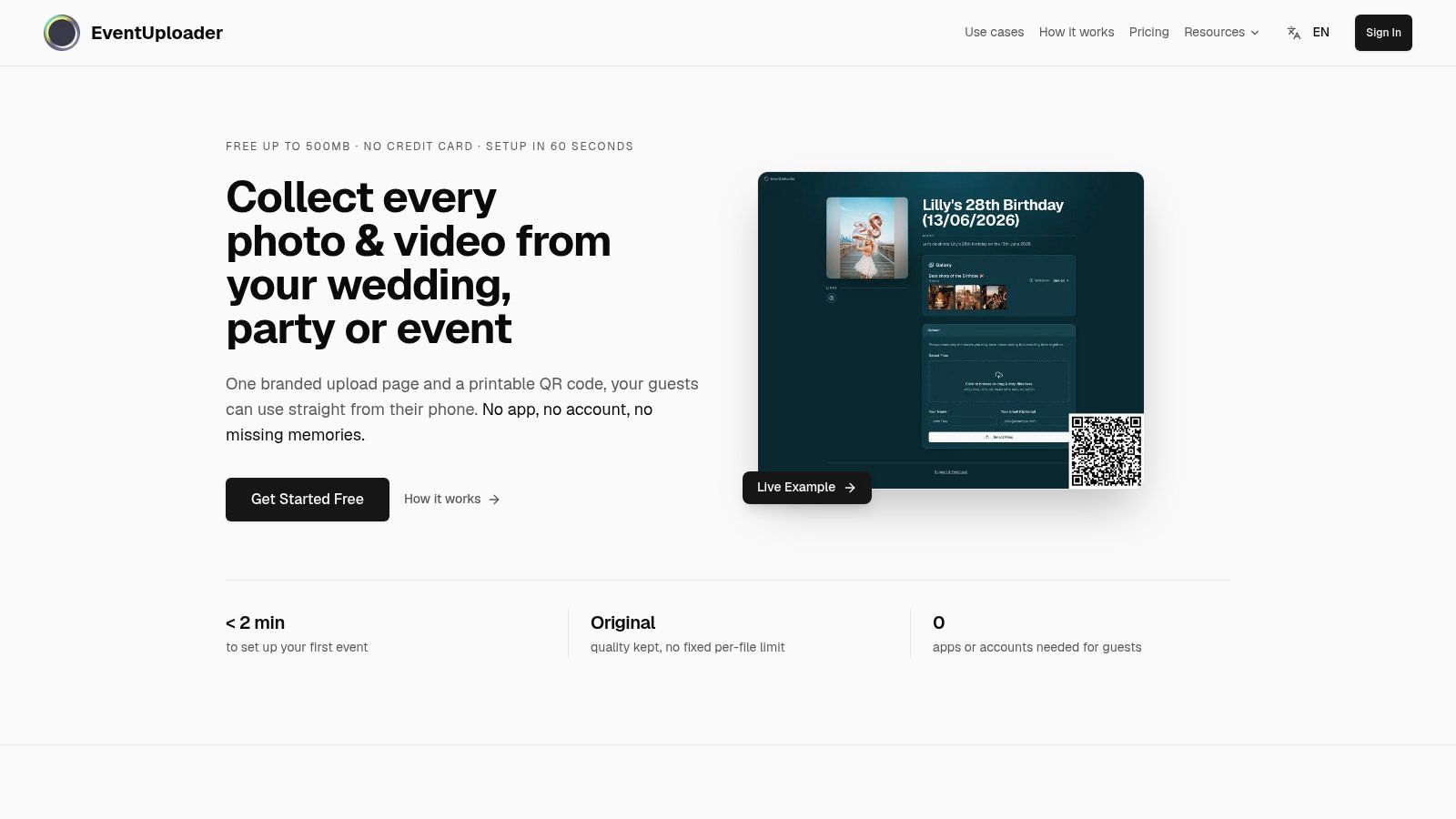
The couple can share one upload link before the wedding, place the corresponding QR code at the venue, and monitor submissions from a central dashboard. That setup handles the immediate reception rush while leaving a clear route for guests who upload later. You can pause or close submissions when the collection is complete, then download or export the event archive in original quality.
The same link can also become a shareable gallery after review. That creates a useful separation between the collection phase and the presentation phase. Guests submit freely, the couple decides what belongs in the public-facing selection, and the professional photographer's edited delivery doesn't have to compete with every candid upload.
If you're coordinating the business side of wedding photography as well, AurenWell makes estimates easy for photographers preparing clear project estimates and client paperwork. Operational details matter because the gallery should support the relationship between couple, photographer, planner, and guests rather than add another disconnected tool.
A simple operating plan looks like this:
- Create the branded page before the wedding.
- Test uploads from several phone types.
- Print and display the QR code where guests naturally gather.
- Keep the link active after the reception for late uploads.
- Review files before publishing a shared selection.
- Export the archive and retain the professional gallery separately.
The product also offers a free plan and flexible upgrades, which gives couples a way to start with a focused collection workflow before deciding whether they need more capacity or event features. The important decision isn't choosing the most elaborate platform. It's choosing a system that guests will use and that leaves you with control over the resulting archive.
Set up the gallery before invitations and signage are finalized, not after the wedding. Test the permissions, confirm that original files can be exported, and decide who will review uploads. That preparation turns scattered phone photos into a private, usable record of the people and moments your photographer couldn't capture alone.
EventUploader gives you a branded upload page, QR code sharing, centralized collection, review controls, and original-quality export for your wedding memories. Set up your collection before the celebration, keep it open for the second wave of uploads, and invite your guests to use EventUploader to preserve every angle of the day.