Wedding Photo Sharing Ideas: 8 Ways That Work in 2026
Discover 8 practical wedding photo sharing ideas, from QR upload pages to hashtags and printed keepsakes, with pros, cons, and setup tips for every option.
You're still in your wedding clothes, or you're a week past the day and waiting for the professional gallery, when you realize the funniest dance floor photo, your mum's reaction during the speeches, and three angles of the bouquet toss are sitting on other people's phones. Some are buried in group chats. Others live in camera rolls that'll be cleared for storage by next month. You don't need to chase 80 guests individually to get them back.
Guests are already creating that second record of the day. A WeddingWire survey of more than 900 U.S. wedding guests found that over 50% used their phones to take photographs during weddings, while 27% posted photos on social media during the celebration, according to the Pix wedding photo sharing etiquette guide. That gap is the whole problem. People take photos willingly. They don't reliably send them to you.
The eight wedding photo sharing ideas below solve that gap in different ways. Judge each one on two lenses only: how much friction guests feel in the moment, and how much control you keep over privacy and original files. Pick a low-friction collector for the night itself, then add one controlled way to share the best photos back afterward.
Table of Contents
- 1. QR Code Guest Upload at Reception Tables
- 2. Shared Cloud Album Created Before the Wedding
- 3. Wedding Website Photo Gallery with Guest Contributions
- 4. Live Reception Slideshow Powered by Guest Uploads
- 5. Hashtag Aggregation on Social Media
- 6. Instant Print Photo Booth with Digital Gallery Link
- 7. Printed Guest Photo Book with Submitted Images
- 8. Downloadable Original-Quality Gallery for the Couple and Guests
- Comparing the 8 Wedding Photo Sharing Methods
- Build Your Photo-Sharing Plan and Keep Every Memory
1. QR Code Guest Upload at Reception Tables
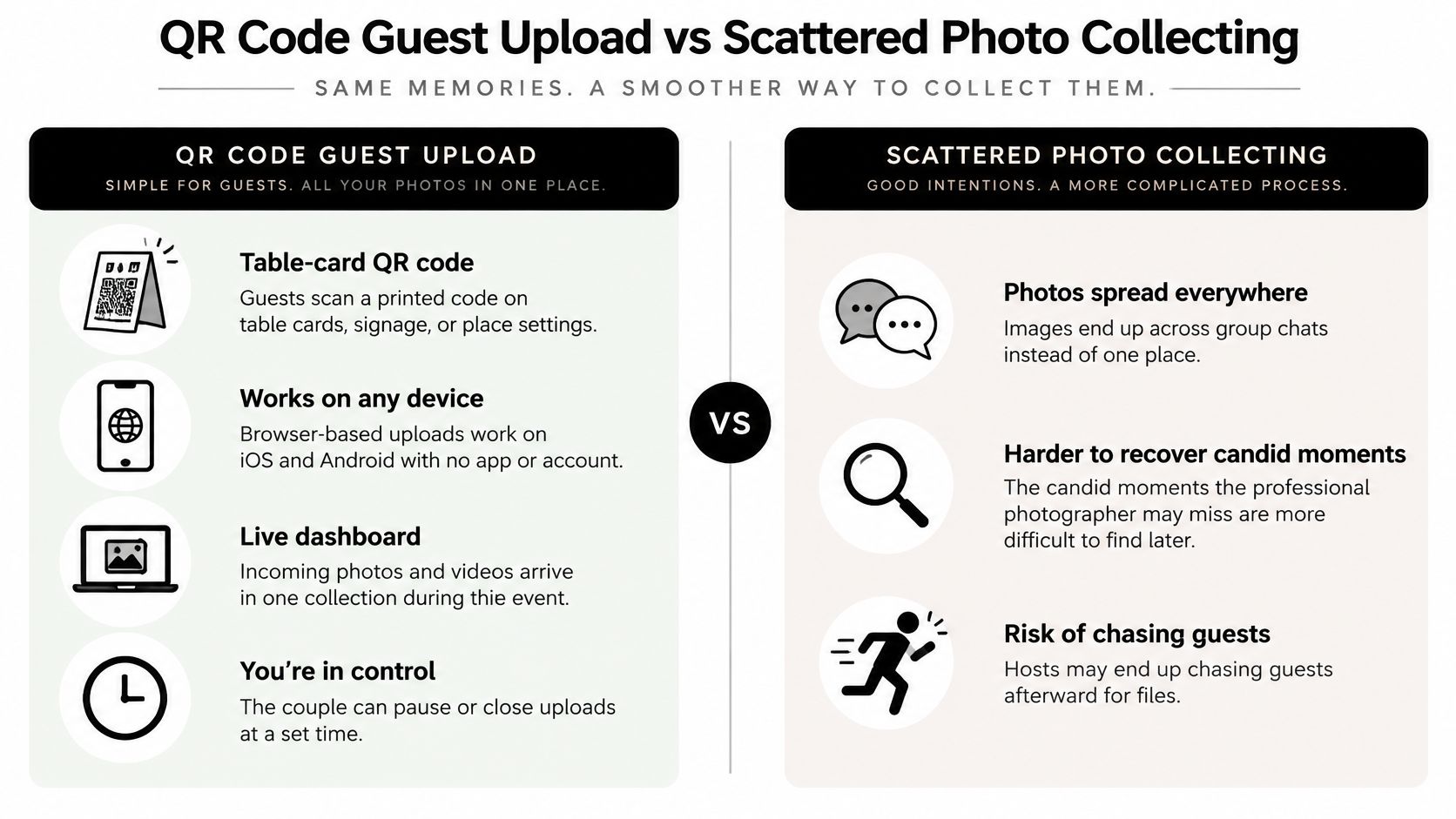
Put a printable QR code on every table card, the welcome sign, and the bar menu. Guests scan it with their phone camera, land on a browser upload page, pick photos and videos, and leave. No app to download, no account to create, no password to forget at midnight.
That mobile-first route matches how guests contribute. A WEDClic wedding guest photo report covering 1,098 uploads across 42 active wedding galleries found that 86% of uploads with recorded device information came from mobile devices, while QR codes accounted for 56.7% of uploads with a known source and video represented 7.8% of all contributed media. I read that as a setup instruction, not trivia. Your page has to work perfectly on a phone browser, accept video as well as photos, and preserve large originals.
How to Set It Up So Guests Actually Scan
Use one short prompt everywhere, such as "Scan to share your photos with us." Place signs at eye level near the entrance and bar, not flat under centerpieces where glasses cover them. Test the code on several phone types, on venue Wi-Fi and on mobile data, before guests arrive.
- Repeat the code: Tables, programs, and one large sign catch different guests at different moments.
- Open early, close deliberately: Let uploads run from the ceremony through the next morning, then pause or close them.
- Brand the page: Use EventUploader's branded upload page so your colors and welcome message appear after the scan, which reassures guests they've landed in the right place.
The trade-off is minimal. You need decent signage and connectivity. In return, candids arrive in one private collection while the party's still happening, and you keep control of what gets shared onward.
2. Shared Cloud Album Created Before the Wedding
A shared album in Google Photos, iCloud, or a similar cloud service is the option most couples try first because it's already on their phones. You create the album a few weeks ahead, add a clear description, and send the invite link on your wedding website or by email. Guests who already use that service can add photos without learning anything new.
Friction climbs fast for everyone else. A guest on the wrong platform, a parent who's never used a shared album, or anyone who has to create an account first will often save the task for later and never return. Accessibility guidance citing Pew Research data on communicating with wedding guests of all ages notes that 95% of U.S. adults aged 65 and older own a cellphone, but only 78% own a smartphone. A smartphone and app-only workflow therefore excludes a meaningful minority of older guests, often the relatives most likely to photograph family groups.
When This Method Still Works Well
Say you're hosting a small wedding where most guests are siblings and close friends who already share albums from holidays. One cloud album becomes a comfortable archive, and relatives in other cities can add rehearsal dinner photos before the main day. The same pattern works for a 50th anniversary, where one trusted family member manages the album and helps others join.
Give that helper management permission before the event, not after. Check whether guests need an account, confirm whether uploads stay at original quality or get compressed, and download the complete album within a few weeks. Access rules and storage quotas change, and a shared album you don't own outright isn't a long-term archive.
Practical rule: If a guest has to install something, reset a password, or ask which button to tap, you've already lost half your candids.
3. Wedding Website Photo Gallery with Guest Contributions
Your wedding website already holds the schedule, travel details, and RSVP form. Adding a "Share Your Photos" page turns that familiar address into the home for guest contributions too. Guests don't have to remember a new link, and you can keep the gallery live long after thank-you cards go out.
Social habits support building that page for mobile, vertical, quick uploads rather than treating it as a dusty archive. A 2026 Zola First Look Report survey of more than 11,500 couples found that 87% had made wedding-planning decisions based on social media, while 21% planned to create social-first content themselves. That tells you guests and couples think in phone content. It doesn't guarantee they'll upload, so test your wording and placement instead of assuming interest becomes action.
Making the Website Route Low Friction
Choose a builder that supports guest uploads directly, or link the page to a dedicated upload tool. Our guide to putting a QR code on your wedding website walks through connecting the two so the same code works on printed signs and on screen. A couple can publish the page before the wedding, then send one follow-up email the week after with the gallery link while memories are still fresh.
Add a password if you want a private feel, and share it only with guests. Keep the gallery live for at least a year so people return on anniversaries and family occasions. The weakness is timing. A website page alone, discovered after the event, collects less than a code guests saw on the table. Use it as the permanent home, not your only prompt.
4. Live Reception Slideshow Powered by Guest Uploads
Nothing prompts a second upload like seeing your first photo appear on a big screen. A live slideshow takes guest uploads during cocktail hour, dinner, or dancing and displays them on a venue TV or projector in near real time. Guests start competing, gently, to get a better candid onto the screen.
Watch how the display turns uploading from a favor into part of the entertainment.
Each published album in EventUploader has a slideshow that plays photos and videos full-screen, one after another, for display on a TV or projector. That's the cleanest setup because the upload page, gallery, and display stay connected. You don't need someone transferring files to a laptop with a cable every twenty minutes.
Control Is Non-Negotiable Here
Real-time display without moderation is how an unflattering, blurry, or inappropriate photo ends up behind the head table. Enable approval before anything appears, and assign one person, usually a planner, usher, or tech-confident friend, to monitor the queue. They don't need to curate art. They need to reject duplicates, accidents, and anything a guest would want back.
Test the venue screen, cable or casting method, and internet connection at rehearsal or during setup. Start the slideshow before guests arrive with a few engagement photos so the screen isn't blank. Say a couple runs it through dinner, then switches it off for speeches. That rhythm gives guests the payoff without pulling attention from the moments that matter.
5. Hashtag Aggregation on Social Media
A wedding hashtag is the most familiar idea on this list and, on its own, the weakest collector. You choose a unique, easy-to-spell tag, print it on the welcome sign and invitation suite, and guests who post publicly create a searchable feed you can browse later. It's fun for guests who already planned to post. It captures nothing from guests who don't.
Privacy is the deeper issue. Trend reporting summarized in Zola's 2025 First Look Report found that 21% of couples marrying in 2025 planned to create social-specific content, while 91% used social media as a planning resource, and separate reporting on those same trends says 80% of surveyed couples considered phone-free weddings "in." Couples want shareable moments and limits at the same time. A public hashtag can't respect that balance by itself.
Use a Hashtag as a Supplement, Not the System
Check your chosen tag hasn't already been used by another wedding, a brand, or something you'd rather not sit next to in search results. Keep it short enough that a guest can type it correctly after two drinks. Then pair it with a private upload link on the same sign, with wording that makes the choice clear, such as posting publicly with the tag or uploading privately for the couple.
That pairing matters for children, guests who don't want their image circulated, and unplugged ceremonies. Collecting a photo into your private gallery isn't the same as permission to repost it. State which one you're asking for, offer a simple way to request removal, and keep sensitive images out of public highlights. You'll get more honest participation when guests trust the boundaries.
6. Instant Print Photo Booth with Digital Gallery Link
A photo booth gives guests something a phone upload can't, which is a print in their hand thirty seconds later. The modern version prints a QR code on every strip or card, linking that physical keepsake to the digital gallery. Guests take prints home for the fridge. You receive the full digital set without collecting strips at the end of the night.

Say a couple sets up a booth near the reception entrance with props matched to a garden theme. Older relatives who'd never open an upload page happily pose three times, and younger guests scan the code on their print to save the digital version. The same setup works at a 40th birthday, where the host emails the gallery link the next day for anyone who lost their strip.
Questions to Ask Before You Book
- Output format: Confirm the booth can print your QR code, names, and date on every photo.
- File delivery: Ask whether you get original digital files, web-sized copies, or both.
- Gallery duration: Make sure the digital link stays live for several months, not a few weeks.
- Placement: Choose a well-lit spot away from loud speakers and dance floor traffic.
The trade-off is cost and scope. A booth captures posed fun brilliantly and misses the ceremony, speeches, and candid table moments completely. I recommend it as your entertainment layer, paired with a QR upload page that covers the rest of the day.
7. Printed Guest Photo Book with Submitted Images
A printed guest photo book turns other people's perspectives into the keepsake you'll pick up. Guests submit photos through a digital upload page, you select the strongest images, and a printing service binds them into a book that works as both album and guest book. Digital submission beats a basket of instant prints because you can edit, reorder, and add captions before anything is permanent.
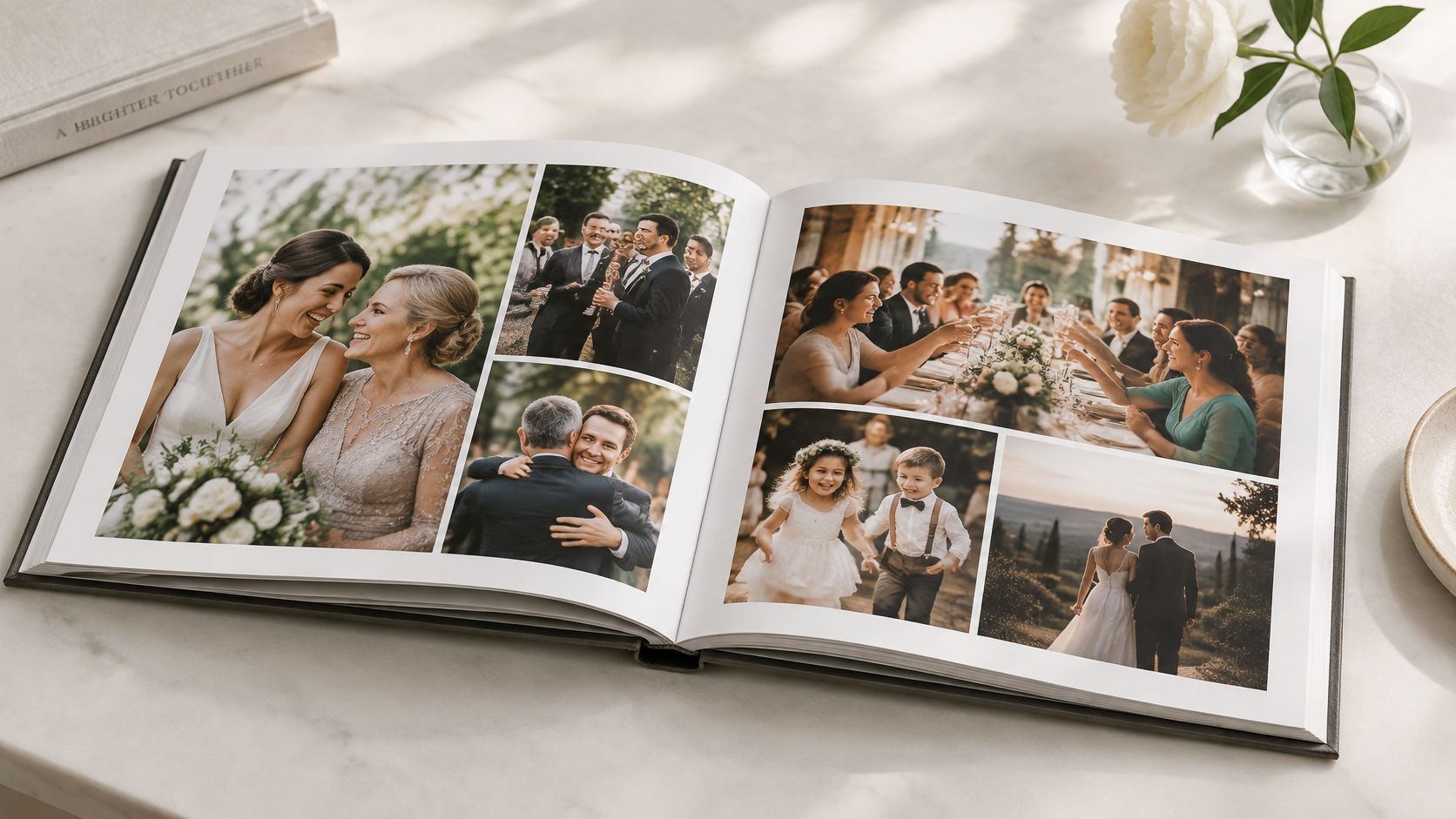
Say a couple gathers uploads for three weeks, then orders a 50-page book with one spread per table and a short guest caption under each photo. Our ideas for a guest sign-in photo book that guests contribute to show how to structure prompts so those captions arrive with the files instead of becoming another chase. A corporate team can use the identical flow after an offsite and print one copy per employee.
Deadlines Make or Break This Idea
Set a submission deadline of two to three weeks after the event and announce it on the upload page, not just verbally. Ask for a short caption with each upload, because names and one-line memories are what make a guest book feel personal years later. Order one proof copy before printing gifts for parents, since phone photos vary in sharpness and some won't hold up at full page size.
Keep the digital gallery as your backup even after the book arrives. Prints fade, get lent out, and can't be reordered easily if your source files are gone. The book is the display piece. The originals are the insurance.
The photos guests apologize for, saying they're just quick phone snaps, are often the ones couples print. They're the angles the professional never had.
8. Downloadable Original-Quality Gallery for the Couple and Guests
Collecting photos is only half the job. The other half is giving them back in a form worth keeping. A downloadable gallery separates your curated highlights from the complete archive, so guests can save the photos they're in at full resolution while you keep every original file, including the unpolished ones you'd never post.
Timing decides how much you have to curate. A dataset of 203 real weddings recorded an average of 197 guest-uploaded photos per wedding, with a median of 149, while another wedding-photo dataset reported that 67% of guest photos were uploaded within 24 hours of the event, according to Pix wedding guest photo upload statistics. Plan for a same-week sort, not a someday project. Download the full collection immediately, then publish a highlight gallery within about two weeks, while guests still want to look.
How to Structure the Handover
Use a shareable link that doesn't require guest login, and keep a backup copy in a separate location from your main storage. Say a couple publishes 200 favorite images publicly for guests and keeps the complete set as a private download for themselves. A festival organizer can do the same, releasing a curated gallery attendees can share while retaining the full archive internally.
Once your highlights exist, they can live beyond a screen. For printed and gifted formats, browse wedding keepsake inspiration from That Blanket Co before you decide what deserves wall or shelf space. The control point to protect is consent. Original-quality downloads are easy to forward, so publish highlights guests are happy to circulate and keep private or children's photos in the restricted set.
Comparing the 8 Wedding Photo Sharing Methods
| Method | Guest friction | Privacy control | Best for |
|---|---|---|---|
| QR Code Guest Upload at Reception Tables | Low; scan and upload in browser, no app or account | Shared collection with timed upload controls | Gathering candid photos from guests during the event |
| Shared Cloud Album Created Before the Wedding | Low to moderate; adding photos may require an account | Uses the cloud service's sharing settings | Couples and guests who already use a shared photo service |
| Wedding Website Photo Gallery with Guest Contributions | Moderate; guests need to revisit the site and submit photos | Password protection available | Keeping wedding details and guest photos together |
| Live Reception Slideshow Powered by Guest Uploads | Low; guests upload photos to join in | Photos can be moderated before display | Engaging guests and showing photos in real time |
| Hashtag Aggregation on Social Media | Low for social media users | Limited; posts may be public | Collecting public posts from guests already on social media |
| Instant Print Photo Booth with Digital Gallery Link | Low; guests use the booth and scan a QR code | Depends on the digital gallery's settings | Providing printed keepsakes alongside a digital collection |
| Printed Guest Photo Book with Submitted Images | Moderate; guests submit photos, and the couple selects them | Couple controls which images appear in the book | Creating a lasting, curated physical keepsake |
| Downloadable Original-Quality Gallery for the Couple and Guests | Low; guests open a link to view or download | Downloads can be restricted to approved guests | Sharing full-resolution photos while managing access |
Build Your Photo-Sharing Plan and Keep Every Memory
You don't need all eight methods. You need the right two or three working together, chosen by friction and control. Start with a QR code upload page on the tables because it asks the least of guests at the moment they're holding their phones. Add a hashtag only if your crowd posts publicly anyway, and pair it with a private option for everyone who doesn't. Finish with a curated, downloadable gallery so the photos return to guests at original quality instead of as compressed screenshots.
That combination covers the full arc. During the ceremony, you can pause uploads or keep signage to the reception, which respects an unplugged service without losing the party. During dinner, a moderated slideshow rewards people who contribute. Afterward, the same link guests used to upload becomes the gallery they revisit, which removes the final round of "can you send me that photo" messages.
Inclusive details decide whether your best family photographers take part. Print signage in large type with high contrast. Add a short written instruction under every code for guests who've never scanned one, in a second language if your guest list needs it. Ask one trusted relative to upload on behalf of grandparents or anyone without a smartphone, and keep a browser link guests can type or receive by message. None of that is complicated. All of it expands who contributes.
Be clear about privacy before the first upload arrives. Tell guests whether photos go into a private collection for you, a guest-only gallery, or public highlights, because those are three different permissions. Keep children's images and anything sensitive out of public sets, offer a simple removal request, and download your full archive promptly so the collection belongs to you, not to whichever platform happens to host it this year.
EventUploader fits that flow because it covers collection and handover in one place. You set up a branded upload page with your colors, logo, and welcome message, share one link or printable QR code, and guests upload straight from their phones with no app and no account. You watch uploads arrive live from one dashboard, pause or close uploads whenever you want, download everything in original quality, and publish favorites to a shareable gallery on the same link, with a free plan to start. Set up your page, print the signs, test the code, and relax knowing every moment is captured and nothing's left behind on someone else's phone.
Create your wedding event in minutes, print one QR code for the tables and welcome sign, and let guests upload photos and videos from their phones with no app or account to slow them down. You'll watch everything arrive in one private dashboard, download the full set in original quality, and publish your favorites back to guests on the same link they already used. Start free today with EventUploader and keep every angle of the day in a gallery you own.