Wedding Photo Upload: Collect Every Guest Photo
Master the wedding photo upload process. Learn how to set up QR codes, encourage guests to share, and securely collect every memory in original quality.

Your aunt took the best candid of the night, your friend caught the packed dance floor from the balcony, and the one video of the vows is sitting in someone's camera roll with a dozen other weekend photos. That's the normal wedding photo upload problem, and it starts before the first toast, because most guest images never fail at capture, they fail at collection.
A centralized wedding photo upload flow fixes the part that usually breaks down. The goal isn't to ask guests to work harder after the event, it's to make it effortless for them to hand over the moments they already captured.
Table of Contents
- Why Most Guest Photos Never Reach the Couple
- Setting Up a Frictionless Upload Experience
- Encouraging Guests to Actually Share Their Shots
- Managing File Quality and Privacy Behind the Scenes
- Downloading and Sharing the Final Collection
- Your Day-Of Photo Collection Checklist
Why Most Guest Photos Never Reach the Couple
The missing photos usually aren't missing because guests didn't care. They're missing because the couple never gave guests one obvious place to send them, so the images scatter across text threads, social posts, and private albums that no one revisits after the honeymoon.
Capture is easy, collection is the real bottleneck
That distinction matters. Independent wedding-industry analysis from 2026 found that 94% of adult wedding guests carry a smartphone with a working camera, 71% take at least one photo during the event, but only 8–12% share those images with the couple when there is no clear sharing method. In the same analysis, QR-code or frictionless upload systems lifted participation to roughly 31–41% of adult guests across 2,400+ events, with each uploading guest contributing an average of 6.3 photos. The takeaway is blunt, the problem isn't whether guests can take pictures, it's whether they know where to put them. Guest photo behavior and upload participation analysis
That's why social media tags and casual “send us anything you got” requests underperform. Guests mean well, then the night moves on, and the photos stay on their phones.
Practical rule: If a guest has to think about where to upload, you'll lose some of the photos.
Weddings used to rely on scarcity, not scale
Before smartphones changed everything, couples mostly received a small set of professional images plus a few guest snapshots. Disposable cameras in the 1990s gave guests a way to contribute, but the process was still limited and slow. Once smartphones became standard in the 2010s, volume exploded, and the challenge shifted from getting enough photos to gathering them from hundreds of personal devices.
That's why a wedding photo upload system is no longer a novelty. It's the modern answer to a modern behavior pattern, where everyone documents the event and almost no one naturally delivers the files unless the path is obvious. If you want a broader look at how this fits into the whole guest experience, the wedding photo booth guide is a useful companion piece.
Setting Up a Frictionless Upload Experience
A guest-friendly upload flow should feel like scanning a menu, not installing software. If the couple has to explain account creation, passwords, or app downloads, participation drops because the social moment has already passed by the time guests finish setup.
Build one destination, then repeat it everywhere
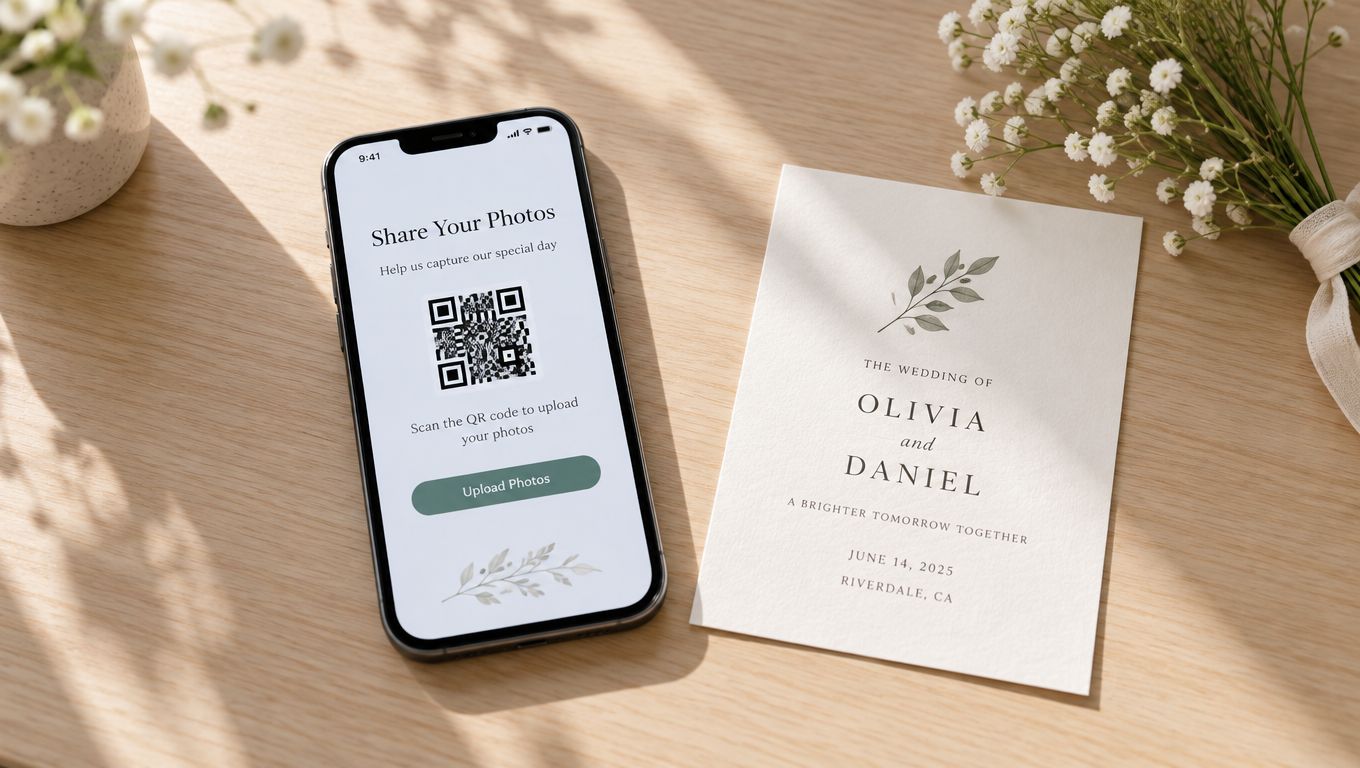
A branded upload page works best when it's the same destination on every table, sign, and program. EventUploader, for example, lets couples set up a branded upload page with their colors, logo, and welcome message, then share one link or printable QR code so guests can open the same upload path from their phones without an app or account. QR code upload online guide
That single destination matters more than fancy design. Guests don't need three options, they need one path they can recognize instantly. If the page looks like the wedding, uses the same names and date as the invitation, and opens in the browser, it feels trustworthy before the first photo is sent.
Place the QR code where people naturally pause
Reception tables work because guests are already sitting, looking around, and reaching for their phones. Welcome signs catch people early, before they lose momentum. Programs help during quieter moments, especially when older relatives want a physical reminder instead of hunting through group chat later.
A smart setup usually includes:
- Table cards: Guests can scan without leaving their seats.
- Welcome signage: This catches arrivals before the ceremony energy takes over.
- Programs or menus: These give people a second reminder when they're settled.
- A verbal prompt: This is the difference between passive awareness and actual uploads.
Don't overcomplicate the path. A guest should scan, open, and upload in a few seconds. If the process feels like an app store detour, the best candid shots will stay trapped on personal devices.
Encouraging Guests to Actually Share Their Shots
A QR code on a table is not a behavior plan. It's a tool, and tools still need timing, tone, and permission. Guests are much more likely to contribute when the couple or MC makes the request feel expected, private, and easy.
Say it out loud, not just on a sign
A silent upload link doesn't carry enough social weight. A short announcement from the MC or DJ works because it tells guests the couple genuinely wants the photos, not just in theory, but right now. The ask should be specific and brief, something like “Scan the table card and add your pictures from tonight so the couple can see everyone's perspective.”
That spoken request matters because it removes uncertainty. Guests don't have to wonder whether the upload gallery is for later, whether the couple really wants phone photos, or whether they're supposed to wait until after the reception. A live announcement makes the expectation clear, and clarity boosts action.
Use live visibility without turning the gallery public
A live photo wall or shared screen can create momentum because guests see other people contributing in real time. The social effect is simple, people join in when they can tell the gallery is active and that their upload won't disappear into a void.
Trust still matters more than novelty. A wedding-sharing guide notes that uploads improve when the request is app-free and fast, when it's made verbally rather than only through signage, and when guests trust the destination is private. Another guide warns that once photos enter a public album, they're effectively impossible to retract. That's why browser-based upload pages are a better fit for most couples than public social albums, because they reduce friction without making the event searchable to everyone. Wedding guest photo sharing guidance
Guests will share more when they think the couple is actually watching the gallery, and less when the upload feels like a public post.
If you want a system that fits that privacy-first approach, EventUploader can handle a branded upload page with live collection and a shareable gallery on the same link guests already used. I mention it here because the behavioral side only works when the destination feels simple and private enough for people to trust it.
Managing File Quality and Privacy Behind the Scenes
Guests care about convenience, but hosts care about what happens after the upload button is tapped. That's where the technical guardrails matter, because a smooth front end can still become a mess if oversized files, strange formats, or metadata leaks slip through.
Validate early, then normalize again on the server
The most reliable workflow is a two-layer validation pipeline, first in the browser for immediate feedback, then again on the server before storage. That keeps a guest from waiting through a failed upload after a long transfer and lets the host enforce file size, dimensions, aspect ratio, transparency, animation, and whether originals and metadata are retained. The same best-practice pattern also calls for normalizing the image and generating derivative sizes before storage, which helps prevent rotated files, broken transparency, and soft-looking results on high-density screens. Web image upload best practices
In plain terms, the upload page should reject bad files fast, then the server should clean and standardize what gets accepted. That protects the final gallery and reduces the support problems that show up after the wedding when nobody wants to troubleshoot image orientation.
Strip what couples shouldn't accidentally share
Privacy isn't just about who can see the gallery, it's also about what rides along with the photos. Independent photography security guidance recommends stripping EXIF and GPS data, and using browser-based galleries with upload permissions so hosts can control who can upload, who can view, and when the gallery closes. That's especially important for weddings, since photos often get forwarded beyond the event and metadata can expose venue location or device details. Photography privacy and security guidance
The right question isn't whether privacy exists, it's how much privacy the couple needs. A private browser gallery usually offers a better balance than a public social feed because it keeps the guest contribution easy while limiting exposure. That's also why consent matters, and why a simple photo consent forms guide is worth reviewing before the event if the gallery will be shared beyond immediate family.
Downloading and Sharing the Final Collection
The reception ends, the last guest heads home, and the next job starts, getting the memories back out of the upload system without creating another round of friction. A good post-event workflow should make the collection easy to export, easy to organize, and easy to hand back to guests without sending everyone to a new platform.
Keep the export path as simple as the upload path
The cleanest handoff is one click from the full collection into an organized download set. That's the point of a tool like EventUploader, which lets hosts download or export the event in original quality and then publish favorites to a shareable gallery on the same link guests already used. Batch photo download guide
When I've seen this work well, the couple doesn't ask guests to learn a second system after the wedding. They keep the original upload link active long enough for people to revisit the gallery, then curate highlights separately for the final share. That avoids the common mistake of collecting images in one place and making everyone search for them in another.
Organize by moments, not just by file names
Photos make more sense when they're grouped by event moments, ceremony, reception, speeches, dance floor, and candid table shots. You don't need a museum-level archive, just enough structure that the final gallery feels intentional instead of dumped.
A practical post-event sequence looks like this:
- Export the originals. Keep the highest-quality versions before making social-sized copies.
- Review for duplicates. Guest galleries usually contain overlap, so trim repeated shots.
- Sort by moment. Put the strongest images into the parts of the day people will actually revisit.
- Share the curated gallery. Give guests one place to relive the event instead of sending individual files.
That approach respects the way people look back on weddings. They don't want a random camera roll, they want the story of the day, and a structured download makes that possible.
Your Day-Of Photo Collection Checklist
The fastest way to lose guest photos is to assume the upload system will “just work” without rehearsal. A wedding day runs on small confirmations, and photo collection needs the same discipline as seating charts and ceremony timing.
Confirm the essentials before guests arrive
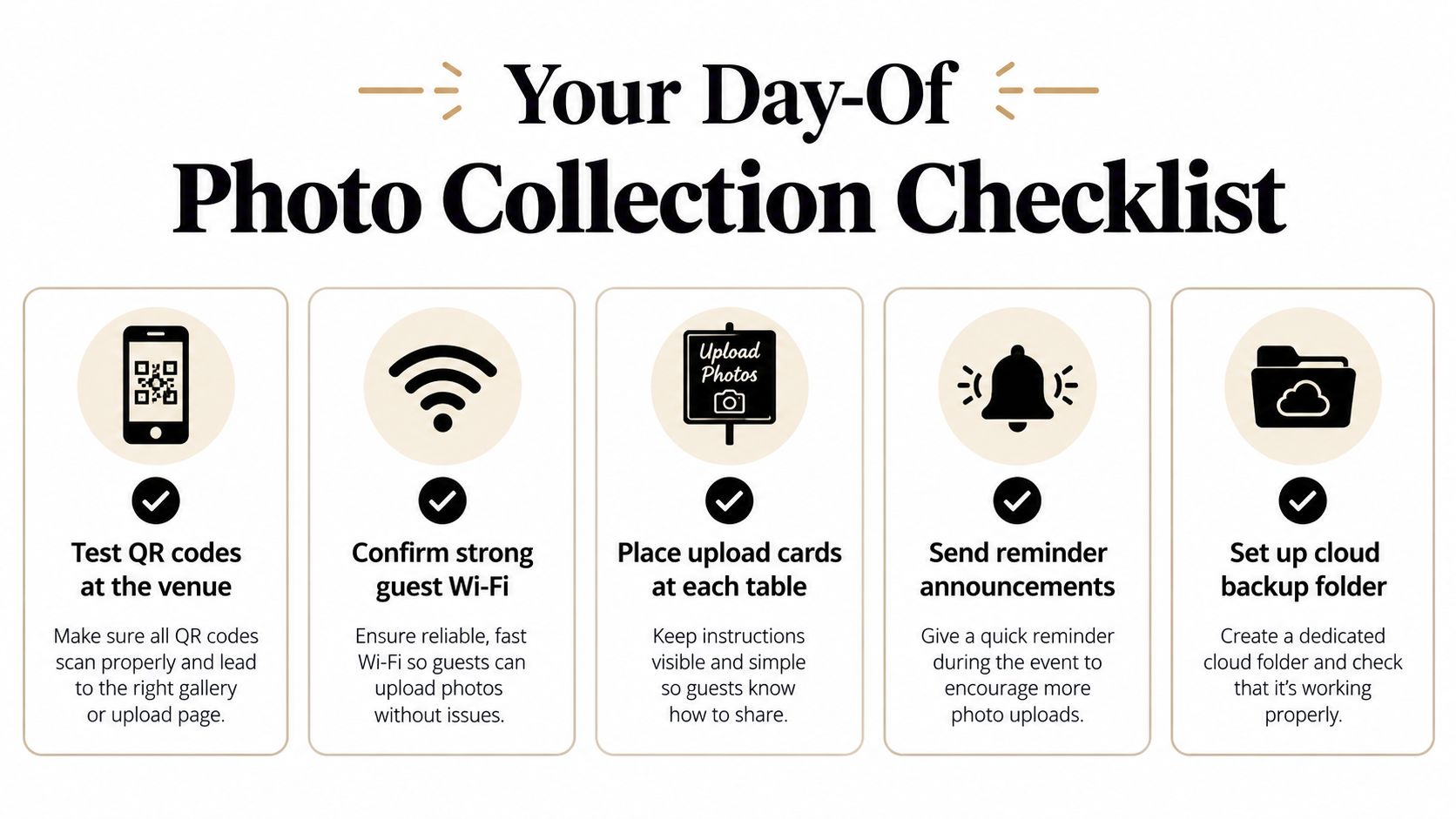
Use this as the final check:
- Test QR codes at the venue. Scan them from a few seats so you know the link opens cleanly on real phones.
- Confirm strong guest Wi-Fi. If the venue connection is weak, warn guests early so they can use mobile data.
- Place upload cards at each table. Don't rely on one sign near the entrance.
- Send reminder announcements. Ask the DJ or MC to mention the upload link more than once.
- Set up a cloud backup folder. Keep the originals somewhere safe before any curation or sharing.
The most important part is consistency. The QR code, the announcement, and the privacy message should all point to the same destination, because mixed instructions are what make guests hesitate.
Make one person own the process
A planner, coordinator, or trusted friend should monitor the upload flow during the event. That person doesn't need to micromanage guests, just check that the signs are visible, the gallery is active, and the link still works when the party moves from dinner to dancing.
That's the key difference between hoping for photos and collecting them. A wedding photo upload system succeeds when the path is obvious, the request is spoken, the gallery feels private, and the files are handled carefully after the party ends.
If you want a wedding photo upload flow that keeps guests in the browser, organizes uploads in one place, and lets you share the finished gallery from the same link, take a look at EventUploader. It's built for branded QR code collection, original-quality exports, and the kind of private guest sharing that fits a wedding day.