Best Way to Share Pictures with Family: 4 Options Compared
Find the best way to share pictures with family: compare apps, cloud albums, private galleries and prints by ease, privacy and quality.
The birthday's over, your phone is full, and relatives are already asking for pictures. Some photos are in the family chat, others are on your partner's phone, and Grandma can't open the album invitation. Meanwhile, the picture you want to frame exists somewhere between a screenshot and a forwarded message.
The best way to share pictures with family is the method that gets relatives into the photos without sacrificing the originals. For most celebrations, that means separating the place people react from the place you collect and preserve files. Judge the options by what happens when someone wants to open, download, print, or remove a picture later.
Table of Contents
- Which Sharing Method Fits Your Family at a Glance
- Messaging Apps Are Fast but Scatter Your Photos
- Shared Cloud Albums Work Until Relatives Lack Accounts
- Private Event Galleries Keep the Host in Charge
- Physical Prints Last but Cannot Be Updated
- How Each Method Handles Quality, Privacy and Access
- Pick Your Method and Set It Up This Week
Which Sharing Method Fits Your Family at a Glance
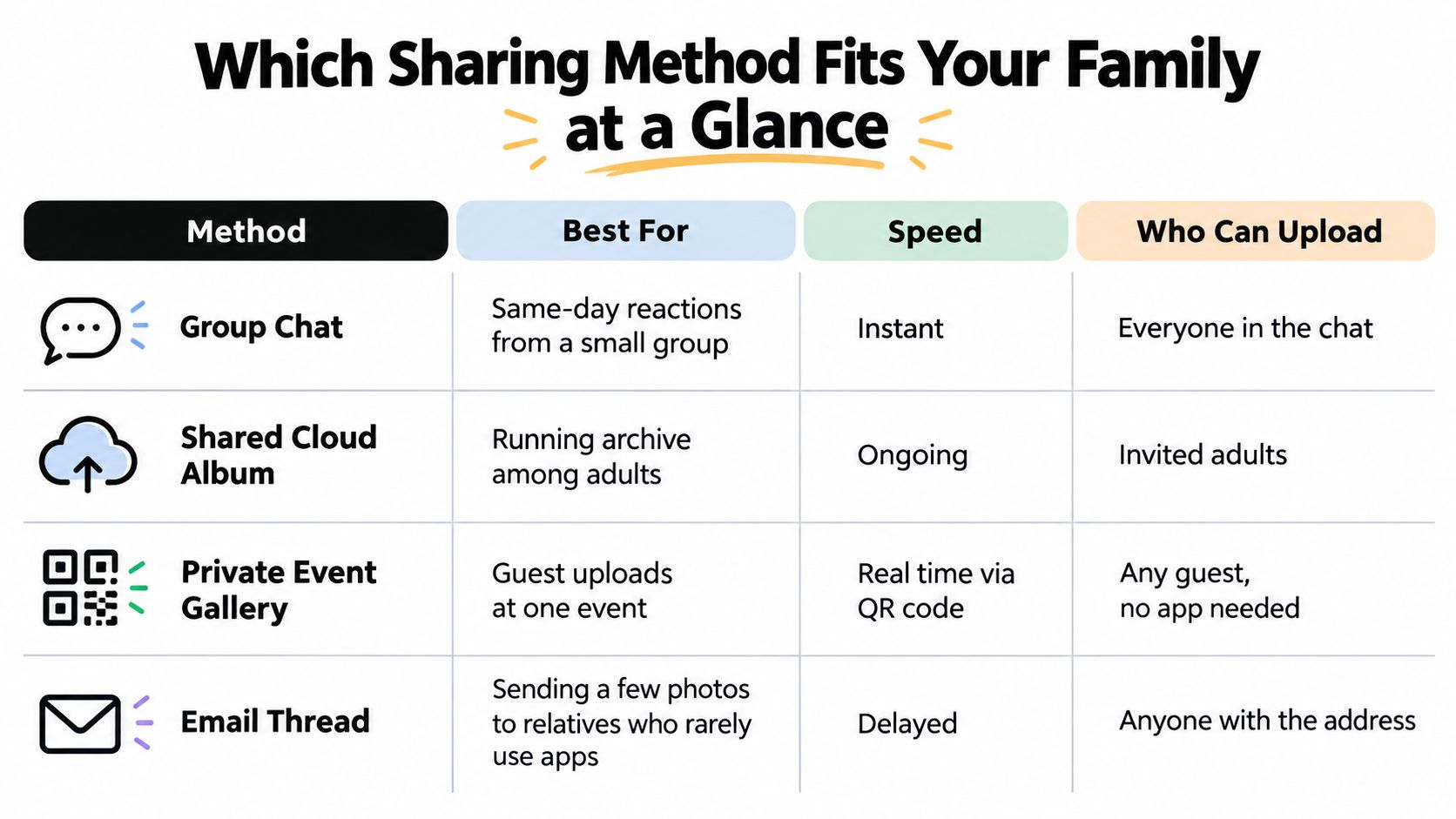
No single method wins everywhere. A familiar chat works for immediate reactions. A shared cloud album suits a family that already uses compatible accounts. An event gallery handles contributions from mixed-tech guests, while prints give relatives something they don't need a device to enjoy.
Quick pick of four family photo sharing methods
| Method | Best for | Effort for relatives | Host control | Original quality |
|---|---|---|---|---|
| Messaging apps, including WhatsApp, iMessage and Messenger | Quick reactions to a few photos | Low for people already in the chat | Low once files are saved or forwarded | Often compressed; file-sending options can preserve originals |
| Shared cloud albums, including Google Photos and iCloud Shared Albums | A running collection among account-holding adults | Medium for contributors; browser viewing may be available | Members and sharing settings can be managed | Full-size storage must be checked; shared albums aren't automatically original-file archives |
| Private event galleries | Weddings, christenings, birthdays and reunions with mixed-tech guests | Low with browser-based uploads | Upload windows and published selections can be managed; check access controls | Choose a service offering original-quality export |
| Physical prints and photo books | Keepsakes for grandparents and a lasting physical record | Very low once delivered | No technical control after handover | Limited by the source file, print size and production quality |
Use the visual comparison as a quick orientation, then check the actual file and permission settings before choosing.
Start with the people, not the platform
These filters settle most decisions:
- Contributors: Are you sending your own favorites, or collecting pictures from guests?
- Access: Does anyone lack the necessary account, reliable data connection, or confidence to install another app?
- Sensitivity: Do the pictures include children, private homes, or moments the family doesn't want circulated?
Messaging is strongest when conversation matters more than organization. Cloud albums make sense for an ongoing collection, provided the participating adults can manage their accounts.
Private galleries suit a defined occasion with contributors who don't share an ecosystem. Prints suit relatives who want permanence without maintaining digital access. Choose for the hardest real task your family needs to complete, not the longest feature list.
Messaging Apps Are Fast but Scatter Your Photos
Messaging is the default because the conversation already exists. In WhatsApp, iMessage or Messenger, you can send a picture without explaining where relatives should go next. That familiarity is powerful: Facebook Messenger users shared more than 17 billion photos per month in 2023, according to figures reported by Sci-Tech Today.
The trouble begins when the chat becomes the collection system. Photos disappear between travel updates, reactions and unrelated conversation. A relative who joins later may not receive earlier history, and even someone who was there from the start has to hunt through the thread.
A chat copy isn't necessarily a print copy
Messaging apps can resize or recompress pictures to reduce transfer size. Some offer higher-quality settings or let you send the original as a file, but you shouldn't assume the ordinary photo button preserves everything.
If a relative wants a picture for printing, send the original through an appropriate file option or direct them to the archive. A screenshot of the chat image is a viewing convenience, not a replacement for the camera file.
Practical rule: Use the chat for reactions and the archive for retrieval.
For families struggling with overlapping threads and repeated requests, Listava on group texting pitfalls offers useful context for why group conversations become difficult to manage. The organizational fix is to give the full collection a separate home.
Keep the conversation lightweight
A workable pattern is simple:
- Send highlights: Choose the pictures that tell the story, rather than uploading every near-duplicate.
- Identify the collection: Pin or clearly label the album destination so relatives know where to look.
- Separate requests: Ask contributors to upload their camera files rather than forwarding someone else's copies.
Chats also offer limited control after delivery. Deleting a message doesn't retrieve a picture someone has already saved or forwarded.
For same-day reunion reactions among relatives who already talk together, messaging is hard to beat. Send a couple of favorites now, then decide where the originals belong before the conversation fills up.
Shared Cloud Albums Work Until Relatives Lack Accounts
A shared cloud album gives an ongoing family collection a more useful shape than a conversation. Relatives can browse an occasion together, add their own pictures where permissions allow, and return without searching message history.
Google Photos and iCloud Shared Albums can be convenient, but they aren't interchangeable storage systems. A shared viewing copy and an original stored in someone's library are different things. Don't delete a phone original just because its picture appears in a shared album.
Familiar accounts make the difference
Cloud sharing works best when the adults already use the relevant accounts. Phone backup, date-based browsing and album contributions can then fit into habits they've established.
The awkward cases are predictable: an Android user receives an Apple-centered invitation, a tablet opens under someone else's account, storage fills up, or password recovery stops participation. Our guide to setting up a shared album on iPhone is useful when checking that setup before inviting relatives.
The barrier can also be trust. A study discussed in a Pension Research Council paper on older adults and technology found that older participants often perceived cloud-stored family pictures as less permanent and less secure than paper collections.
Explain who owns the collection, where the files live, and what happens if the account holder stops maintaining it.
Make ownership understandable
Before committing, settle these points:
- Account owner: Name the person responsible for storage and invitations.
- Outside viewers: Test browser access for relatives who won't join the ecosystem.
- Independent copy: Export important collections somewhere separate from the shared album.
Use a cloud album when regular contributors already have suitable accounts and want a collection that grows over time. Offer a simpler viewing route for relatives outside that circle instead of turning every invitation into account support.
Private Event Galleries Keep the Host in Charge
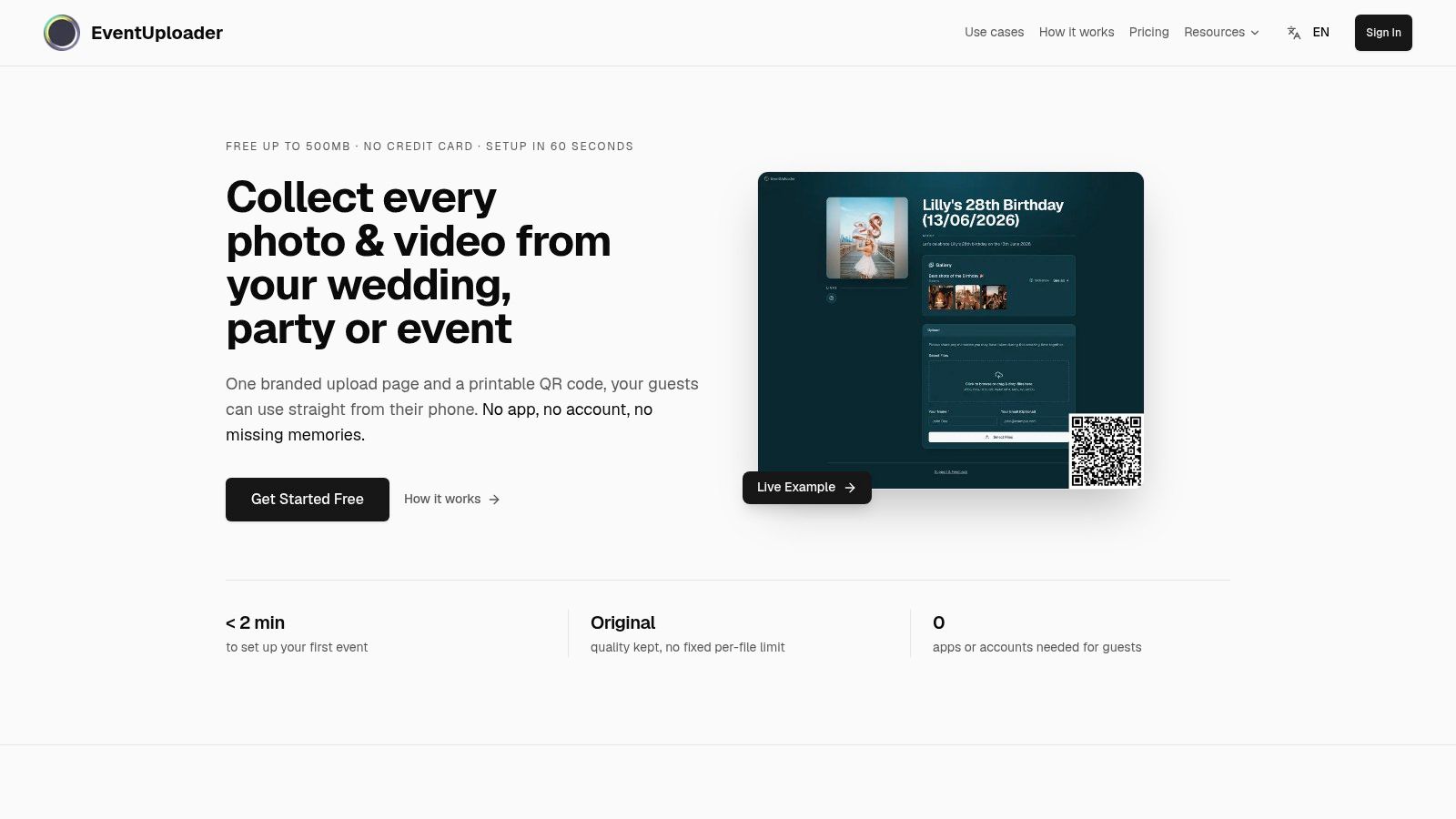
A private event gallery separates the host's administrative work from the guest's contribution. Guests open an upload page through a browser, select pictures from their phones, and submit them without installing an app or creating an account when the service supports that workflow.
For a wedding or christening, this removes the need to assemble everyone into the same conversation. The host does the setup once rather than asking each guest to learn an account system.
A branded upload page gives guests a recognizable destination.
Put the administrative work with the host
Create the page before the event and give it a clear welcome message. Put the QR code on tables or invitations, with a readable web address beside it, and send guests the clickable address if scanning isn't comfortable.
During the event, monitor incoming contributions from the dashboard. Close or pause uploads when collection ends, export the original files, and publish a selected gallery rather than automatically treating every submission as ready for the family.
Privacy is a concrete reason to curate. In the 2023 University of Michigan National Poll on Children's Health, 72% of parents identified at least one concern about social-media sharing involving their child, and 31% were concerned about someone sharing their child's photo without permission, according to the poll's sharenting report.
A controlled collection gives the host a place to review pictures before distributing them. It doesn't guarantee confidentiality.
- Check access controls: If the occasion is sensitive, require suitable restrictions, revocation or expiry rather than assuming an unlisted address is sufficient.
- Separate permissions: Closing uploads stops new submissions; it doesn't necessarily close viewing access.
- Limit identification: Leave children's full names, surnames and unnecessary location details out of captions.
The private photo gallery guide helps frame the distinction between collecting contributions and deciding who should see the finished selection.
The video below shows the upload-page approach in practice.
Test the viewer as carefully as the uploader
Say you're organizing a christening. Guests contribute throughout the afternoon, but grandparents mainly want to browse afterward and save their favorites.
The viewing page should offer large thumbnails, clear next and previous navigation, useful dates or captions, and an obvious download option. Test whether a grandparent can open it, enlarge a picture and save it without creating an account or opening settings. Check guest download permissions separately from the host's export feature.
A forwarded gallery address can still reach an unintended recipient, and saved files can still be reshared. Set expectations with relatives as well as technical controls.
Start with the free plan to test the workflow, then check the limits before inviting guests. Event galleries suit defined occasions better than an everyday family stream, and the independent export should remain part of the host's responsibility.
Physical Prints Last but Cannot Be Updated
A print gives a grandparent something no digital service can deliver: a photograph they can pick up without a charged device, working connection or remembered password. A photo book also presents a finished story instead of asking its reader to browse a folder.
That makes physical copies valuable, but not automatically permanent. Paper can fade, bend, get wet or go missing, and a book can't absorb the pictures relatives remember to send later. Treat prints as the accessible keepsake, not the only surviving collection.
Start with the camera file
Order from the original or a carefully prepared export. A small image saved from social media may look acceptable on a phone yet soften when enlarged, especially around faces, hair and fine background detail.
Check the printer's crop preview before paying. The shape of the paper may cut off the edges of the picture, so leave room around heads and important details.
Before ordering: Confirm sharpness, crop and permission to distribute. You can replace a poor print, but you can't remotely withdraw one you've handed over.
Individual prints work well when relatives want different favorites. A photo book is better when you want to choose a sequence, add captions and give everyone the same account of the occasion.
Compare the finished product
Look beyond the advertised starting price:
- Individual prints: Check paper finish, delivery charges and whether the chosen size requires cropping.
- Photo books: Compare the included pages, extra-page charges, binding and shipping.
- Display copies: Consider where the photograph will sit and whether the frame will obscure its edges.
For an equestrian family choosing how to display a riding portrait, Bridle Up Hope Shop's guide to styling horse photo frames at home offers a specific example of matching the presentation to the subject.
Be selective with private pictures of children. Once a print leaves your hands, the recipient can display, photograph or pass it on.
A small keepsake book of the year's strongest pictures is often more useful than an exhaustive volume. Keep the complete digital collection separately, and retain the files used for the book so replacements remain possible.
How Each Method Handles Quality, Privacy and Access
File format and sharing method are separate decisions. A service might accept your phone's native file but deliver a converted preview, while another might preserve the file yet make downloading awkward.
According to Canon's image file types guide, HEIF typically offers about 50% more effective compression than JPEG while retaining 10-bit color and tonal information, compared with JPEG's 8-bit depth. That makes HEIF useful for efficient storage, but JPEG remains the safer viewing and printing format when relatives use older software.
Preserve the master, simplify the viewing copy
Keep the original capture file. Create a JPEG copy when compatibility requires it, and avoid repeatedly saving that copy through different apps.
Repeated lossy recompression can introduce blocky edges, halos and tonal artifacts. Foliage, lettering and low-light gradients are useful areas to inspect when testing a download.
File handling and access by sharing method
| Method | Original file kept | Guest account needed | Revoke or expire access | Guest download |
|---|---|---|---|---|
| Messaging apps | Ordinary photo sending may recompress; original-file modes require checking | An app account or compatible messaging service | Saved and forwarded copies can't be recalled | Save attachments; bulk tools are app-specific |
| Shared cloud albums | Only when the chosen product and upload mode preserve it | Usually for contributions; browser viewing may be available | Remove members or disable supported sharing routes | Check individual and whole-album options |
| Private event galleries | Choose original-quality storage and export | No for a browser-based, account-free workflow | Check viewing controls separately from upload closure | Host export and guest download permissions are separate |
| Physical prints | Only the physical reproduction is delivered | No | No remote revocation | No digital download is inherent |
Check metadata and permissions with a real file
Metadata deserves its own test. Capture dates help organize an archive, while embedded location information may reveal more than you intend to share. Keep useful archival metadata in the master collection and inspect what reaches recipients, particularly for pictures taken at home.
Don't judge quality by the gallery thumbnail. A well-designed gallery can load small previews quickly while retaining a full-resolution master for export. Our guide to the best way to send photos without losing quality addresses that distinction.
Before the occasion, run a practical file check:
- Upload a native file: Include the format your phone captures, not just an already-converted JPEG.
- Download the result: Compare dimensions, file type and visible detail against the source.
- Inspect access: Test as a guest, not while signed into the host dashboard.
- Check the exit route: Confirm you can export the collection before relying on it.
Storage capacity alone won't answer these questions. The useful service is the one that preserves the files you need and gives relatives a manageable way to receive them.
Pick Your Method and Set It Up This Week
Start with the relative most likely to struggle. If they can't participate, a technically impressive setup still leaves you sending separate copies and answering support questions.
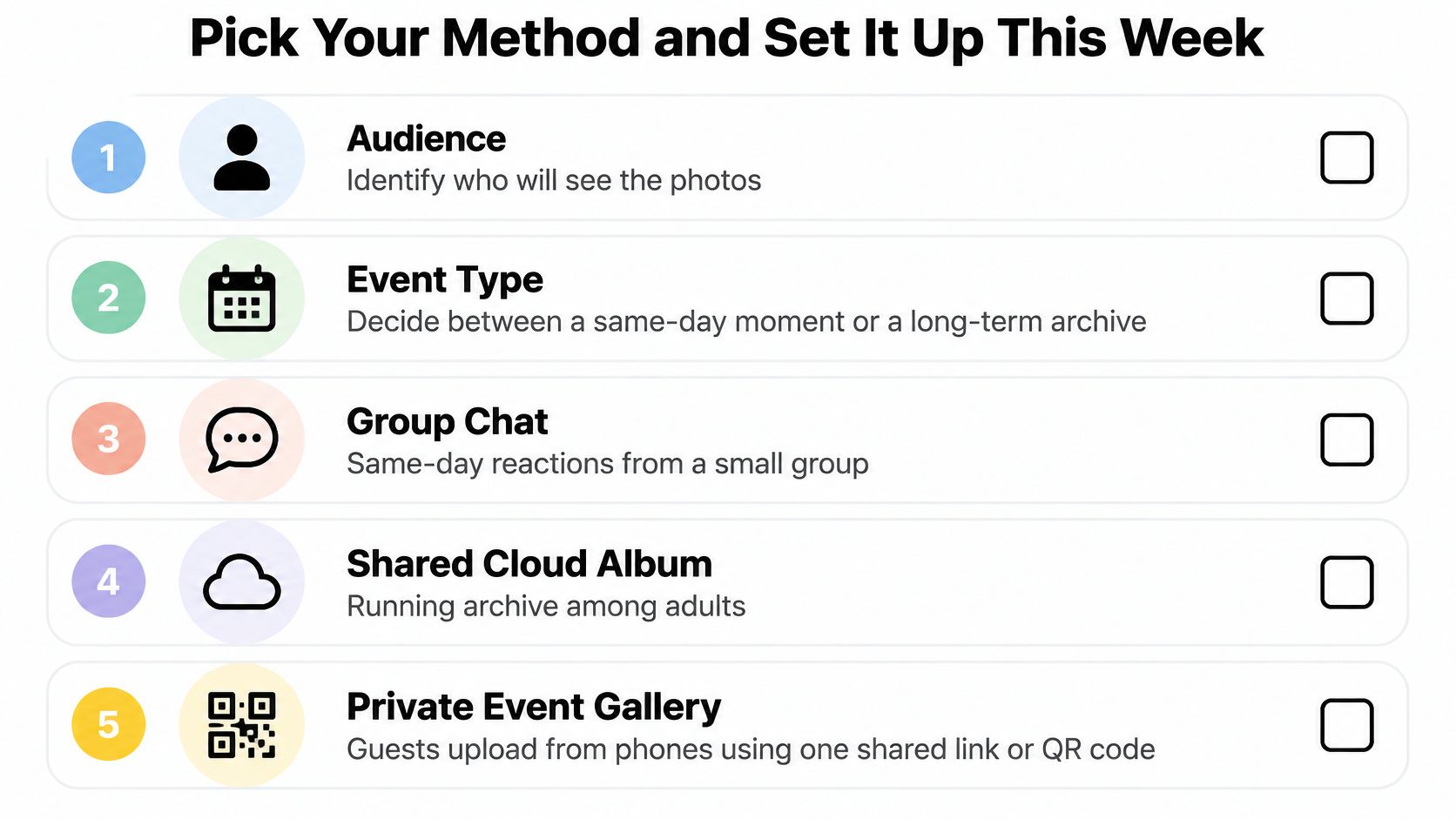
Then match the method to the occasion. Use a group chat for immediate reactions among people already talking together, a cloud album for an ongoing collection among account-ready adults, and an event gallery for contributions across different devices and comfort levels. For a child's milestone, make suitable audience restrictions a selection requirement rather than an afterthought.
This checklist keeps the choice tied to the audience.
Use a combination with clear responsibilities
For most family celebrations, I'd collect through an event gallery, share highlights in the family chat, and make keepsakes from the exported originals. Each method then has a defined job, rather than competing to become the archive.
If a relative is changing phones before the occasion, settle that first. The Used Mobiles 4 U transfer guide is a useful preparation resource; don't assume pictures are safely transferred just because the new phone can open a shared gallery.
Set up the collection before guests arrive
- Choose the archive owner. Assign responsibility for the account, exports and future requests. Tell contributors who that person is.
- Create the upload page and closing time. Use a recognizable event name and explain what guests should submit. Keep a little room for relatives who upload after getting home.
- Prepare both routes in. Put the QR code on invitations or tables with the readable address beside it. Send a clickable version to anyone attending remotely.
- Test on the least technical relative's phone. Ask them to upload a picture without coaching. Fix the point where they hesitate rather than writing longer instructions.
- Export promptly after collection closes. Check that the download opens, spot-check files, and keep another copy separately. A successful download notification isn't the same as a verified archive.
- Order keepsakes from that export. Choose the final selection, confirm crops and distribute only the images the family is comfortable sharing.
The best way to share pictures with family should leave you with fewer missing files and fewer relatives excluded from the occasion. Create a free event page this week and run the QR test with the person least likely to tolerate a complicated setup.
EventUploader offers a branded upload page where relatives can contribute photos and videos through a shared link or QR code without an app or account. Start with the free plan, test it on a relative's phone, and confirm the original-quality export before using it for your next family celebration.