Christening Photo Ideas: 7 Shots Worth Taking
Discover 7 christening photo ideas, from font portraits to heirloom details, plus how to collect every guest photo in one shared gallery.

The gown comes out of the tissue paper the night before, and someone says it still smells like the last baby who wore it. At the church, the grandparents take their usual pew, the font gets filled, and your cousin films the whole thing on a phone that will be replaced inside two years. The service takes about an hour. The photographs you'll still have in twenty years need to be planned inside that hour, or they won't exist.
Seven shots are worth planning for, from the formal portrait at the font to the close-ups of lace and heirlooms, plus one collection habit that keeps every guest's angle in a single place instead of scattered across six phones. Hand the list to a photographer, a godparent, or an uncle with a decent camera and a steady hand. Families who care about the long record also think about digitizing family photo collections so this year's images sit alongside the christening photos from earlier generations.
Table of Contents
- 1. Formal Portrait at the Baptismal Font
- 2. Godparent Group Portrait
- 3. Guest Candid Moments Collected Through a QR Code
- 4. Christening Gown and Heirloom Detail Shots
- 5. Blessing and Water Sequence Shots
- 6. Three-Generation Family Portrait
- 7. Outdoor Lifestyle and Reception Candids
- Christening Photo Ideas at a Glance
- Every Angle in One Gallery and Nothing Left Behind
1. Formal Portrait at the Baptismal Font
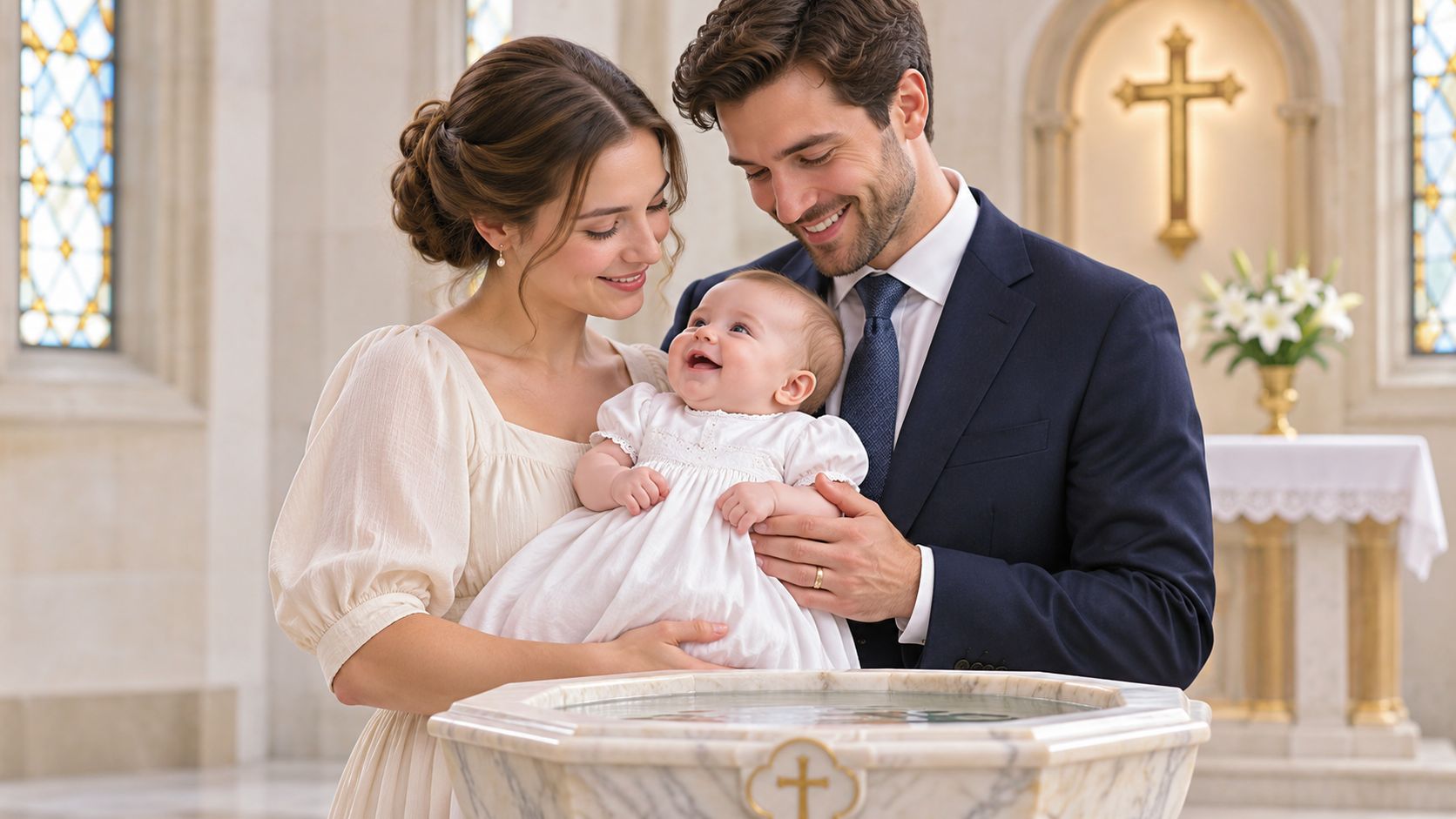
The font is where the sacrament happens, so it's where the photograph that ends up framed gets made. A posed portrait of the baby with both parents, taken at or beside the font, records the day as a religious rite rather than a party with a nice cake. Take it during a pause, after the blessing and before the candle, when nobody is mid-sentence.
Plan for a toddler as well as a newborn. The BBC's analysis of Church of England baptism figures shows that in 1992 nearly 80% of baptisms involved babies younger than one year, a share that had fallen to about 60% by 2011, while roughly one in three christenings that year involved a child aged one to 12. A two-year-old at the font needs a different setup, and a godparent shaking a set of keys behind the photographer's shoulder does more than any posing instruction.
Three things decide whether the frame works:
- Clear the rules first. Ask the church office about flash, tripods, and whether you may stand at the font at all, then reconfirm with the officiant on the day. House rules vary wildly between parishes.
- Shoot at the baby's eye level. Crouch. A portrait taken from adult standing height turns the font into furniture.
- Use a fast prime and raise the ISO. A 35mm or 50mm lens at a wide aperture, with the ISO pushed to whatever the light demands, beats a slow zoom plus a flash the church won't allow.
2. Godparent Group Portrait
Godparents make a public promise, and the group photo is the only visual record that these particular people made it. It's usually the second image a family frames. It's also the one most often spoiled by logistics, because godparents arrive in separate cars, one of them is carrying a toddler, and everyone wants to hold the baby at once.
The organizing move: gather the godparents ten minutes before the service, while the church is still quiet, and shoot at the font or on the steps. After the service that window closes fast.
Work the shot in three passes. First, the godparents with the baby, tight and vertical, using the church door or a stained-glass window as the background. Second, the same group on the steps in daylight, which gives you the version that prints well. Third, the wider frame with grandparents pulled in, because the family will ask for it later even if nobody requests it on the day.
Shoot a burst of at least five frames per arrangement and check one for blinking before you release the group. Send the shot list to the family the week before, with times and locations, so nobody wanders to the car park at the wrong moment. When the gallery goes out, caption every person by name. In ten years the children in that photo won't recognize half the adults.
3. Guest Candid Moments Collected Through a QR Code
One camera can't be at the font and at the back of the church at the same time. Guests can. A QR code on the order of service, on the table cards, and on a sign by the door turns sixty guests into sixty extra pairs of eyes, catching the aunt's face during the blessing, the cousins in the churchyard, and the baby being handed around at lunch.
The appetite is there, and the follow-through usually isn't. A 2024 EventMB survey reported by Time & Space found that 78% of event attendees wanted to receive event photos, while only 23% successfully found photos of themselves after a recent event. Group chats lose images, and the ones that survive get compressed into thumbnails.
Set the privacy rules before the first upload
A christening gallery shows a minor, a religious ceremony, and identifiable guests, so consent belongs in the plan rather than in a cleanup conversation afterwards. BBC reporting on children's digital exposure describes growing discomfort with children's lives being mediated by phones and social platforms, and the same instinct applies to a font-side photo of someone else's baby.
- Get the officiant's rules in writing. Flash, movement during the blessing, and standing near the font are church decisions, not family ones.
- Tell guests the plan. One line in the order of service: phones on silent, photos welcome after the service, upload through the code.
- Keep the gallery private until you publish. Guests shouldn't browse each other's uploads unless the parents choose that.
- Name one person who can remove an image. A parent checks the gallery before it's shared, and every guest is told they can ask for a photo to come down.
Our guide to collecting pictures of guests covers the mechanics, including how to gather everything without chasing anyone through a group chat.
4. Christening Gown and Heirloom Detail Shots
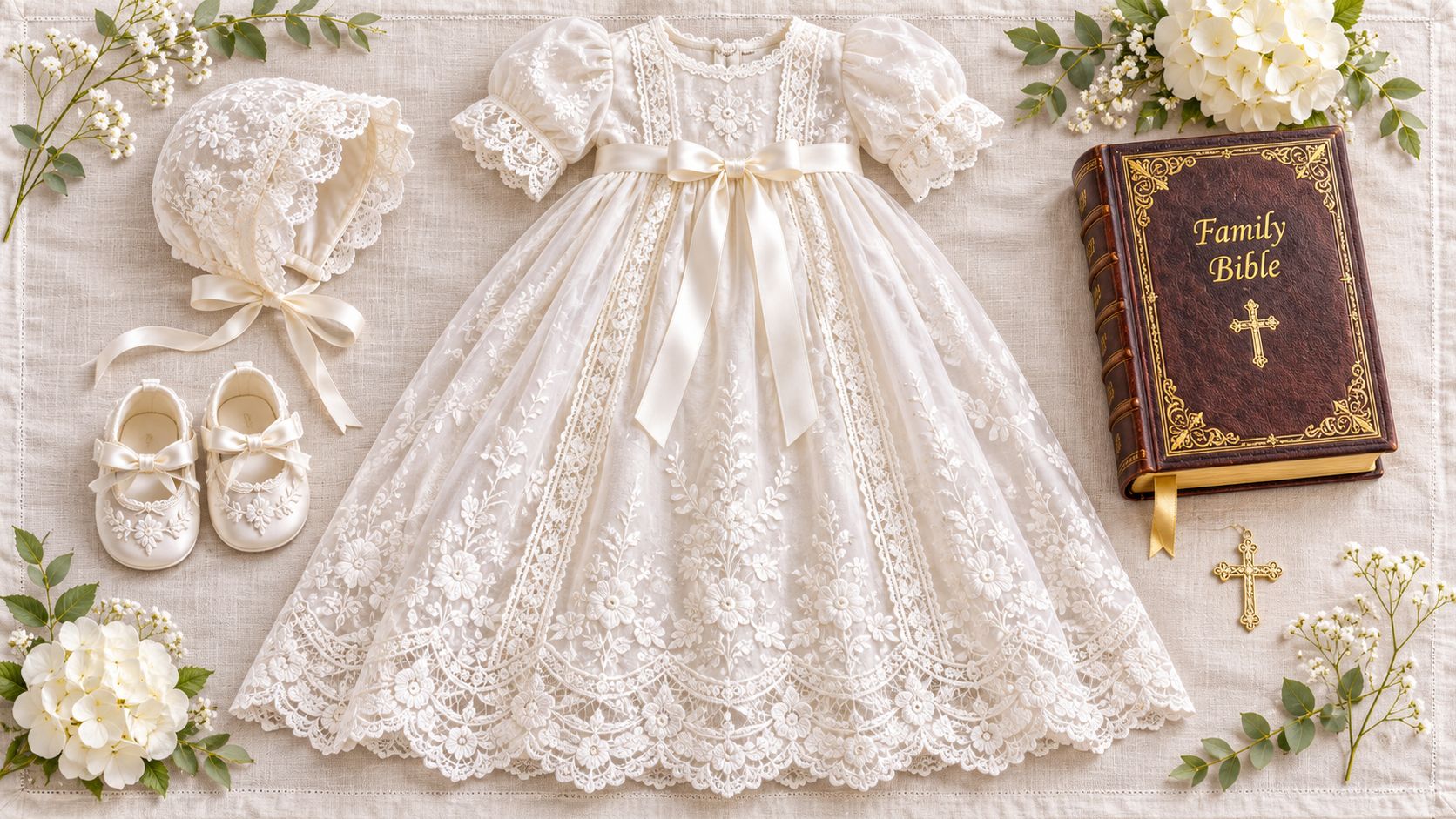
The gown, the bonnet, the shoes, the family Bible, the silver cup that has been to four christenings. These are the details that carry the family history, and they're the first thing to go unphotographed on a busy morning. Christening photography isn't a social media invention. MyHeritage's guide to christening records traces parish registers to the late medieval period, with surviving examples from some Italian, French, German, and English localities dating to the 14th and 15th centuries, and notes that photography later extended that documentation from written registers to visual records. Detail shots do the same job for the objects.
Take them in the morning, before the baby is dressed and the light turns harsh. A white cloth by a window, the gown laid flat with the bonnet and shoes squared alongside, shot from directly above, takes five minutes and produces the image most families end up framing. Then go low and close for the lace hem next to the baby's foot, and again for the embroidered initials. The symbolism behind the baptism gown and its traditions is worth knowing, because it tells you which details deserve the close-up.
File settings that survive being printed
Detail shots only earn their keep if they hold up as prints. The Arts Society's church recording handbook specifies at least 5 megapixels for general photographic capture and a 300-ppi output target for faithful printed reproduction, and it identifies TIFF as preferable for archival processing because repeated JPEG saves add lossy compression. A 6 × 4-inch print at 300 ppi needs roughly 1,800 × 1,200 pixels, so keep the originals, avoid re-saving them, and generate separate web-sized copies for sharing. Ask guests to upload heirloom photos at full size rather than as a screenshot of a screenshot.
5. Blessing and Water Sequence Shots
The water is poured in about four seconds. A single frame records that something happened; three frames in sequence record what it was, and the baby's expression in the second frame is usually the keeper. Shoot continuous, or ask a guest on the far side of the font to film a ten-second clip and upload it, so you get two angles of a moment nobody can repeat.
Click Love Grow's baptism photography guide puts the technical trade-off plainly: prioritize shutter speed over minimizing ISO, because motion blur damages an image more thoroughly than grain does. It notes that an f/1.4 lens admits approximately four times as much light as an f/2.8, which in a dim church is the difference between a sharp frame and a smear. Once the group gathers on the steps afterwards, stop down to a narrower aperture so every face stays sharp.
What I'd shoot: the pour, the baby's reaction, then the parents' faces, in that order, without moving my feet.
Confirm where you may stand and stay there. Turn off flash, use silent shutter mode if the camera has one, and brace your elbows against a pew to steady the phone. Guests seated near the font often have the best angle of all, so tell them what you're after before the service starts rather than after. There are more sequence patterns in our communion photo ideas guide, and the framing logic carries straight over to a christening.
6. Three-Generation Family Portrait
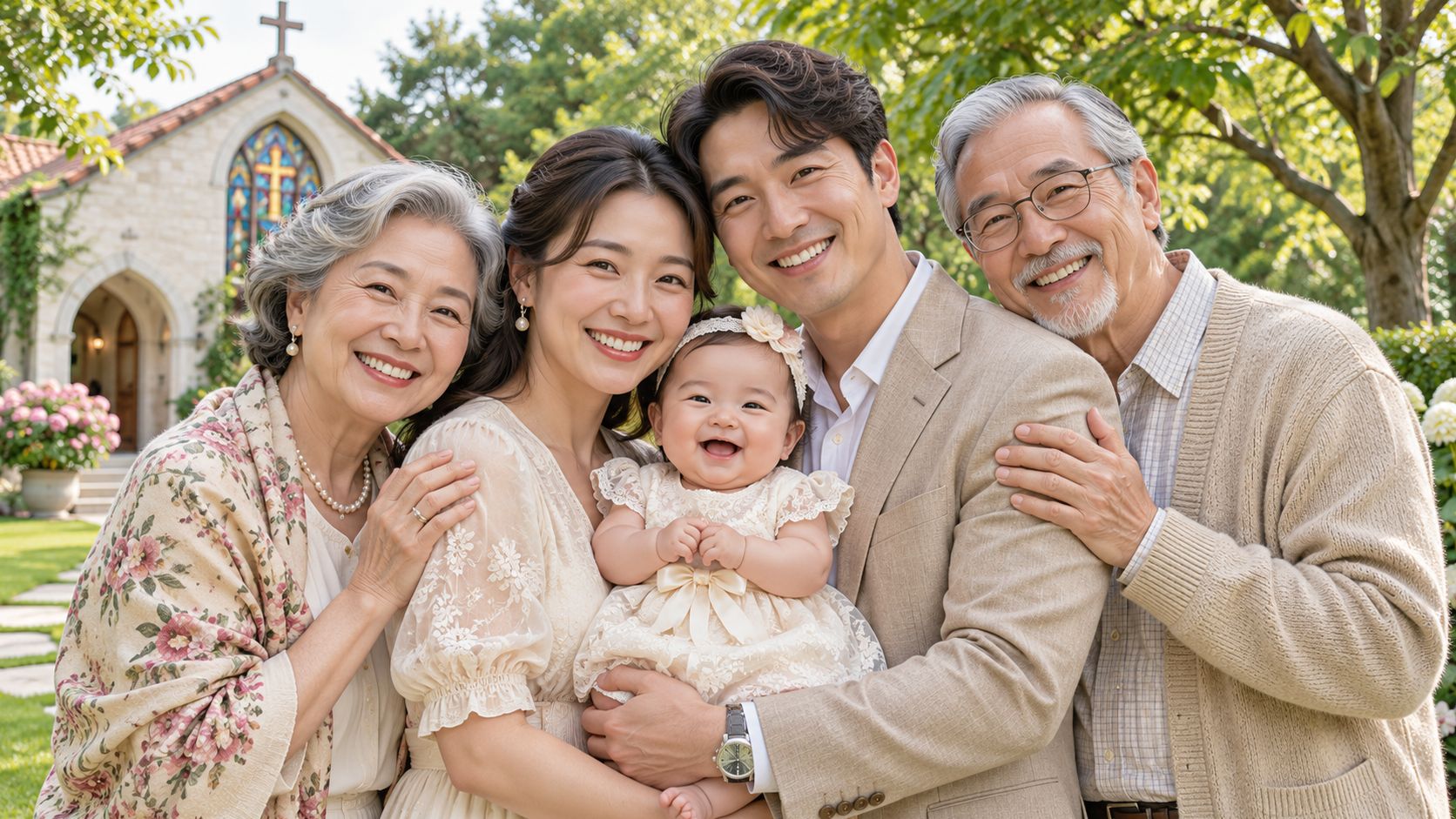
Christenings pull together relatives who haven't stood in the same room for years, and the four-generation frame becomes irreplaceable fastest. Schedule it early in the reception, before older relatives tire and before the children find the garden. A bench outside the church door, grandparents seated, parents standing behind, the baby held where both faces are visible, takes four minutes.
Run the group like a five-minute set
- Write a posing chart. Names, positions, and who holds the baby, on one sheet, shown to the group before anyone moves.
- Seat the oldest first. Carry a chair or stool outside so nobody stands for ten minutes while a lens gets changed.
- Shoot the wide frame, then break it up. Grandparents with the baby, parents with the baby, then the full line together, in that order, so people can leave once their frame is done.
For larger gatherings, the staging rules in our family reunion photo ideas guide apply directly, especially the group-by-group order that stops one portrait from eating an entire afternoon. Then publish the finished portrait on the shared gallery link, so the great-aunt who couldn't travel sees it the same week instead of in a message three months later.
7. Outdoor Lifestyle and Reception Candids
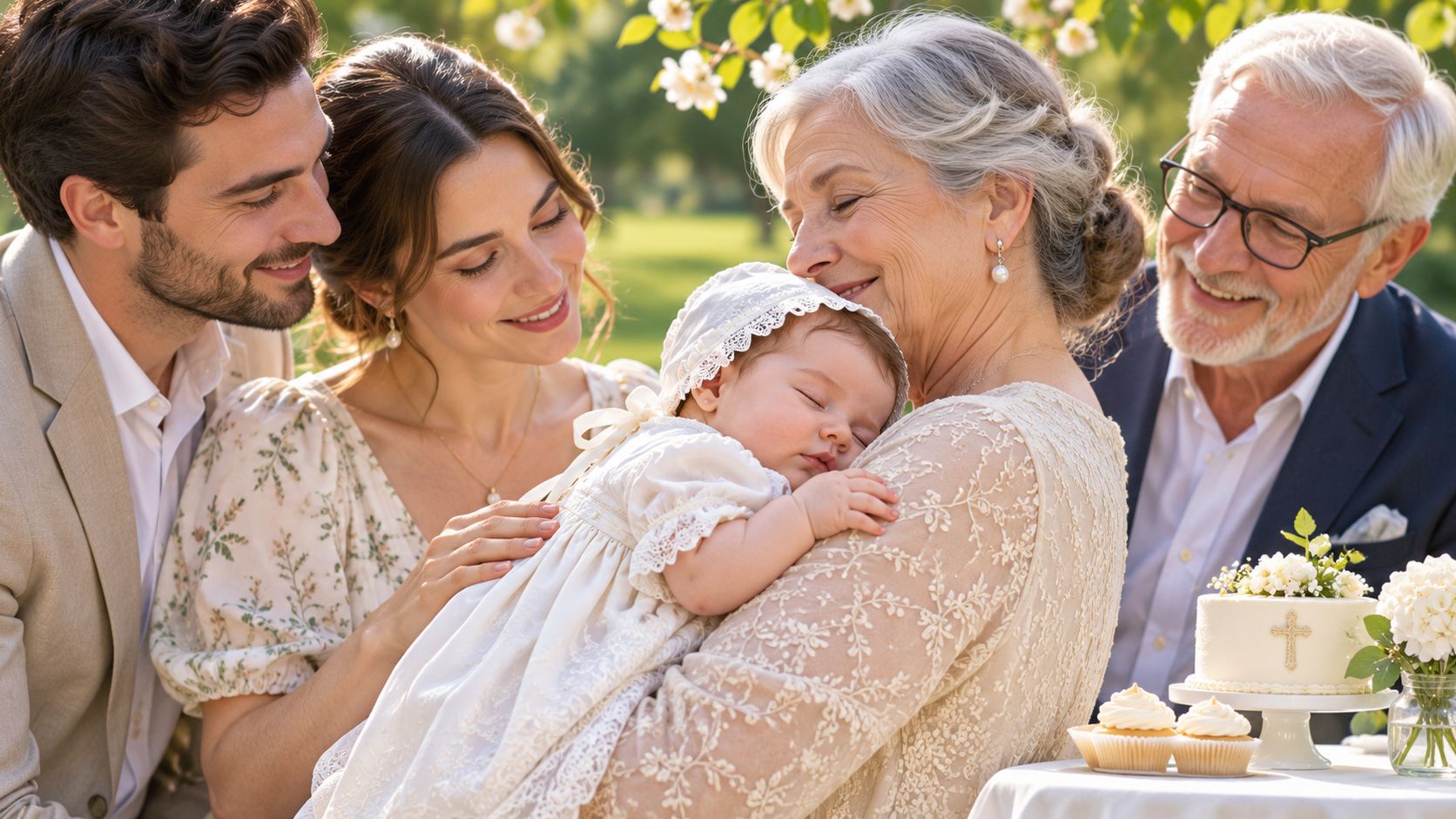
The formal set is done, and then the day starts looking like your family. The baby asleep on a grandfather's shoulder, older cousins running across the lawn, the cake cut while somebody's toddler steals a strawberry. Schedule the candid window after the portraits, once the baby has been fed and the adults have a drink in hand, and shoot at the child's eye level in open shade rather than direct sun.
Unposed photos age better than posed ones, because they record how people were with each other rather than how they lined up.
Give guests a job. If the QR code is on the table cards, ask them to upload during lunch rather than in a burst at midnight when half the images get forgotten. Set a cutoff time, review the full set in one sitting, and pick 20 to 30 frames for the gallery so the family sees a strong edit instead of 600 near-duplicates.
Choose the frames you'd print
Look for three things: contact, reaction, and context. Contact is the baby held by someone who loves them. Reaction is a face responding to the ceremony. Context is the church door, the garden, the cake, the shoes kicked off under a table. A candid collection built on those three covers the day in a way no single camera can.
Christening Photo Ideas at a Glance
| Photo Idea | When to Take It | Who Captures It | Main Challenge |
|---|---|---|---|
| Formal Portrait at the Baptismal Font | During a pause just before or after the blessing | Photographer or guest | Dim church lighting and photography restrictions |
| Godparent Group Portrait | After the service, often outdoors | Photographer or guest | Coordinating everyone and keeping the group focused |
| Guest Candid Moments Collected Through a QR Code | After the service and during the reception | Guests using their phones | Reminding guests to upload and curating varied-quality images |
| Christening Gown and Heirloom Detail Shots | Before the ceremony, in soft natural light | Photographer or family member | Finding time before the service without disturbing fragile heirlooms |
| Blessing and Water Sequence Shots | During the blessing and water ritual | Photographer or guest near the font | Capturing a fast-moving moment discreetly within church rules |
| Three-Generation Family Portrait | Early in the gathering, while older relatives have energy | Photographer or family member | Arranging and comfortably seating everyone |
| Outdoor Lifestyle and Reception Candids | After formal photos, during the reception | Photographer and guests | Unpredictable lighting and a tired or fussy baby |
Every Angle in One Gallery and Nothing Left Behind
The set you keep is the set that survives. Seven shots is a realistic plan for a service that lasts an hour: the font portrait, the godparents, the guest candids behind a QR code, the gown and heirloom details, the water sequence, the generations, and the loose afternoon that follows. Every one of them depends on somebody remembering to gather the files afterwards.
The practical version is simple. Give the family one upload link and one printed QR code, the same code on the order of service and on the table cards, and ask guests to send originals at full size rather than screenshots. Then edit. Thirty images, well chosen and named, get looked at more often than a folder of six hundred.
EventUploader handles the collection side. Create the event in about a minute, add the child's name, your colors and a welcome message in a few more, and the page is ready. Download the QR code as a PNG and print it at any size; guests upload straight from their phones with no app and no account, and iPhone HEIC files go in as they are, no conversion step. Uploads stay private to you until you publish, you can tag names so relatives can search and find themselves in the set, and when the day is done you publish your chosen album on the same link everyone already used. The gallery belongs to you, and you can download the whole event in original quality and take it elsewhere whenever you want.
Plan the shots. Gather the phones. Keep the record.
EventUploader gives you one branded upload page and one printable QR code, so every christening photo and video from every guest lands in a gallery you own, with no app for grandparents to figure out and no images lost in a group chat. Create the event in about a minute, add your colors and welcome message in a few more, then publish your favorite album on the very link guests used to upload. Start free at EventUploader and make sure nothing from the day stays stuck on someone else's phone.