How to Share My Wife Pic Safely and with Full Consent
Want to share my wife pic without risking her privacy? Learn consent best practices, private gallery setups, and safe sharing methods step by step.
You've got a great photo of your wife on your phone, and your first instinct is to send it to the family group, post it on Instagram, or add it to the wedding album everyone can see. The technical part takes seconds. The harder question is whether she wants that specific photo shared, with that specific audience, in that specific place.
Marriage doesn't create blanket permission. A respectful process is simple: ask before sharing, agree on the audience, choose a controlled destination, and keep a removal plan. That approach protects the relationship and reduces the chance that a personal image ends up somewhere neither of you intended.
Table of Contents
- Consent Comes Before the Camera Roll
- Choosing Where the Photo Should Live
- Setting Up a Private Upload and Share Portal
- Tightening Privacy Settings on Everyday Apps
- What Happens After the Photo Leaves Your Hands
- Sharing Family Event Photos Without Losing Control
- Your Safe Sharing Checklist
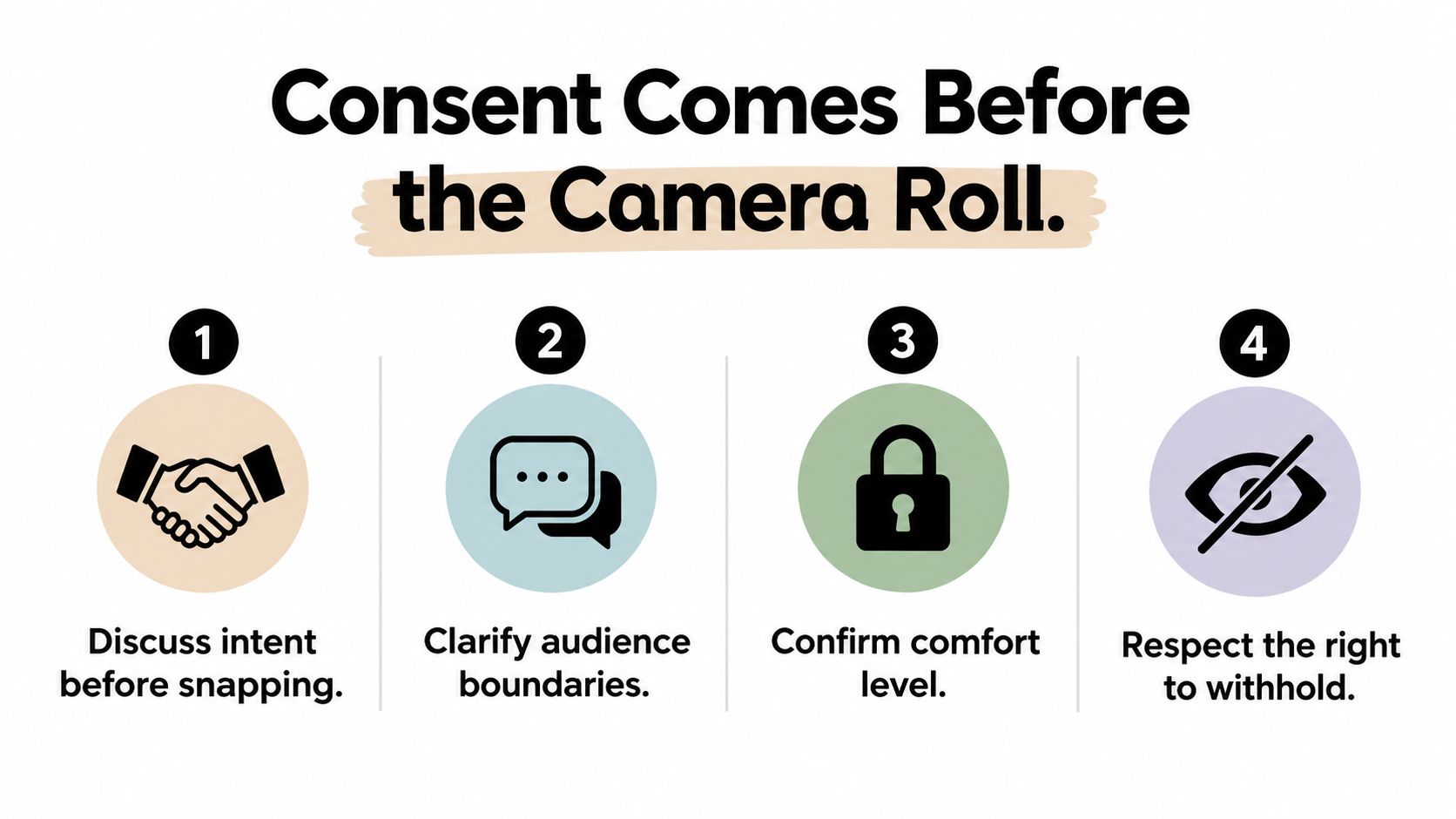
Consent Comes Before the Camera Roll
Being present for a photo means she agreed, or appeared to agree, to being photographed. It doesn't automatically mean she agreed to public posting, forwarding, tagging, or adding the image to a family archive. Consent guidance from the University of Wisconsin's digital consent resource makes the distinction clear: permission for one use may not cover another, and consent can be specific to a single share.
So if you're asking, “Can I share my wife pic?”, don't look for a universal yes or no. Ask her about the image and the destination.
Ask a question that gives her real control
Avoid asking for vague, permanent approval such as, “You're okay with me sharing your pictures, right?” That question pressures her to approve a broad category she may not have considered.
Use a specific request instead:
- Name the photo: “I like this picture from the birthday dinner. Are you comfortable with this exact one?”
- Name the audience: “I'd send it only to your parents and my sister in our private family chat.”
- Name the action: “Would you rather I send it privately, add it to the family gallery, or not share it?”
- Offer preview approval: “I can show you every photo before I upload it.”
- Agree on a standing rule: “Would you prefer that I ask every time, or only ask before public posts?”
Her answer may depend on the setting, her expression, the people visible in the background, or how identifiable the location is. Give her room to say no without making her defend the decision.
Practical rule: Permission should cover the image, the audience, the platform, and whether other people may download or repost it.
For weddings, birthdays, and other events involving many contributors, write the agreement down. A simple photo consent form guide can help you define who may upload, who may view the gallery, and whether approval is required before publication.
Treat consent as changeable
A yes today doesn't have to remain a yes forever. If the photo becomes uncomfortable, a relationship changes, the audience expands, or the image starts circulating beyond the original group, ask again and remove it when requested.
The same discipline helps with dating and relationship content, especially when a photo could reveal a partner's identity or location. A practical dating safety resource from AI Video Detector is useful when you're thinking beyond etiquette and considering exposure, impersonation, or unwanted reuse.
The safest agreement is not complicated. She knows what will happen, who will see it, and how to ask for removal. You know not to treat marriage as a substitute for permission.
Choosing Where the Photo Should Live
The destination determines how much control remains after you share the image. A public post is convenient, but convenience comes with broad visibility and easy copying. A group chat feels intimate, yet every participant can save, forward, screenshot, or repost the file.
A private gallery creates a clearer boundary because you can decide who receives access and whether the image becomes part of a wider collection. It also gives you a place to remove or replace the photo without hunting through multiple conversations.
| Sharing Method | Who Sees It | Re-Sharing Risk | Your Control After Posting |
|---|---|---|---|
| Public social post | Anyone allowed by the account and post settings, sometimes beyond that audience | High, because viewers can save, screenshot, repost, or share the post | Limited once others copy it |
| Group chat | Every current participant, plus anyone who receives a forwarded copy | Medium to high, depending on the members and app settings | Moderate, but copies may remain on devices |
| Private gallery | Invited people or approved viewers | Lower, though downloads and screenshots can still happen | Stronger, especially if access and uploads can be closed |
Match the destination to the agreement
Use a public post only when she has expressly approved public visibility and accepts that you can't reliably control later copies. For a small group, a locked album or private message may be enough. For an event with many relatives, a private photo gallery gives you a defined audience and a single place to manage the collection.
Don't mistake a group chat for a vault. A chat distributes the original file to every member, and your control weakens as soon as someone downloads it. If the image is personal, unflattering, location-sensitive, or likely to attract unwanted attention, choose a destination where access can be limited and closed.
Your default should be the least exposed option that still serves the purpose. You can always widen access later after she approves it. You can't reliably pull back every copy once it has reached a public feed.
Setting Up a Private Upload and Share Portal
A private portal works best when you want relatives or friends to contribute photos without giving everyone direct access to your phone, social account, or personal cloud library. Set it up before the event, then make the sharing rules clear to contributors.
Build the collection around the consent agreement
Start with a branded upload page that explains the purpose in plain language. Use a welcome message such as, “Upload photos from the celebration. The couple will review the gallery before sharing favorites.” Add the couple's preferred colors or names if that helps guests recognize the correct page.
Create one link and a printable QR code. Guests should be able to scan it with their phone camera, choose photos, and upload through the browser without installing an app or creating an account. This matters for older relatives and casual guests who won't troubleshoot a new service during a celebration.
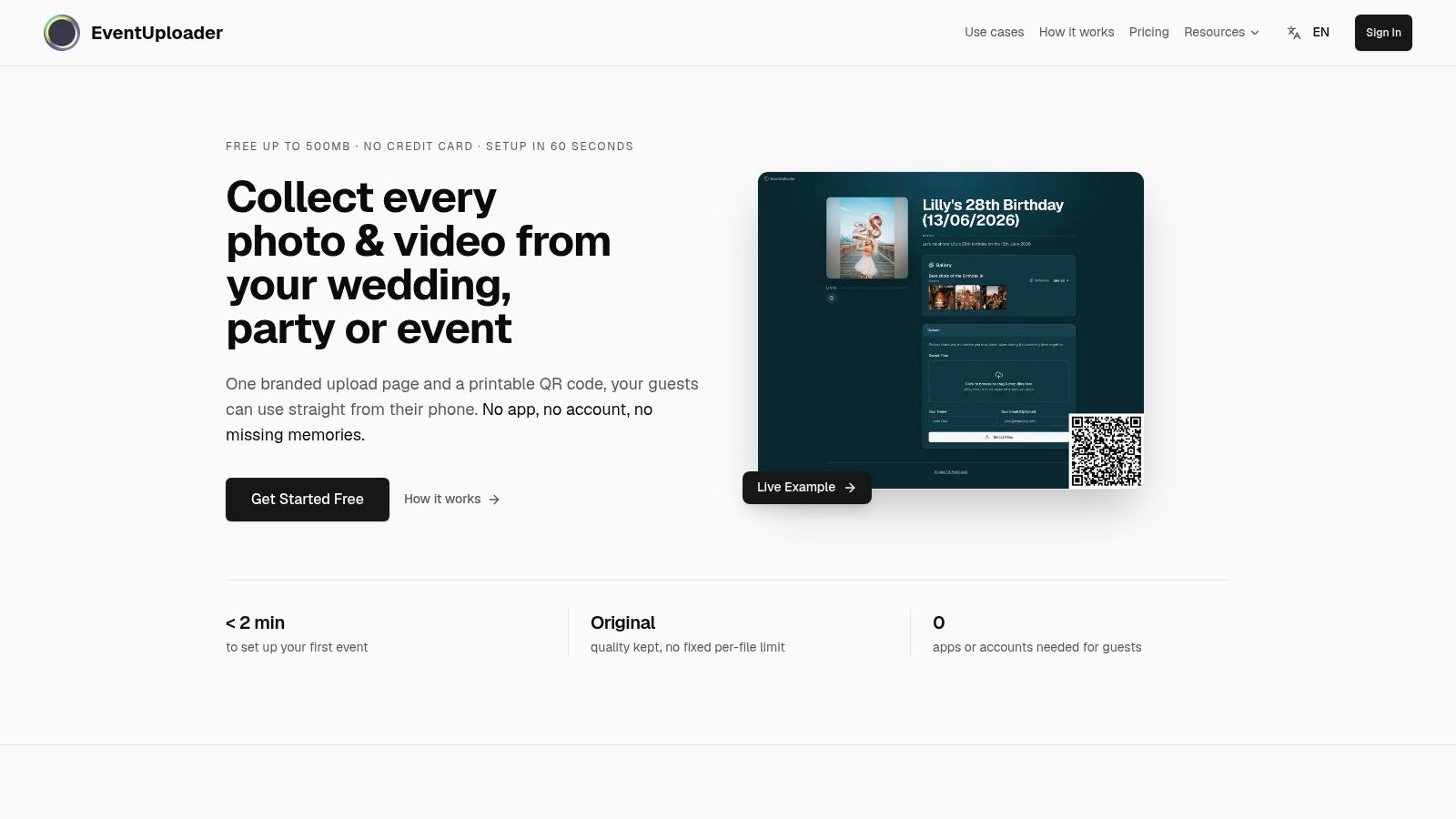
Place the code where people naturally take photos, such as tables, the entrance, the dessert area, or beside a guest book. A secure family photo upload workflow should make the intended audience and handling process obvious before anyone submits a file.
Keep uploading separate from publishing
Configure the portal so uploads arrive in a review area rather than appearing instantly in the public-facing gallery. The couple can then reject images that show someone who hasn't agreed, reveal private information, or catch your wife in a photo she doesn't like.
Watch the incoming collection from one dashboard. Pause or close uploads when the event ends, then export the approved files in original quality. A guest photo upload link can keep the contribution process simple while preserving a clear route from upload to review.
EventUploader is one option that provides a branded upload page, a link or QR code, browser-based uploads, live collection management, and a shareable gallery through the same link. Its free plan lets you test the workflow before deciding whether it fits your event.
Tightening Privacy Settings on Everyday Apps
A private portal isn't the only place photos live. You may already have images in iCloud Shared Albums, Google Photos, WhatsApp, or Instagram. Check the actual audience instead of trusting the app's default.
iCloud Shared Albums and Google Photos
Open the album's sharing or people settings and remove anyone who doesn't need access. Turn off public or link-based sharing where available, and review whether invited people can add photos, download files, or invite others. For a spouse's image, keep contributor permissions narrow unless you deliberately want a collaborative collection.
Review the group member list before sending the photo. Avoid broad groups when the image is meant for a few people, and disable automatic saving to your own camera roll if you don't want every received image duplicated locally. If the photo has already gone to the wrong chat, ask participants to delete it and don't assume deletion removes copies or screenshots.
Use Close Friends for Stories or a private account with approved followers when she has agreed to a limited audience. Check tags, mentions, story replies, and resharing permissions. Before posting, inspect the background for house numbers, location clues, work details, or other people who may not have agreed to appear.
For broader Facebook privacy controls, the BUNCH managed Facebook strategies guide can help you locate audience and account settings. Menus change, so confirm the current options inside the app rather than relying on an old screenshot.
The most useful habit is a recurring privacy review. Remove old links, leave stale shared albums, and check who still has access after an event or relationship milestone. A smaller audience is easier to understand and easier to protect.
What Happens After the Photo Leaves Your Hands
Sending a photo isn't the end of the process. The recipient may forward it, save it to a cloud account, post it without context, or combine it with information from another image. A harmless anniversary portrait can reveal a home, workplace, routine, family relationship, or location when someone adds a caption or tags the people shown.
The Federal Trade Commission's social media scam data reports that losses from scams reported on social media were eight times higher in 2026 than in 2020. That doesn't mean every personal photo will be abused, but it does mean public visibility creates a wider environment for impersonation, fraud, and unwanted contact.

Reduce exposure before there is a problem
Before publishing, crop out identifying details and remove location metadata when your device or platform offers that option. Keep personal portraits out of public albums when an invite-only gallery will serve the same audience. For images that matter, retain the original privately so you can compare later versions and document where the photo first appeared.
If you suspect a copy has been altered or misused, run a reverse-image search and preserve URLs, screenshots, timestamps, and messages. Provenance tools may help establish which file appeared first, although no tool can guarantee that an image won't be copied.
For intimate images, including AI-generated deepfakes, act quickly through the platform's reporting and removal process. The Take It Down Act requires platforms to remove covered content within 48 hours, according to the verified guidance summarized in the research brief. Don't negotiate with the person distributing it, and seek legal or specialist support if threats, extortion, or ongoing harassment are involved.
Safe sharing is designed before the send button. Once a photo escapes its intended audience, cleanup becomes slower, less certain, and more stressful.
Sharing Family Event Photos Without Losing Control
At a wedding, relatives often photograph the same moments from different seats. One person gets the entrance, another catches the toast, and someone near the dance floor captures the candid image your wife loves most. Asking everyone to send files separately creates a trail of messages, compressed images, and forgotten attachments.
A QR-based upload page gives the group one destination. Put the code on tables and near the guest book, explain that uploads go to a private collection for review, and let guests contribute from their browsers. The couple can then approve the gallery instead of searching through every relative's chat history.
The volume can be larger than couples expect. A 2026 dataset covering 203 real weddings found an average of 197 guest photos per wedding, with a median of 149, and about 9.8 unique guests uploading per event. The same dataset found that 67% of wedding photos arrived within 24 hours, so the collection needs to work immediately, not only after someone remembers to send a folder. The wedding-photo dataset supports a practical rule: make the upload path visible at the moment guests are taking pictures.
A family birthday follows the same pattern. Place the code beside the cake and on the dining tables, collect photos in one private space, and review images before publishing favorites. Independent event analysis found a median of 52 uploads for weddings, while the top quartile exceeded 180 uploads and the top 10% exceeded 350 uploads. In a separate storage benchmark covering weddings with at least 50 uploads, median storage was 0.41 GB, 90% stayed under 1.9 GB, and the largest wedding used 6.3 GB. The event-photo benchmarks show why a centralized archive is more practical than scattered messages.
Placement matters as much as enthusiasm. Event guidance reports that app-less QR setups can collect 3 to 5 times more guest photos than app-based solutions, while table-based QR placement can raise uploads by 2 to 3 times compared with a single sign. The QR sharing case studies also report app-based drop-off of 68%. Keep the code visible, remove installation friction, and review who can see the finished gallery.
Your Safe Sharing Checklist
Run this checklist before you share a photo of your wife, whether it's one portrait or an entire event collection.
- Ask about the exact image: Show her the photo and accept a no without pressure.
- Define the audience: Say whether it will go to one person, a named group, invited guests, approved followers, or the public.
- Name the destination: Agree on the specific chat, album, gallery, Story audience, or post.
- Check the frame: Look for children, relatives, addresses, license plates, work details, screens, and location clues.
- Review access: Remove old album members, disable unnecessary links, and confirm whether recipients can invite others.
- Separate upload from publication: Let contributors submit privately, then review images before adding them to a shareable gallery.
- Limit copies: Prefer a controlled gallery over distributing the original file to a large chat.
- Keep a response plan: Save the reporting route, document misuse, request removal, and escalate quickly if the image becomes threatening or intimate.
- Revisit the agreement: A previous yes doesn't cover a new audience, new platform, or changed comfort level.
The safest share is one both partners would approve again tomorrow.
Make this a shared habit, not a task one partner silently manages. Agree on a simple household rule, such as asking before public posts and using a private gallery for family events. That rule removes guesswork when the moment is busy and makes respect part of the workflow rather than an afterthought.
If you're collecting photos from a wedding, birthday, or family milestone, set up the invite-only page before guests arrive, add the consent message, and test the link with your wife first.
EventUploader lets you create a branded upload page, share it by link or QR code, collect photos without requiring an app or account, review submissions, and publish approved memories through a shareable gallery. Visit EventUploader to try a controlled workflow for sharing your wife's photos with the people you both choose.