Video Upload Portal Guide: What It Is and How to Choose One
Learn what a video upload portal is, the features that matter, and how to choose one for weddings, conferences, and festivals — without apps or accounts.
The event's over, but the videos are still on everyone else's phones. You've seen a wonderful clip of the speeches, a candid dance-floor moment, or the product demonstration your team needs for its recap. Collecting those files shouldn't become another project, and sharing them shouldn't mean giving up control over who sees them.
Table of Contents
- The Moment Every Host Knows Too Well
- What a Video Upload Portal Actually Is
- The Eight Features That Matter
- Who Uses a Video Upload Portal and Why
- Privacy, Consent, and Who Owns the Footage
- What the Guest and Organizer See on Event Day
- Choosing and Launching Your Portal
The Moment Every Host Knows Too Well
At a wedding, a friend records the couple laughing just before their entrance. Someone else catches a grandparent's reaction during the speeches. The photographer has beautiful coverage, but guests have angles and conversations that belong in the family's memories too.
Then the requests begin. A clip arrives in a group chat, another appears on a social profile, and someone promises to send theirs when they get home. The host has to remember who filmed what, ask again, and work out whether the file they received is the original or a smaller sharing copy.
The same problem can happen at a conference. An attendee records a lively demonstration, while the communications team captures the stage from across the room. Neither recording replaces the other, but they need somewhere sensible to meet.
The missing piece is a collection point
A video upload portal gives contributors a dedicated place to send their files. Instead of asking people to choose a messaging app or find their way through a shared working folder, the host can offer a browser-based page with a clear purpose.
Think of a wedding table card that says to upload moments from the day. The guest opens the page, chooses a recording, and sends it into the event collection. They don't have to become an editor or learn the organizer's filing system.
Practical rule: Make contributing simple, but decide who can see the contribution before inviting anyone to upload.
That distinction matters. Collecting footage and publishing footage are different decisions, even when a service puts both behind the same event page.
Start with the promise you're making
Before choosing a tool, finish this sentence: guests are sending their videos so that we can use them for ______.
- Family memories: Keep the collection within a defined circle of relatives and friends.
- An event recap: Gather material for an approved edit and specify its intended audience.
- Public promotion: Explain the proposed use before someone contributes.
The useful question isn't just how to get more footage. It's how to collect it reliably, protect contributors' expectations, and return a usable archive to the people responsible for it.
What a Video Upload Portal Actually Is
A video upload portal is a web-based intake channel for video files. In an event setting, its simplest form is a guest-facing page connected to an organizer's media library. A branded version can carry the event's name, colors, and welcome message.
The page is the entrance, not the whole system. Behind it, the organizer needs somewhere to inspect submissions, manage the collection, and decide what happens next. A gallery may be available for sharing selected material, but uploading shouldn't automatically mean appearing in that gallery.
Reception desk, not shared mailbox
A shared mailbox lets people put material into a common container. A hotel reception desk offers a more useful analogy for a portal: guests hand something over, while the concierge manages what happens behind the desk.
That separation lets you distinguish permission to contribute from permission to browse. A guest might be welcome to send a clip without being entitled to view every other submission. Likewise, an editor might need access to download material without having permission to change event settings.
| Familiar option | What to evaluate for event use |
|---|---|
| Google Drive folder | Whether its sharing setup keeps contributors separate from the working archive |
| Dropbox file request | Whether the intake experience and subsequent organization meet your needs |
| Social media submission | Whether the audience, reuse permissions, and file delivery match your intended archive |
| Dedicated portal | Whether collection, organizer controls, and optional viewing work together |
These aren't absolute divisions. Don't assume every cloud folder lacks useful controls or every social post is public. Compare the actual configuration rather than treating the category name as a guarantee.
The jobs behind the upload button
Cisco's 2016 forecast projected that internet video would represent 79% of global internet traffic by 2020, up from 63% in 2015, providing context for video's role as a mainstream medium rather than a specialist format (Cisco's internet traffic forecast). Those are historical projections, not measurements of today's traffic.
For a host, the practical requirement is more focused. A portal should support the connected jobs of collecting, storing, reviewing, organizing, sharing, and exporting the event's files.
Don't confuse a page that displays an embedded video with a portal that accepts guest submissions. Your test is straightforward: can someone send their own recording into your managed collection, and can you control what happens to it afterward?
The Eight Features That Matter
Evaluate a portal from the inside out. Attractive branding helps guests recognize the event, but it won't compensate for an upload that fails or an archive you can't retrieve.
Use the following checklist to separate essential requirements from presentation extras.
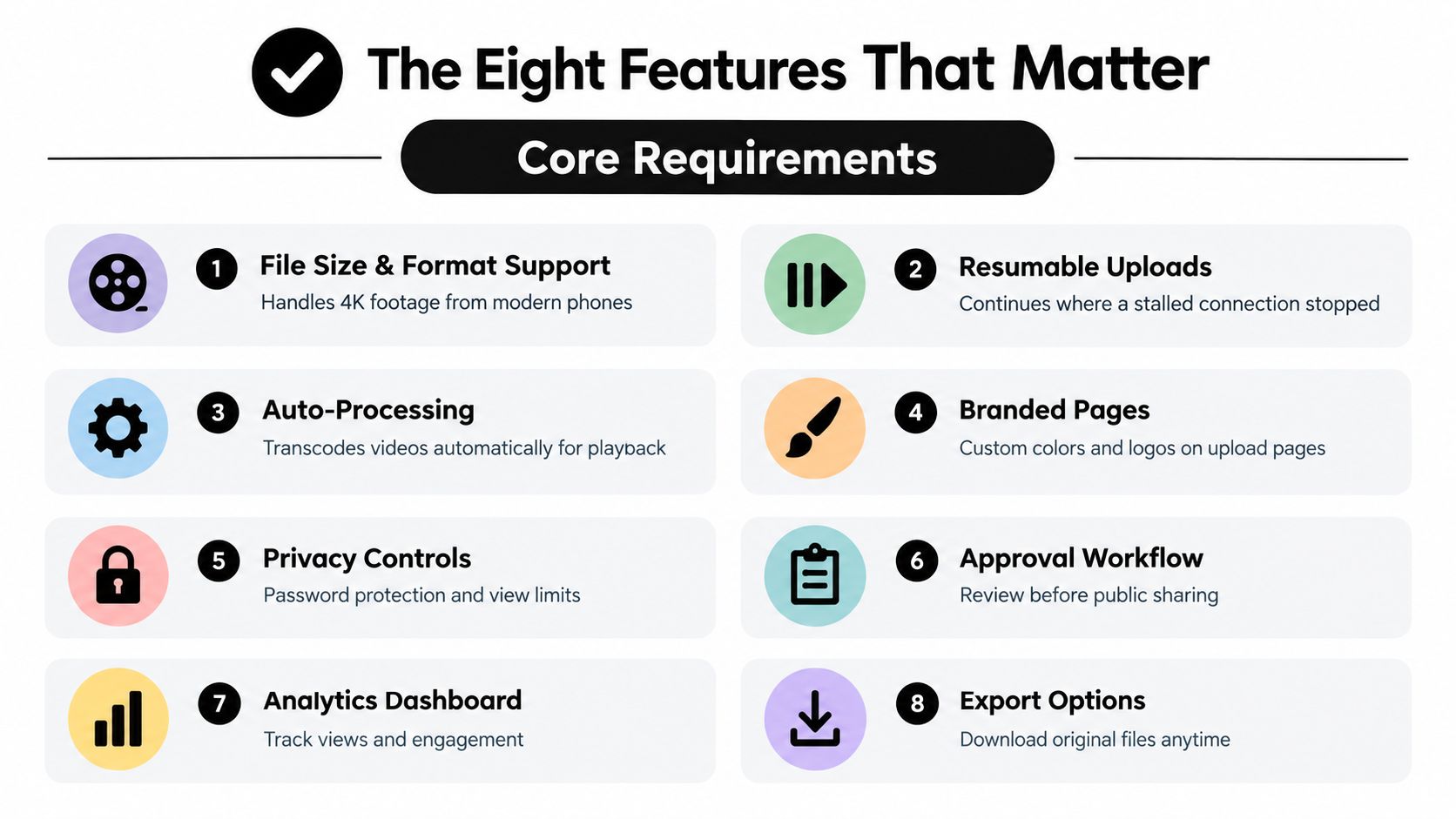
Eight features a video upload portal must deliver
| Feature | Why it matters | What it looks like in practice |
|---|---|---|
| File size and format support | Your chosen limits must accommodate the recordings you want | Clear accepted formats, per-file limits, and event capacity |
| Resumable uploads | A connection interruption shouldn't require starting over | Visible progress and a supported recovery process |
| Preview processing and original export | Convenient viewing and archival quality are separate needs | Playable previews alongside downloadable original files |
| Branded pages | Guests need to recognize the collection point | Event colors, logo, and a specific welcome message |
| Privacy and access controls | Contributors and viewers may have different permissions | Event-scoped access with clearly defined viewing restrictions |
| Approval workflow | Submitted footage may need review before sharing | Pending submissions kept out of the published gallery |
| Organizer dashboard | Someone must manage the collection during the event | Intake status, file review, and controls to pause or close submissions |
| Accessible browser participation | Guests shouldn't need a new app or account | Plain instructions, usable controls, and an assisted-upload fallback |
The infographic also highlights analytics and export options. Treat engagement reporting as a secondary requirement unless it serves a defined event purpose; access to originals belongs among the essentials.
Plan for video-sized files
The upload guidance discussed in this video-encoding reference uses roughly 8 Mbps for 1080p at 24–30 fps and 35–45 Mbps for 4K at standard frame rates; at the lower encoding rate, a 10-minute 1080p clip contains about 600 MB before audio and container overhead.
That's an encoding example, not a promise that every phone recording will have that size. Use it to ask better questions about storage allowance, venue connectivity, and what happens when the event reaches its quota.
For preparation, SleekPost's a creator's guide to upload issues is an additional resource to consult when planning large-file submissions. Keep your own guest instructions much shorter than a technical troubleshooting guide.
Test the complete journey with a representative video, not just a small file that makes every connection look reliable.
Ask vendors to demonstrate preview processing, original downloads, and interrupted-upload recovery separately. Don't assume one feature implies another. Your event media management plan should also identify who reviews submissions and who takes responsibility for the final archive.
Who Uses a Video Upload Portal and Why
A family host, a conference communications team, and a festival organizer may use similar upload pages, but they're making different promises to contributors. Choose according to the job, not the longest feature list.
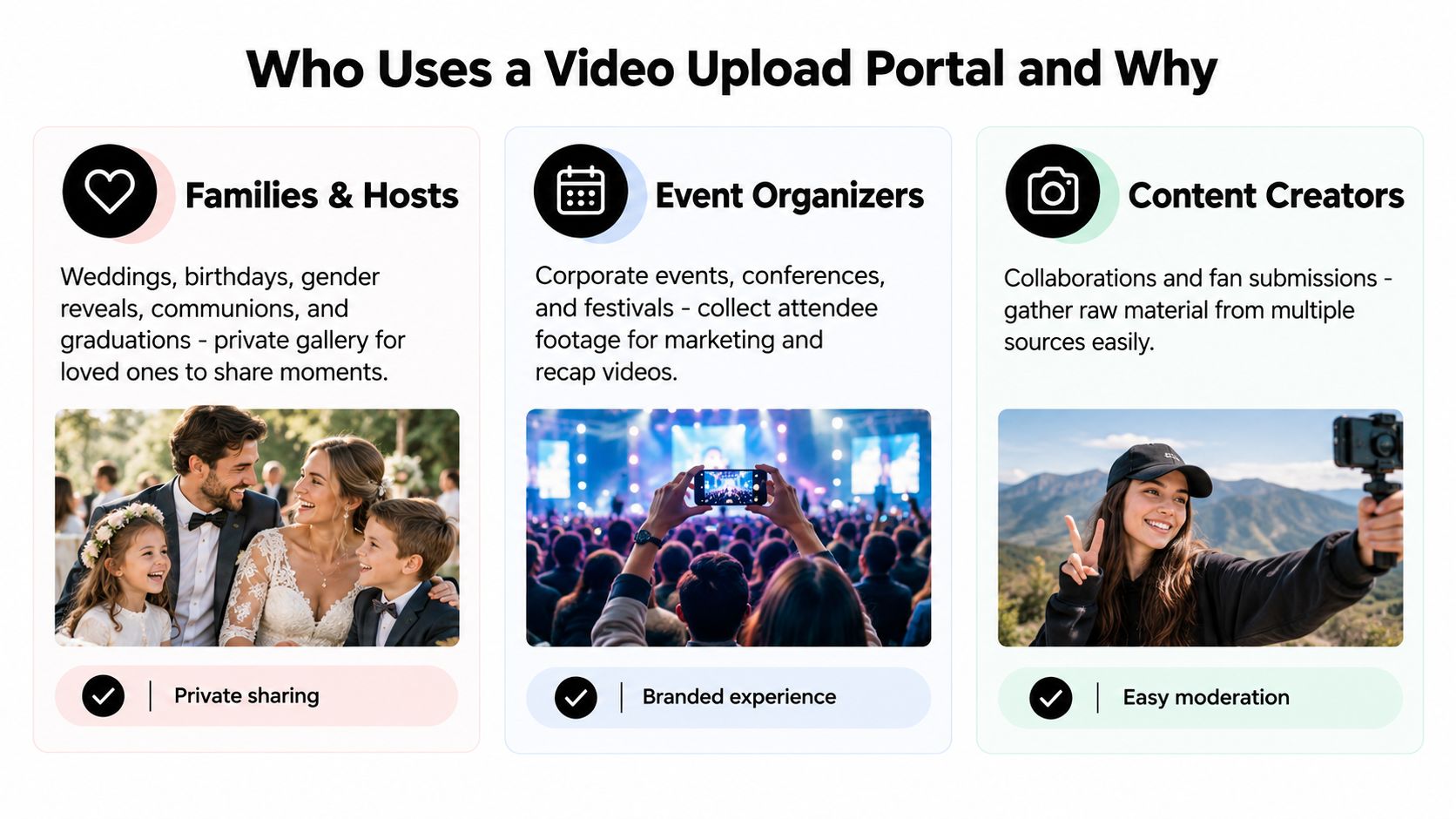
Families want memories they can keep
For a wedding, birthday, communion, or graduation, the desired result might be a private collection that the family can revisit. A recording of a toast doesn't need a marketing workflow. It needs a clear destination and a trustworthy audience.
Prioritize private sharing, straightforward participation, and archive retrieval. For example, a grandparent who's comfortable choosing a video from their phone shouldn't have to understand folders, permissions, or editing software to contribute.
A planner or venue recommending a portal should make the handover explicit. Who receives the archive after the event, and who remains responsible for answering removal requests? Convenience during the celebration isn't enough if responsibility becomes unclear afterward.
Conference teams need usable material
At a conference or company offsite, the communications team may want attendee recordings for an internal recap, a presentation, or an approved public edit. Those uses shouldn't be bundled together without explanation.
Weigh branding, intake capacity, and organized review most heavily. A useful submission prompt might ask guests to identify the session or activity rather than leaving an editor to interpret an unlabeled collection.
Separate the people collecting footage from those approving its use. A team member assembling a recap needs a defined editorial brief, not an assumption that every submitted clip is cleared for promotion.
Crowds need a focused invitation
Festivals, concerts, sports clubs, and creators gathering fan submissions need to explain what kind of footage they're seeking. A match-day collection might distinguish action on the field from celebrations afterward, while a festival organizer might invite recordings from a particular performance.
YouTube's progression from a limited beta in May 2005 to serving more than 100 million videos daily by summer 2006 illustrates how quickly an accessible contribution model can grow (Britannica's history of YouTube). It doesn't predict participation at your event.
For crowd-based collection, prioritize:
- Clear reach: Put the invitation where the intended contributors will notice it.
- Original submissions: Specify whether you want contributors' own recordings.
- Manageable review: Give organizers a way to assess footage before selecting it for publication.
A portal offers a destination. The host still has to give people a reason to use it.
Privacy, Consent, and Who Owns the Footage
A private-looking page isn't a privacy policy. An event logo, a discreet QR code, or the absence of a public gallery doesn't answer who can access submissions or how the provider may use them.
A 2025 Deloitte survey of about 3,500 U.S. consumers found that privacy and security concerns rose from 60% to 70% in one year, while only about 20% said technology providers were very clear about data collection and use (Deloitte's connectivity and mobile trends survey). Clear explanations belong in the selection process, not just in a footer.
Separate archive control from rights to reuse
Ask who controls the event library, but don't stop there. Control of an archive, ownership of a recording, and permission to publish it are distinct questions. The service's terms and your contributor notice need to explain the arrangement.
A couple may want family-only viewing. A company may need an internal archive without permission for external advertising. Neither intention should depend on guests guessing what the upload button means.
An illustrative notice could read:
Upload recordings you're comfortable sharing with the event host for a private event gallery. Please avoid sensitive moments and footage of anyone who has asked not to be included. Contact the organizer if you want a submission removed.
That's sample operational wording, not a legal template. Adapt it to the actual audience, intended use, and applicable requirements. Explain arrangements for minors and bystanders rather than assuming the uploader can authorize every person shown.
Follow the footage through its lifecycle
Set a retention policy before collection begins. Describe when originals will be exported, when hosted files will be removed, and how deletion requests will be handled.
- Removal requests: Provide a contact route and enough information to identify the clip.
- Secondary copies: Consider previews, published edits, and files already downloaded by collaborators.
- Provider use: Ask explicitly about AI training, advertising, and other uses unrelated to the event.
For interview footage that becomes edited clips, Klap's resource on how to safeguard derivatives from interviews is a relevant companion to your rights-management checklist. Pair that planning with data security best practices for the people handling the archive.
Before accepting submissions, ask the vendor:
- Who has access: Can guests, staff, subcontractors, or people with a forwarded link view the files?
- What rights apply: What permissions do the provider and organizer receive?
- How does it end: Can you export originals and complete a documented deletion process?
What the Guest and Organizer See on Event Day
A strong event-day experience gives the guest a small task and the organizer a manageable queue. The interface shouldn't require either person to understand the technology underneath.
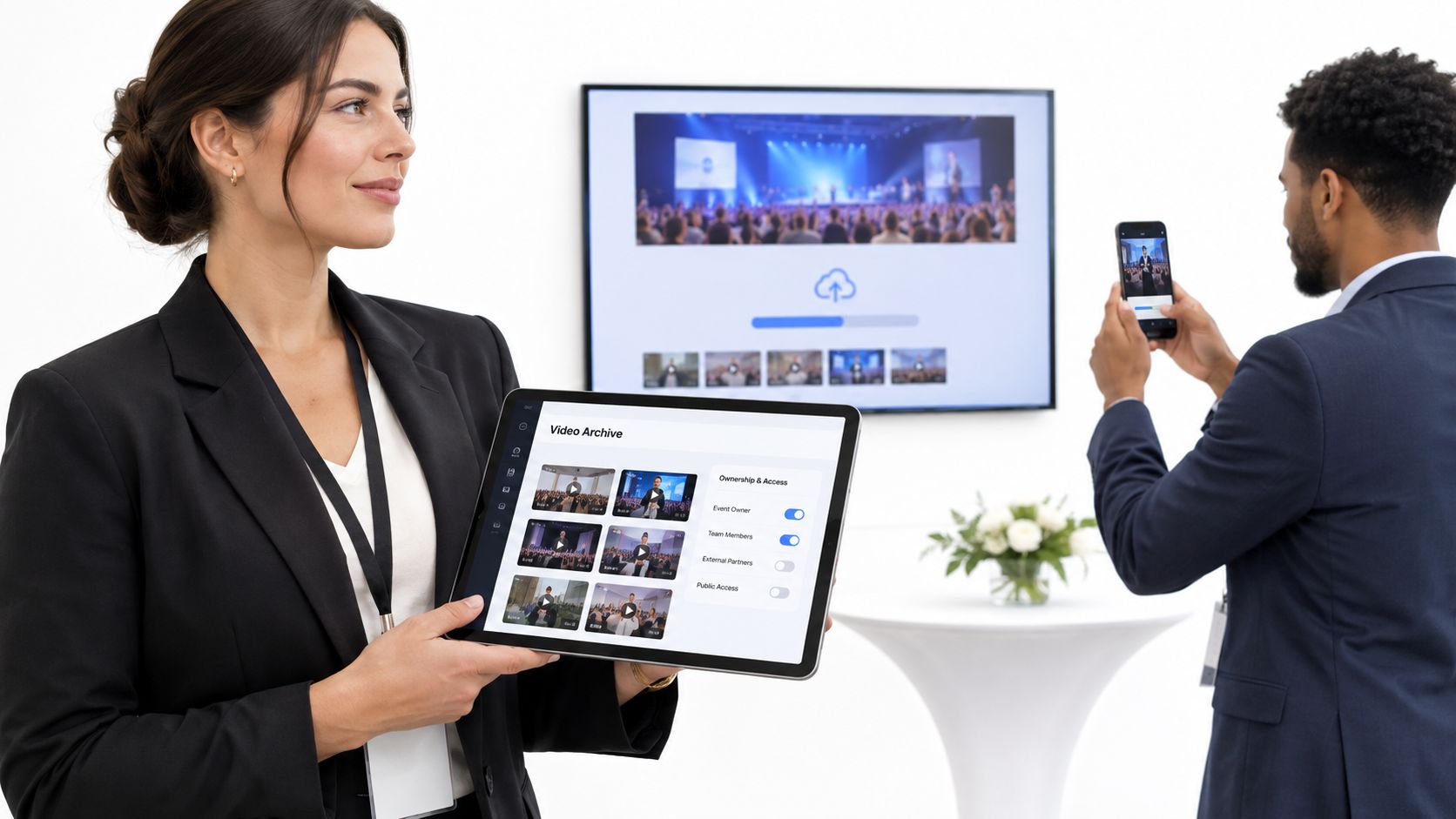
This event-platform screenshot provides a visual reference for the kind of service you're evaluating. Test the actual account settings and supported behavior before relying on a particular workflow.
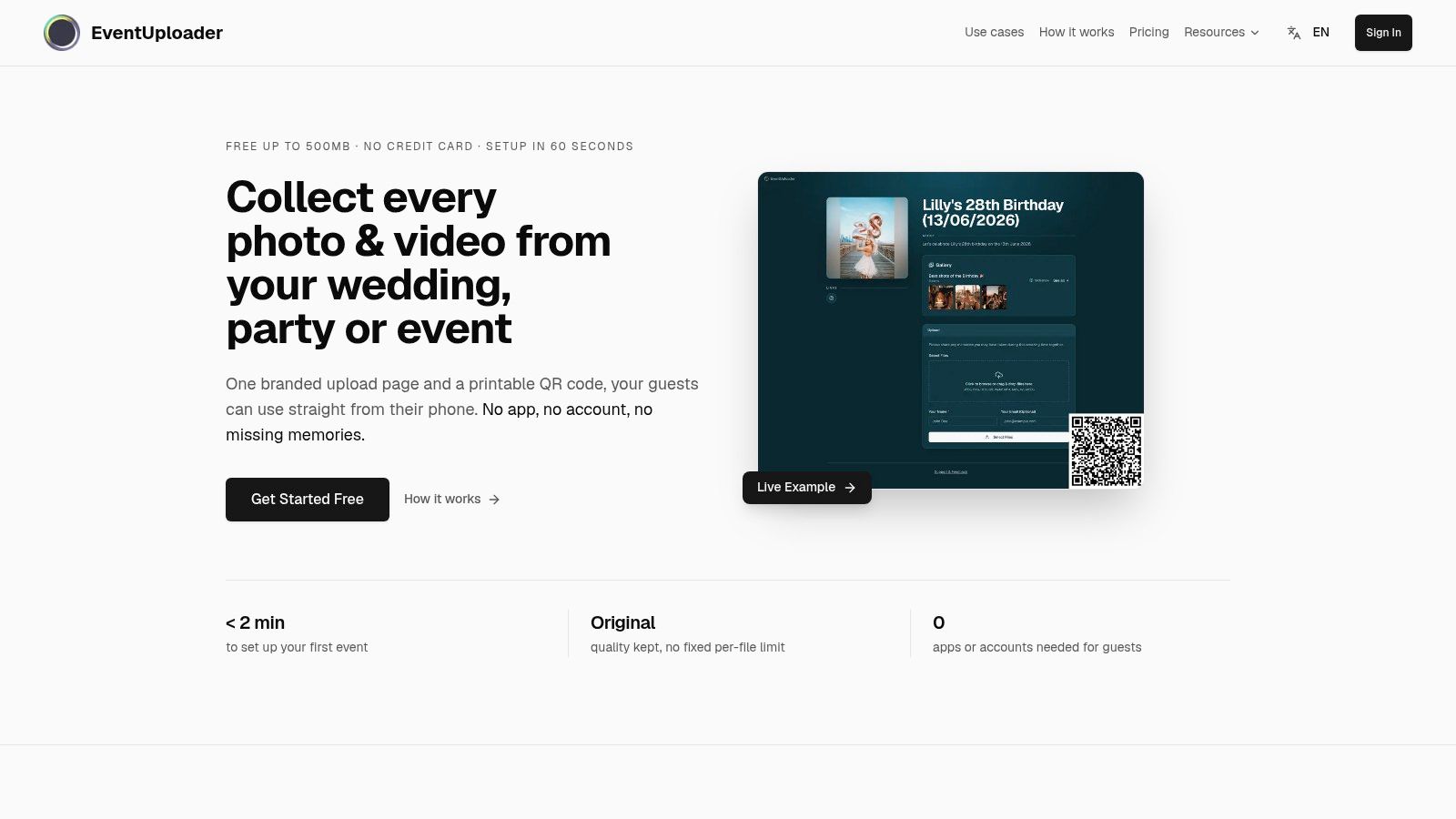
From the guest's phone
The guest scans the table card or opens the invitation's link. The landing page identifies the event, explains the intended use, and makes the next action obvious.
They select their recordings and see progress. A completion message should confirm that the files arrived, not merely that selection began. If something fails, the page should distinguish a connection problem from an unsupported file.
The tus resumable-upload protocol lets a client query the server's current byte offset after interruption and append only the missing data, reducing duplicate transfers when connectivity changes (tus resumable-upload specification). That's a capability to verify with the vendor, not something every browser upload automatically provides.
- For an uncertain guest: Offer a named person who can help without taking over unrelated phone content.
- For a weak connection: Explain whether the upload can resume and whether returning later is supported.
- For accessibility: Check readable instructions, keyboard use, screen-reader labels, and language needs.
From the organizer's laptop
The organizer watches submissions arrive, checks the queue, and keeps unreviewed material separate from approved selections. If a private moment requires stopping collection, the responsible person needs to know where the intake control is.
Processing status should be understandable too. A file can be received while its viewing preview is still being prepared; those aren't the same milestone. Guests shouldn't be encouraged to submit duplicates just because playback isn't ready.
Event-day check: Confirm receipt first, review content second, and publish only after the intended audience is settled.
Afterward, the organizer verifies the export and hands over the archive. A download button is useful, but the job isn't complete until the recipient can open the files and knows which collection is final.
Choosing and Launching Your Portal
Choose around your event's priorities. Families need a trusted sharing circle and a clear handover. Conference teams need an orderly editorial process, while festivals and sports clubs need an invitation and review workflow suited to distributed contributors.
A video upload portal should satisfy all of those responsibilities without asking guests to become technical support staff. Compare candidates using a real recording and your intended privacy settings, not only their demonstration pages.
Prepare before printing the invitation
- Brand the page: Use the event name, recognizable artwork, and a welcome message that explains the request.
- Set collection boundaries: Confirm formats, file limits, capacity, and who manages exceptions.
- Write the notice: State the audience, intended uses, and removal contact.
- Schedule the archive's lifecycle: Decide when collection closes, when files are exported, and when hosted copies are deleted.
- Test the venue invitation: Check the printed code and provide a readable alternative link.
- Plan the return: Decide what guests receive and who approves the finished gallery.
Use this QR-code upload planning guide while preparing venue materials. Test from a guest's perspective, including the person who's least comfortable navigating phone prompts.
If your approved recap needs speech or sound separated from footage, Isolate Audio's guide for video editors on audio extraction is a follow-on resource for the editing stage. Keep that work separate from the original archive.
The right choice is one your least technical guest can use, your privacy-conscious attendee can understand, and your organizer can hand back without uncertainty.
EventUploader offers branded photo and video collection pages, phone uploads through a link or QR code without an app or account, and original-quality exports. Visit EventUploader to set up a collection page, then test a guest upload and review your privacy and archive arrangements before sharing it with attendees.